Key takeaways
- Switch mechanism: Mechanical boards use an individual spring-loaded switch under every key, while membrane boards press a rubber dome onto a shared circuit sheet.
- Typing feel: Mechanical switches offer a crisp, consistent actuation point; membrane keys have a softer, cushioned bottom-out that some typists prefer and others find vague.
- Durability: Mechanical switches are typically rated for 50–100 million presses, versus roughly 5–10 million for most rubber domes.
- Repairability: Hot-swap mechanical boards let you replace a single dead or scratchy switch in seconds; a failing membrane sheet usually means replacing the whole keyboard.
- Noise: Even linear reds click audibly under fast fingers, whereas membrane boards are inherently quieter — a real advantage for shared spaces and open-mic streaming.
- Cost and weight: Membrane boards remain cheaper and lighter; mechanical boards cost more but hold resale value and support keycap and switch upgrades.
Walk into any 2026 gaming setup and the keyboard is usually the first thing you notice — and the first thing you feel. The debate between mechanical and membrane boards has been running for years, but the gap has narrowed in interesting ways. Mechanical switches have gotten cheaper, quieter and easier to customise, while modern membrane and hybrid boards have shed much of the mushy reputation that once defined them.
Choosing between them matters more than it used to, because keyboards are no longer disposable accessories. Hot-swappable sockets, tri-mode wireless, pre-lubed switches and PBT keycaps have turned a mid-range board into a multi-year investment. Below we break down how mechanical and membrane keyboards actually differ in feel, latency, durability and cost — and which type suits your games, your desk and your budget.
Our top picks
 Redragon Mechanical Gaming Keyboard Wired
- Brilliant Color Illumination- With 11 unique backlights, choose…
- Support Macro Editing: The K671 Mechanical Gaming Keyboard…
- Hot-swappable Linear Red Switch- Our K671 gaming keyboard…
 AULA F75 Pro Wireless Mechanical Keyboard
- Tri-mode Connection Keyboard: AULA F75 Pro wireless mechanical…
- Hot-swap Custom Keyboard: This custom mechanical keyboard with…
- Advanced Structure and PCB Single Key Slotting: This…
| Product | Key specs | |
|---|---|---|
| Redragon Mechanical Gaming Keyboard Wired | Brilliant Color Illumination- With 11 unique backlights, choose… Support Macro Editing: The K671 Mechanical Gaming Keyboard… Hot-swappable Linear Red Switch- Our K671 gaming keyboard… | Check price |
| AULA F75 Pro Wireless Mechanical Keyboard | Tri-mode Connection Keyboard: AULA F75 Pro wireless mechanical… Hot-swap Custom Keyboard: This custom mechanical keyboard with… Advanced Structure and PCB Single Key Slotting: This… | Check price |
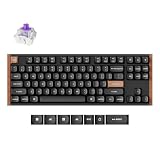
 Keychron K8 Tenkeyless Wireless Mechanical Keyboard for Keychron K8 Tenkeyless Wireless Mechanical Keyboard for | Check price | |
 Womier DK75 75% Wireless Gaming Keyboard Womier DK75 75% Wireless Gaming Keyboard | Triple-Mode Connectivity for Multi-Device 75% Keyboard Layout with Mechanical-Inspired Design Cool RGB Backlit Keyboard Effects | Check price |
 Newmen GM611 Mechanical Keyboard Newmen GM611 Mechanical Keyboard | 1.Compact Mechanical Design:The Newmen GM611 mechanical keyboard adopts… 2.Backlit Mechanical Keyboard: This 60 Percent Mechanical Keyboard… 3.N-key rollover and anti-ghosting: wired keyboard feature N-key… | Check price |
 Newmen GM326 Mechanical Keyboard Newmen GM326 Mechanical Keyboard | [75% Mechanical Keyboard with Rainbow Led Backlight] The… [Hot Swappable Linear Mechanical Keyboard] This hotswap function… [Multi-Function Knob and Indicators] A multi-function knob in… | Check price |
 Kisnt KN85 Wireless Mechanical Keyboard Kisnt KN85 Wireless Mechanical Keyboard | 【75% Space‑saving Layout】The KN85 series is a compact… 【Tri-Mode Connectivity for Multi-Device Workflow】Connect via USB‑C, 2.4GHz… 【Creamy Thocky Typing Sound】The gasket mount absorbs harsh… | Check price |
 RK952 Wired Mechanical Gaming Keyboard RK952 Wired Mechanical Gaming Keyboard | More than a mechanical keyboard, it's the centerpiece… Every keystroke should feel rewarding The difference is something you'll hear and feel | Check price |
As an Amazon Associate we earn from qualifying purchases at no extra cost to you.
⚡ Save on Your Next PC — Amazon Prime
Prime members get fast free shipping on the systems above, plus early access to Prime Day & Black Friday PC deals. New members get a 30-day free trial.
Watch: Mechanical vs Membrane Keyboard: 2026 Guide — Video Review
Quick Verdict
Mechanical keyboards are the better choice for competitive and enthusiast gamers who want consistent actuation, per-key repairability and a typing feel they can tune — boards like the AULA F75 Pro, Keychron K8 and Newmen GM326 all deliver that at sensible prices. Membrane and membrane-style boards make more sense if you need near-silent operation, spill resistance and the lowest possible entry cost, or if you share a room, office or stream setup where key noise is a genuine problem.
Key Differences
- Switch mechanism: Mechanical boards use an individual spring-loaded switch under every key, while membrane boards press a rubber dome onto a shared circuit sheet.
- Typing feel: Mechanical switches offer a crisp, consistent actuation point; membrane keys have a softer, cushioned bottom-out that some typists prefer and others find vague.
- Durability: Mechanical switches are typically rated for 50–100 million presses, versus roughly 5–10 million for most rubber domes.
- Repairability: Hot-swap mechanical boards let you replace a single dead or scratchy switch in seconds; a failing membrane sheet usually means replacing the whole keyboard.
- Noise: Even linear reds click audibly under fast fingers, whereas membrane boards are inherently quieter — a real advantage for shared spaces and open-mic streaming.
- Cost and weight: Membrane boards remain cheaper and lighter; mechanical boards cost more but hold resale value and support keycap and switch upgrades.
Mechanical Keyboards
The appeal of mechanical is precision. Because every key has its own switch, actuation is uniform across the board, and there’s no dead zone where a dome has softened from use. Linear red switches — found in the Redragon wired board, the Newmen GM611 and the GM326 — are the default gaming recommendation for a reason: no tactile bump means no resistance mid-press, which helps with rapid counter-strafing and repeated ability inputs. Anti-ghosting and N-key rollover are standard here, so simultaneous inputs register reliably.
The other advantage is longevity through modularity. Hot-swappable sockets on the AULA F75 Pro, Redragon and Newmen GM326 mean you can swap linears for tactiles without soldering, and double-shot or side-printed PBT keycaps resist the greasy shine that kills cheaper ABS caps within a year. Layout choice has broadened too: the Keychron K8 offers a tenkeyless Mac-native layout with Bluetooth, the AULA F75 Pro packs a 75% board with a control knob and pre-lubed Reaper switches, and the GM611 strips things down to a 61-key 60% for travel or low-DPI mouse space.
Membrane and Silent Hybrid Keyboards
Membrane boards win on practicality. They’re quieter, lighter, more resistant to dust and minor spills, and dramatically cheaper to replace if something goes wrong. For casual and single-player gaming — RPGs, strategy, simulation — the difference in actual performance is far smaller than enthusiast forums suggest. Modern rubber domes have improved consistency, and the low-noise profile is genuinely useful if you game at night, record voiceover or work in a shared office during the day.
The trade-off is feel and lifespan. Domes soften unevenly over time, so heavily used keys like WASD start to feel mushier than the rest of the board, and there’s no way to fix a single key. Some newer boards blur the line: the Womier DK75 markets itself as a silent membrane-style 75% gaming keyboard while offering an OLED screen, media knob, tri-mode 2.4GHz/Bluetooth/USB-C connectivity and no-conflict anti-ghosting — features that used to be mechanical-only. If quiet operation is non-negotiable but you still want modern gaming amenities, that hybrid category is worth a serious look.
Which Should You Buy?
- For competitive FPS: Pick a linear mechanical — the Newmen GM611 or GM326 with red switches gives you fast, consistent actuation and a compact footprint for wide mouse sweeps.
- For wireless flexibility: Pick the AULA F75 Pro or Keychron K8, both of which handle Bluetooth, dongle and wired use across multiple devices.
- For Mac users: Pick the Keychron K8, which ships with Mac-native keycaps and layout rather than a Windows board with a remapping workaround.
- For quiet rooms and streaming: Pick the Womier DK75 or another silent membrane-style board and keep your microphone clean.
- For a first mechanical on a budget: Pick the Redragon wired board — hot-swap sockets and PBT keycaps mean you can upgrade the feel later without buying a second keyboard.
Frequently Asked Questions
Do mechanical keyboards actually make you better at games?
Marginally. The measurable gains come from consistent actuation and reliable N-key rollover rather than raw speed. Most players notice comfort and confidence improvements more than scoreboard ones.
Are mechanical keyboards too loud for streaming?
Linear switches with pre-lubed stems and a gasket-mounted case — like the AULA F75 Pro — are far quieter than older clicky blues. For truly silent input, a membrane or silent-switch board is still the safer choice.
What does hot-swappable mean?
It means switches sit in sockets rather than being soldered, so you can pull and replace them by hand. The Redragon, AULA F75 Pro and Newmen GM326 all support this.
Is a 60% or 75% layout worth it for gaming?
Yes, if desk space matters. A 60% board like the GM611 frees up room for low-sensitivity mouse movement, while 75% layouts keep arrow keys and a function row for everyday work.
Final Verdict
For most gamers in 2026, mechanical is the better long-term buy: prices have fallen, hot-swap sockets make boards repairable, and options like the AULA F75 Pro, Keychron K8 and Newmen GM326 cover wireless, Mac and compact use cases without a premium price. Choose membrane or a silent hybrid such as the Womier DK75 only if noise, spill resistance or budget genuinely outweigh feel and durability — and if you’re new to mechanical, start with a hot-swappable board like the Redragon so you can refine the feel later.