Shopping for a gaming PC under $1,500 in 2026 means walking a narrow line. Push too cheap and you end up with a machine that stutters at 1080p within two years; stretch too far and you’ve blown past your budget for performance you won’t notice on a 1440p monitor. The market is also crowded with prebuilts that advertise a strong graphics card while quietly cutting corners on the power supply, cooling, or storage — the parts you don’t see on the spec sheet but definitely feel six months in.
This guide cuts through that noise. We’ve focused on systems that land realistically inside a $1,500 budget, prioritizing GPU performance per dollar, DDR5 memory, and NVMe storage that won’t need replacing immediately. Below you’ll find our shortlist, a practical buying checklist, honest reviews of the top contenders, and answers to the questions buyers ask most often.
Our top picks
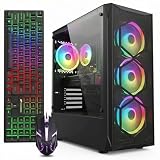
 KOTIN Prebuilt Gaming PC RTX 5070 12GB
Built-in smart display shows live CPU and GPU temperatures while gaming
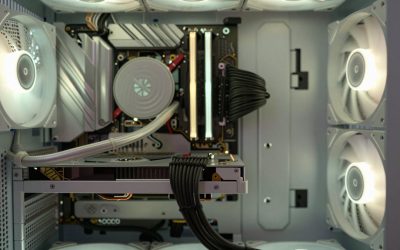
850W 80 Plus Gold PSU and 360mm liquid cooling support sustained performance
Arrives fully assembled with Windows 11 pre-installed and ready
Monitor must connect to the graphics card ports, not the motherboard ports
At 30 pounds, the tower is heavy to move once set up
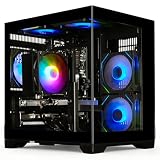
 msi Codex Z2 Gaming Desktop: AMD R7-8700F
8-core, 16-thread Ryzen 7 8700F handles gaming and background tasks together
Four cooling fans with an ARGB air cooler support sustained airflow
2TB SSD offers ample room for a large game library
MSI recommends Windows 11 Pro separately for business use cases
At over 21 pounds, the tower is heavy to relocate often
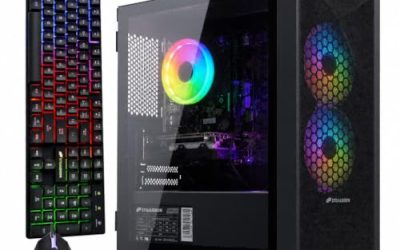
 STGAubron Gaming PC Desktop
- This Gaming PC Desktop is well-suited for a…
- This high-performance Gaming Computer Desktop is capable of…
- PC Gaming System: This gaming computer desktop is…
 Alienware Aurora Gaming Desktop
Customizable AlienFX lighting zones add personalized styling options
RTX 5070 with Blackwell architecture supports modern ray tracing workloads
1-Year Onsite Service brings repairs to your location if needed
At nearly 34 pounds, the desktop is heavy to relocate
Matte basalt black finish is the only color option listed
 CyberPowerPC Gaming PC
- System: AMD Ryzen 5 5500 3.6GHz 6 Cores…
- Graphics: AMD Radeon RX 6500 XT 4GB Graphics…
- Connectivity: 4 x USB-A 3.2 | 4 x…
 Dell Gaming Tower Desktop PC
- Processor: Intel Core i5-7500 7th Gen
- Memory: 16GB DDR4 RAM
- Storage: 256GB SSD
 YAWYORE Gaming PC
8-core, 16-thread Ryzen 7 5700X handles multi-threaded tasks easily
650W 80 Plus Bronze PSU is certified for efficient, stable power
Shock-absorbing foam packaging is built in for safer shipping
Foam packaging must be removed before first use, an easy step to miss
GPU brand may vary from unit to unit per the listing
As an Amazon Associate we earn from qualifying purchases at no extra cost to you.
⚡ Save on Your Next PC — Amazon Prime
Prime members get fast free shipping on the systems above, plus early access to Prime Day & Black Friday PC deals. New members get a 30-day free trial.
Watch: Best Gaming PC Under $1500 — Video Review
How to Choose Gaming PC Under $1500
- Prioritize the GPU above everything else: Your graphics card determines your frame rate more than any other component. At this budget, an RTX 5070 is the sweet spot for 1440p high settings — don’t accept a weaker GPU paired with an overspecced CPU.
- Insist on 32GB of DDR5: 16GB is now the bare minimum, and modern titles routinely push past it with background apps running. 32GB of DDR5 costs little extra in a prebuilt and buys you several years of headroom.
- Check storage type and capacity: A 1TB NVMe SSD is the practical floor in 2026 — a handful of AAA installs will fill 512GB fast. Avoid any system still shipping a mechanical drive as primary storage.
- Look past the headline specs to cooling and PSU: Budget prebuilts often pair a strong GPU with a marginal power supply and minimal airflow, which shows up as thermal throttling under sustained load. Cases with mesh front panels and multiple intake fans are worth paying for.
- Factor in upgrade paths and warranty: A standard ATX case with spare RAM slots and a modular PSU saves you money later. Brand-name builders typically offer 1–2 year warranties and real support, which matters more than a small price difference.
The Best Picks Reviewed
KOTIN Prebuilt Gaming PC (RTX 5070, Ryzen 7 9700X)
This is the best raw value on the list: the Ryzen 7 9700X is a genuinely current-generation CPU that won’t bottleneck the RTX 5070 in CPU-heavy titles, and 32GB of DDR5 plus a 1TB SSD covers the essentials without compromise. Build quality and support are a step below the big brands, but for pure frames-per-dollar at 1440p it’s hard to beat.
MSI Codex Z2 (RTX 5070, R7-8700F)
MSI’s Codex Z2 pairs the same RTX 5070 with a 2TB NVMe drive — double the storage of most rivals at this price — plus front USB Type-C and a properly ventilated chassis. The R7-8700F is a slightly older part than the 9700X, but in GPU-bound gaming the real-world gap is small, making this the smarter pick if you install a lot of games.
Lenovo Legion Tower 5i (RTX 5070 Ti, Core Ultra 7 265F)
The Legion Tower 5i is the performance leader here thanks to its RTX 5070 Ti, which delivers a meaningful uplift at 1440p and makes 4K playable in many titles with upscaling enabled. Lenovo’s cooling and cable management are excellent, and the included three months of PC Game Pass is a genuine bonus — just expect to be near the top of the $1,500 range.
Alienware Aurora (RTX 5070, Core Ultra 7 265F)
Alienware’s Aurora offers the most polished ownership experience of the group: solid thermals, tidy internals, and Dell’s support network behind it. You pay a premium for the badge and the case design, so this is the choice for buyers who value reliability and service over squeezing out the last few frames.
CyberPowerPC Gaming PC (Ryzen 5 5500, RX 6500 XT)
This is the entry point rather than a 1440p machine — the RX 6500 XT’s 4GB of VRAM is limiting in modern titles, so treat it as a 1080p, medium-settings system for esports and older games. It earns a spot only because it leaves substantial budget for a GPU upgrade later, which is exactly how it should be bought.
Frequently Asked Questions
Is $1,500 enough for a 1440p gaming PC in 2026?
Comfortably, yes. An RTX 5070-class system paired with a modern 8-core CPU will run the vast majority of current titles at 1440p with high settings and well above 60fps, especially with DLSS or FSR enabled.
Should I buy a prebuilt or build my own?
Building your own still saves money, but the gap has narrowed as prebuilt makers buy components in bulk. If you want a warranty covering the whole system, or you’re not comfortable troubleshooting hardware, a prebuilt is the safer choice.
Is 16GB of RAM still acceptable?
It’s workable for esports titles but increasingly tight for AAA games, particularly with a browser and Discord running. If a system only offers 16GB, budget for a memory upgrade within the first year.
Do these PCs include a monitor, keyboard, or mouse?
Generally not — most systems at this price ship as the tower alone. Set aside an additional $200–$400 for a decent 1440p high-refresh monitor and peripherals if you’re starting from scratch.
Final Thoughts
For most buyers, the MSI Codex Z2 is the best all-around choice under $1,500, combining RTX 5070 performance with 2TB of fast storage and a well-cooled chassis. If you want the strongest frame rates available at this budget, the Lenovo Legion Tower 5i and its RTX 5070 Ti is worth stretching for, while the KOTIN RTX 5070 build remains the value pick for anyone who cares more about performance per dollar than brand-name support.