Key takeaways
- Spend your money in this order: monitor, chair, mouse and keyboard, then headset, and only add extras once the essentials feel right.
- Buy a slightly better monitor than you think you need, because it is the part you keep longest through future upgrades.
- Test peripherals in person if you can; comfort and grip fit cannot be judged from a spec sheet alone.
- Leave one free USB port and a little desk space so you can add a webcam, microphone, or controller later without a rebuild.
What's inside
- Watch: Best Gaming Setup for Beginners (2026 Guide) — Video Review
- Start With the Desk, Chair, and Space
- Choose a Monitor That Matches Your Games
- Get Your Inputs Right: Keyboard and Mouse
- Do Not Ignore Audio
- Cable Management and Lighting
- Tips
- Related Guides
- Frequently Asked Questions
- Conclusion
- Related Articles
Putting together your first gaming setup in 2026 is genuinely exciting, but it is also the moment where most beginners overspend on the wrong things and under-invest in the parts that actually shape how games feel and sound. A great setup is not about buying the flashiest gear on the shelf; it is about balancing your desk, your display, your inputs, and your audio so everything works together without a weak link dragging the rest down. Get that balance right and even a modest budget can deliver a setup that feels premium every time you sit down to play.
- Watch: Best Gaming Setup for Beginners (2026 Guide) — Video Review
- Start With the Desk, Chair, and Space
- Choose a Monitor That Matches Your Games
- Get Your Inputs Right: Keyboard and Mouse
- Do Not Ignore Audio
- Cable Management and Lighting
- Tips
- Related Guides
- Frequently Asked Questions
- Conclusion
- Related Articles
This guide walks you through building a beginner gaming setup the smart way, from choosing where you will play and how you will sit, to picking a monitor, and finally to the audio gear that makes competitive games readable and single-player worlds immersive. Along the way you will learn which upgrades give the biggest return, which corners are safe to cut early on, and how to leave room to grow. By the end you should be able to shop with confidence instead of guessing.
As an Amazon Associate we earn from qualifying purchases at no extra cost to you.








⚡ Save on Your Next PC — Amazon Prime
Prime members get fast free shipping on the systems above, plus early access to Prime Day & Black Friday PC deals. New members get a 30-day free trial.
Watch: Best Gaming Setup for Beginners (2026 Guide) — Video Review
Start With the Desk, Chair, and Space
Before a single peripheral goes on your list, think about where you will actually play. A stable desk deep enough to hold your monitor at arm’s length, a chair that supports your lower back, and enough clearance for your arms to rest naturally will do more for long sessions than any RGB accessory. Beginners often skip this and end up hunched over a cramped surface, which leads to sore wrists and a setup that never quite feels comfortable. Aim for a desk around 28 to 30 inches tall and a chair whose armrests let your forearms sit level with your keyboard.
Choose a Monitor That Matches Your Games
Your monitor is the single component you stare at for every second of play, so it deserves priority over almost everything else. For most beginners a 1080p display at 144Hz hits the sweet spot: sharp enough to enjoy, fast enough to feel responsive, and affordable enough to leave budget for the rest. If you mostly play fast shooters, favor a higher refresh rate; if you love story-driven or strategy games, a 1440p panel gives you extra detail. Avoid buying a huge 4K screen too early, since the graphics card needed to drive it well can cost more than the rest of your setup combined.
Get Your Inputs Right: Keyboard and Mouse
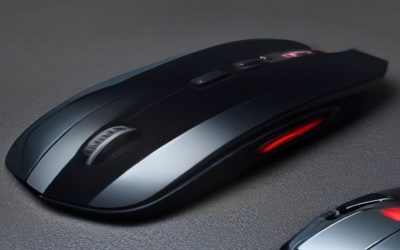
A comfortable keyboard and a mouse that fits your hand shape are what translate your intentions into the game. You do not need the most expensive mechanical keyboard to start, but you do want keys that feel consistent and a mouse whose weight and grip suit you. Pay attention to sensor quality and click feel rather than raw DPI numbers, which are largely marketing. If your hand cramps or the mouse feels too small, no amount of skill practice will feel natural, so try to match the shape to your grip style before anything else.
Do Not Ignore Audio
Sound is the most underrated part of a beginner setup. In competitive games, accurate audio tells you where an enemy is before you ever see them, and in immersive titles it carries most of the atmosphere. A solid gaming headset with a clear microphone keeps you competitive, lets you communicate with teammates, and does not disturb the rest of your household. Our recommended picks above range from lightweight wired options like the Razer BlackShark V2 X and JBL Quantum 100M2 to cable-free freedom with the Turtle Beach Stealth 600 and Logitech G522, so there is a comfortable choice at almost every budget.
Cable Management and Lighting
Once the core pieces are in place, tidy cabling and a little lighting turn a pile of gear into a real setup. Route cables behind the desk with simple clips or ties so nothing snags your mouse arm, and add a single bias light behind the monitor to reduce eye strain during long night sessions. These finishing touches cost almost nothing but make the whole space feel intentional and easier to keep clean.
Tips
- Spend your money in this order: monitor, chair, mouse and keyboard, then headset, and only add extras once the essentials feel right.
- Buy a slightly better monitor than you think you need, because it is the part you keep longest through future upgrades.
- Test peripherals in person if you can; comfort and grip fit cannot be judged from a spec sheet alone.
- Leave one free USB port and a little desk space so you can add a webcam, microphone, or controller later without a rebuild.
Frequently Asked Questions
How much should a beginner spend on a first gaming setup?
A comfortable starting range covers the monitor, chair, keyboard, mouse, and a headset without stretching into premium territory. Prioritize a good display and comfortable seating first, since those affect every session, and treat flashy extras as later additions once the core feels solid.
Do I need a mechanical keyboard to game well?
No. Mechanical keyboards feel great and last a long time, but a reliable membrane or entry-level mechanical board is perfectly capable for a beginner. Consistency and comfort matter far more than the switch type when you are just starting out.
Is a wired or wireless headset better for beginners?
Both are excellent in 2026. A wired headset removes any charging worries and usually costs less, while a modern wireless model like the Turtle Beach Stealth 600 offers freedom of movement with reliable low-latency audio. Choose based on how much you value a clutter-free desk versus never thinking about a battery.
Should I buy everything at once or upgrade over time?
Buy the essentials together so your setup is usable from day one, then upgrade individual pieces as your budget allows and your preferences become clearer. Starting with a solid foundation and improving one component at a time is cheaper and less overwhelming than trying to buy the perfect setup immediately.
Conclusion
A great beginner gaming setup comes down to balance rather than spending: a comfortable place to sit, a monitor matched to the games you love, inputs that fit your hands, and audio that keeps you immersed and competitive. Start with the essentials, pick gear that leaves room to grow, and add the finishing touches once the core feels right. Do that and your first setup will not just look the part in 2026, it will genuinely help you play better and enjoy every session.