Key takeaways
- Class-leading 480Hz motion clarity for competitive play
- Excellent per-pixel contrast and true blacks
- Fully adjustable stand with clean cable management
- Three-year burn-in warranty eases OLED worries
The ASUS ROG PG27AQDP is a 27-inch 1440p OLED gaming monitor built around a 480Hz refresh rate, and it sits at the extreme end of what competitive players ask a panel to do. It pairs the deep contrast and near-instant pixel response of a WOLED panel with a refresh ceiling that, until recently, only smaller esports TN screens could touch.
It is aimed squarely at high-refresh competitive gamers who play CS2, Valorant, or Overwatch and want motion clarity above everything else. Anyone shopping mainly for 4K cinema visuals or productivity real estate should read the alternatives section first, because this monitor makes deliberate trade-offs to hit that number.
Our top picks
 ASUS ROG PG27AQDP 27 Inch 1440p 480Hz
- World's First 1440P 480Hz OLED Gaming Monitor: Experience…
- Ultra-Fast Response Time and High Refresh Rate: 26.5-inch…
- Exclusive Gaming AI Assistant: Advanced AI technology helps…
 ASUS ROG PG32UCDMR 32 Inch 4K 240Hz
- Immersive 4K Gaming Display: 32-inch 4K (3840 x…
- Advanced OLED Care Technology: New ASUS OLED Care…
- Professional Color Accuracy: VESA DisplayHDR 400 True Black…
 ASUS ROG PG32UCDM 32 Inch 4K 240Hz
- Immersive 4K QD-OLED Display: 32-inch 4K (3840 x…
- Advanced Heat Management System: Highly efficient custom heatsink,…
- Exceptional HDR Performance: VESA DisplayHDR 400 True Black…
| Product | Key specs | |
|---|---|---|
| ASUS ROG PG27AQDP 27 Inch 1440p 480Hz | World's First 1440P 480Hz OLED Gaming Monitor: Experience… Ultra-Fast Response Time and High Refresh Rate: 26.5-inch… Exclusive Gaming AI Assistant: Advanced AI technology helps… | Check price |
| ASUS ROG PG32UCDMR 32 Inch 4K 240Hz | Immersive 4K Gaming Display: 32-inch 4K (3840 x… Advanced OLED Care Technology: New ASUS OLED Care… Professional Color Accuracy: VESA DisplayHDR 400 True Black… | Check price |
| ASUS ROG PG32UCDM 32 Inch 4K 240Hz | Immersive 4K QD-OLED Display: 32-inch 4K (3840 x… Advanced Heat Management System: Highly efficient custom heatsink,… Exceptional HDR Performance: VESA DisplayHDR 400 True Black… | Check price |
 ASUS ROG PG32UCDP 32 Inch 4K 240Hz | Dual Mode Display Technology: 32-inch 4K (3840 x… ROG-Exclusive OLED Anti-Flicker Technology: Helps reduce the flicker… Advanced AI Assistant Features: Provides dynamic AI Crosshair,… | Check price |
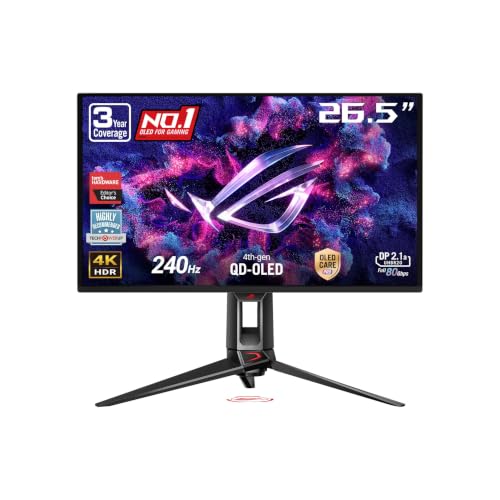 ASUS ROG PG27UCDM 27 Inch 4K 240Hz | High-Performance Display Specifications: 26.5-inch 4K (3840 x 2160)… Advanced QD-OLED Technology: Latest 4th-gen QD-OLED technology delivers… Enhanced Viewing Comfort: OLED Anti-Flicker 2.0 technology includes… | Check price |
 ASUS ROG XG27AQDMG 27 Inch 1440p 240Hz | Immersive QHD OLED Display: 26.5-inch QHD (2560 x… Advanced Cooling and OLED Protection: Highly efficient custom… ROG OLED Anti-flicker Technology: ROG-exclusive OLED Anti-flicker technology… | Check price |
 ASUS ROG XG27ACS 27 Inch 1440p 180Hz | 27-inch 2560 x 1440 HDR gaming monitor with… ASUS Fast IPS technology enables a 1ms response… ASUS Extreme Low Motion Blur Sync (ELMB SYNC)… | Check price |
 ASUS ROG Swift 27" Edition 20 OLED | Dual-Mode High-Performance Display: 26.5-inch QHD OLED gaming monitor… Advanced Tandem OLED Technology: New Tandem OLED technology… TrueBlack Glossy Panel: New TrueBlack Glossy panel provides… | Check price |
As an Amazon Associate we earn from qualifying purchases at no extra cost to you.
⚡ Save on Your Next PC — Amazon Prime
Prime members get fast free shipping on the systems above, plus early access to Prime Day & Black Friday PC deals. New members get a 30-day free trial.
Watch: ASUS ROG Swift Review — Video Review
Design & Build
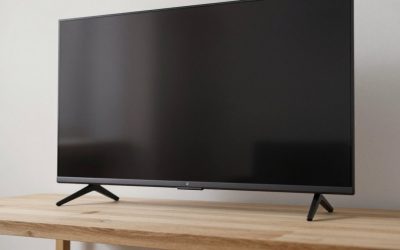
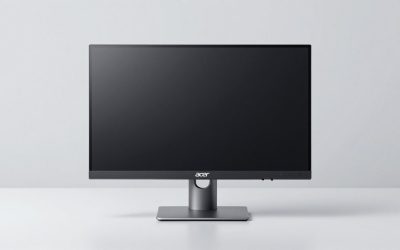
ROG’s design language is restrained by 2026 standards: a matte dark chassis, a slim tripod stand with the projected ROG logo you can disable, and a genuinely useful cable-routing channel. The stand offers full height, tilt, swivel, and pivot adjustment, and the panel itself is impressively thin. The OSD is driven by a rear joystick, and the menu is quick to navigate. Build quality feels premium, though the plastic rear housing is more functional than luxurious, and the 27-inch footprint is chunkier front-to-back than the spec sheet suggests because of the heatsink managing OLED brightness.
Performance
This is where the PG27AQDP earns its price. At 480Hz the motion clarity is exceptional; fast flick shots and tracking feel noticeably crisper than on a 240Hz OLED, and the sub-millisecond pixel response means no smearing behind moving objects. The 1440p resolution at 27 inches gives roughly 110 PPI, sharp enough for desktop text once you enable the third-party subpixel workarounds, though the non-standard WOLED subpixel layout still produces mild color fringing on thin fonts.
HDR is a mixed story. Per-pixel contrast and inky blacks are superb, but full-screen brightness is limited, so bright HDR scenes look muted next to a QD-OLED. ASUS includes solid burn-in mitigation, a uniform-brightness mode, and a three-year burn-in warranty, which takes some of the anxiety out of daily use. Driving 480Hz meaningfully also demands a very strong GPU; on mid-range hardware you will rarely feed the panel enough frames to justify it.
Pros & Cons
- Class-leading 480Hz motion clarity for competitive play
- Excellent per-pixel contrast and true blacks
- Fully adjustable stand with clean cable management
- Three-year burn-in warranty eases OLED worries
- Limited full-screen HDR brightness versus QD-OLED rivals
- Needs a top-tier GPU to actually reach high frame rates
- WOLED subpixel layout causes minor text fringing
Alternatives to Consider
If resolution and HDR punch matter more than raw refresh, the ASUS ROG PG32UCDMR is a 32-inch 4K 240Hz QD-OLED with far brighter highlights and more desktop space. Players who want to push refresh even further should look at the ASUS ROG PG27AQWP-W, a 540Hz Tandem OLED at the same 1440p resolution. Budget-conscious buyers who still want G-SYNC and USB-C can drop to the IPS-based ASUS ROG XG27ACS at 180Hz for a fraction of the cost.
Frequently Asked Questions
Do I need a 480Hz monitor to see a difference?
Only if your GPU can consistently push frame rates near that ceiling in your games. Below roughly 300 fps the gains over a 240Hz OLED become hard to perceive for most players.
Is OLED burn-in a real risk for gaming?
It remains a long-term consideration with static HUD elements, but ASUS bundles pixel-shift, logo dimming, and a three-year burn-in warranty that specifically covers it, which materially lowers the risk over the panel’s usable life.
How is text clarity for work?
Acceptable but not perfect. The WOLED subpixel arrangement causes slight color fringing on small fonts, so heavy spreadsheet or coding users may prefer an IPS or QD-OLED panel.
Does it work well with consoles?
It runs fine at 1440p 120Hz on current consoles, but the 480Hz headroom is wasted since consoles cannot approach those frame rates. It is a PC-first monitor.
Verdict
The ASUS ROG PG27AQDP is a specialist. If you are a competitive PC gamer with a powerful GPU chasing every millisecond of motion clarity, nothing at 1440p feels sharper in motion. If you want a do-everything monitor with bright HDR and flawless text, your money is better spent on a QD-OLED alternative. Bought for its intended purpose, it is one of the most convincing esports displays of 2026.
FAQ
Do I need a 480Hz monitor to see a difference?
Is OLED burn-in a real risk for gaming?
How is text clarity for work?
Does it work well with consoles?
More from Amazon
Programs that pair well with the guide above. Offers and eligibility are set by Amazon and may change.
Free shipping on eligible items, Prime Video and more. Eligible new members can start with a free trial.
Start a Prime free trialAd-free music streaming. Eligible new subscribers can start with a free trial.
Try Music Unlimited freeA Prime membership for ages 18-24 with a trial period. Eligibility is set by Amazon.
See Prime for Young AdultsAudiobooks and podcasts to listen to on the go. Eligible new members can start with a free trial.
Try Audible freeAs an Amazon Associate we earn from qualifying purchases.