Our Top Picks
Pros & cons
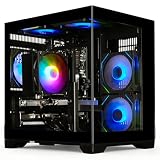
- 8-core, 16-thread Ryzen 7 8700F handles gaming and background tasks together
- Four cooling fans with an ARGB air cooler support sustained airflow
- 2TB SSD offers ample room for a large game library
- MSI recommends Windows 11 Pro separately for business use cases
- At over 21 pounds, the tower is heavy to relocate often
Pros & cons
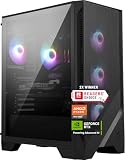
- RTX 5060 Ti 8GB pairs with 16GB DDR5 for modern titles
- 2 USB-C and 4 USB-A 3.2 ports support fast peripheral connections
- 1-year parts and labor warranty includes free lifetime tech support
- Listing does not specify the case dimensions or weight
- 1TB SSD may fill up quickly with large modern game installs
Pros & cons
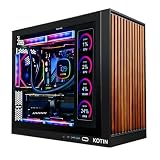
- Built-in smart display shows live CPU and GPU temperatures while gaming
- 850W 80 Plus Gold PSU and 360mm liquid cooling support sustained performance
- Arrives fully assembled with Windows 11 pre-installed and ready
- Monitor must connect to the graphics card ports, not the motherboard ports
- At 30 pounds, the tower is heavy to move once set up
A 1440p monitor asks more of a graphics card than a 1080p panel does, yet it does not demand the flagship hardware that 4K needs. That middle position is exactly why shoppers get tangled up: a prebuilt tower with a mid-range card can feel perfect in one game and strained in the next, and the listing rarely tells you which. The spec that decides most outcomes is the graphics card and its video memory, not the number of RGB fans or the size of the side window.
This guide works through ten prebuilt listings, keeps the eight whose titles clearly describe a 1440p-capable build, and judges them only on what each title states. If you game at a high refresh rate and want high settings, lean toward the upper picks. If you play esports titles or you are happy to lower a few sliders, the middle picks can carry a 1440p monitor well through 2026. Either way, read the memory and power supply details before the brand name.
Quick Picks

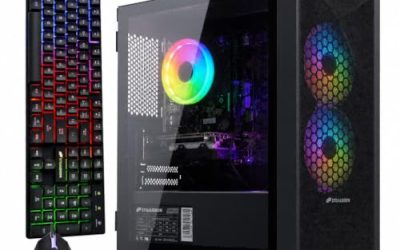
msi Codex Z2 Gaming Desktop, AMD R7-8700F, RTX 5070, 32GB DDR5, 2TB SSD | NVIDIA GeForce RTX 5070, USB Type-C, VR-Ready, Windows 11 Home. Model A8NVP-436US
One of the consumer electronics options compared in this guide.
View on Amazon
KOTIN Gaming PC Desktop, Ryzen 7 8700F, RTX 5060 Ti 8GB, 16GB DDR5, 1TB SSD | Prebuilt Gaming Tower with WiFi 7, Windows 11 Home, DLSS 4, ARGB Cooling, 650W Gold PSU for 1080p/1440p PC Gaming & Streaming
One of the consumer electronics options compared in this guide.
View on AmazonKOTIN Gaming PC Desktop Ryzen 7 8700F, RTX 5060 Ti 8G, 32GB DDR5, 1TB SSD | Prebuilt Gaming Tower with WiFi 7, Windows 11 Home, DLSS 4, ARGB Cooling, 650W Gold PSU for 1080p/1440p PC Gaming & Streaming
One of the consumer electronics options compared in this guide.
View on Amazon
CyberPowerPC Gaming PC, AMD Ryzen 7 8700F, GeForce RTX 5060 Ti 8GB | Gamer Master, 16GB DDR5, 1TB PCIe 4.0 SSD, WiFi Ready & Windows 11 Home (GMA2900A3)
One of the consumer electronics options compared in this guide.
View on Amazon
KOTIN Gaming PC Desktop, i5-14400F, RTX 5060 Ti 8G, 16GB DDR4, 1TB NVMe SSD | Prebuilt Tower Computer with Wi-Fi, ARGB Cooling, Windows 11 Home, 650W 80+ Gold PSU for 1080p/1440p PC Gaming & Streaming
One of the consumer electronics options compared in this guide.
View on Amazon
KOTIN Prebuilt Gaming PC RTX 5070 12GB, Ryzen 7 9700X, 32GB DDR5, 1TB SSD | 11.3in Smart Display, 850W 80+ Gold PSU, 360mm Liquid Cooler, WiFi 7, 1440p 4K ARGB Windows 11 Gaming Desktop Computer
One of the consumer electronics options compared in this guide.
View on Amazon
Skytech Gaming PC Desktop, Intel i5 14400F, RTX 5060, 16GB RAM, 1TB SSD | Windows 11, NVMe SSD, DDR5 6000, 750W GOLD PSU, Wi-Fi 5, Archangel 5 Series
One of the consumer electronics options compared in this guide.
View on Amazon
Alienware Gaming Desktop, RTX 5060 Ti, Intel Ultra7 265F, Windows 11 Home | 1TB SSD, 16GB DDR5 RAM, Killer 2.5Gb Ethernet, Wi‑Fi 7 BE200, Bluetooth, AlienFX lighting, KB216 Keyboard, ACT1250
One of the consumer electronics options compared in this guide.
View on Amazon| Product | Best for | Key spec from the title |
|---|---|---|
| MSI Codex Z2 | Memory and storage headroom | RTX 5070, 32GB DDR5, 2TB SSD |
| KOTIN Ryzen 7 8700F RTX 5060 Ti | Wi-Fi 7 on a mid-range card | RTX 5060 Ti 8GB, 16GB DDR5, WiFi 7 |
| CyberPowerPC Gamer Master | A familiar prebuilt brand | RTX 5060 Ti 8GB, 1TB PCIe 4.0 SSD |
| KOTIN i5-14400F RTX 5060 Ti | Intel CPU with a stated power supply | i5-14400F, 16GB DDR4, 650W |
| KOTIN Ryzen 7 9700X RTX 5070 | Cooling and power supply detail | RTX 5070 12GB, 850W 80+ Gold, 360mm liquid cooler |
| Skytech Archangel 5 RTX 5060 | Fast memory on a lower budget | RTX 5060, DDR5 6000, 750W Gold PSU |
| Alienware RTX 5060 Ti Ultra 7 265F | Wired and wireless networking | Intel Ultra7 265F, Killer 2.5Gb Ethernet, Wi-Fi 7 |
| Skytech Ryzen 7 9850X3D RX 9070 XT | Highest frame rates on this list | RX 9070 XT, 32GB RAM, 2TB SSD, 850W Gold ATX 3 |
The 8 Best Options
MSI Codex Z2
This is the pick for buyers who dislike the idea of upgrading memory or storage a month after the box arrives. The title lists an AMD R7-8700F processor, an RTX 5070 graphics card, 32GB of DDR5 memory and a 2TB SSD, plus USB Type-C, VR-ready branding and Windows 11 Home. That is a rare combination of a 5070-class card with generous capacity in one listing, and it suits a buyer who wants fewer follow-up purchases.
- Pairs an RTX 5070 with 32GB of DDR5 memory, so multitasking while gaming is comfortable.
- A 2TB SSD holds a large library of modern games without constant uninstalling.
- USB Type-C and VR-ready wording suggest a broader feature set than a bare gaming box.
- The title does not state the power supply wattage or cooling type, so you would need to confirm those on the full listing.
- The model code is cut off in the title, so verify the exact model before ordering.
Skip it if you want a printed Wi-Fi 7 or liquid-cooling spec; the title says neither. Think of it as the safe, roomy choice: nothing in the title looks like a corner cut, and the only gaps are details the listing simply does not print. Compared with the next pick, the MSI sits a full graphics tier higher, while the KOTIN Ryzen 7 8700F build below trades that tier for a lower entry point and wireless detail.
KOTIN Ryzen 7 8700F RTX 5060 Ti
Aimed at shoppers who want a current mid-range card without paying for flagship parts, this tower pairs a Ryzen 7 8700F with an RTX 5060 Ti 8GB, 16GB of DDR5 memory and a 1TB SSD. The title also names WiFi 7, Windows 11 Home, DLSS 4 support and ARGB cooling, so the networking and software basics are covered from day one. It is a straightforward package for someone who wants a capable system without researching individual parts.
- WiFi 7 is listed, which helps if your desk is far from the router.
- DDR5 memory matches the platform generation, leaving room to add capacity later.
- DLSS 4 is named, which matters when you want upscaling help at 1440p.
- The graphics card shows 8GB of video memory, which is the main limit to weigh at 1440p with high texture settings.
- 16GB of system memory is adequate rather than generous for heavy multitasking.
Skip it if you plan to run texture-heavy games at maximum settings for years. Against the CyberPowerPC build that follows, the two share the same processor and graphics tier, so the choice comes down to the wireless spec, the brand and the warranty terms in the full listing. A buyer who already owns a good Wi-Fi 7 router will get the most from this one, while someone on a wired connection can treat that line as a bonus rather than a reason to buy.
CyberPowerPC Gamer Master
This one suits buyers who prefer a long-established prebuilt name over a newer brand. The title lists an AMD Ryzen 7 8700F, a GeForce RTX 5060 Ti 8GB, 16GB of DDR5 memory and a 1TB PCIe 4.0 SSD, with WiFi Ready wording and Windows 11 Home. The model code is partly cut off, so confirm it on the listing page. It reads as a plain, well-specified mid-range tower.
- The SSD is stated as PCIe 4.0, a specific interface detail that many titles skip.
- The same processor and graphics tier as the KOTIN above gives a predictable 1440p profile.
- DDR5 memory and Windows 11 Home are both stated, so there is little guesswork on basics.
- WiFi Ready is not the same as a confirmed Wi-Fi 7 card, so check what is actually included.
- The 8GB graphics memory limits headroom in the newest texture-heavy games.
Skip it if you want a stated power supply wattage in the title, since none appears. Compared with the Intel-based KOTIN that comes next, this build keeps DDR5 memory, while that one prints the power supply wattage but falls back to DDR4. If you value platform longevity, the DDR5 build is the better bet; if you value a clear power budget on paper, the Intel build answers that question directly.
KOTIN i5-14400F RTX 5060 Ti
This is the pick for people who prefer Intel and want the power supply spelled out. The title lists an i5-14400F processor, an RTX 5060 Ti 8G card, 16GB of DDR4 memory, a 1TB NVMe SSD, Wi-Fi, ARGB cooling, Windows 11 Home and a 650W power supply. The title is cut off after the wattage, so confirm any efficiency tier on the listing.
- The 650W supply is printed, which makes a basic sizing check possible without digging.
- An NVMe SSD of 1TB is stated, a sensible entry capacity for a gaming system.
- Intel i5-14400F is a familiar, widely supported processor choice.
- DDR4 memory ties the build to an older platform with a narrower upgrade path than DDR5.
- The 8GB graphics memory and 16GB system memory leave limited headroom for future titles.
Skip it if long-term upgrades matter most to you, because DDR4 is the weaker point. Next to the KOTIN Ryzen 7 9700X build, it is the more modest option: a lower graphics tier, lower stated power, and no liquid cooling mentioned. That makes the pair a useful contrast between a tidy, budget-minded setup and a fully loaded one.
KOTIN Ryzen 7 9700X RTX 5070
For buyers who read the whole spec line, this listing offers the most detail on the parts that keep a gaming PC stable. The title lists an RTX 5070 12GB card, a Ryzen 7 9700X, 32GB of DDR5 memory, a 1TB SSD, an 11.3in smart display, an 850W 80+ Gold power supply, a 360mm liquid cooler and WiFi 7. The title ends mid-phrase on a 1440 reference, so confirm what it says about resolution on the full page.
- 12GB of graphics memory on an RTX 5070 gives more breathing room than the 8GB cards in this guide.
- An 850W 80+ Gold supply is a generous power budget for a 5070-class card and later upgrades.
- A 360mm liquid cooler is listed, a sign the maker expected sustained loads.
- The 11.3in smart display is a novelty feature that adds nothing to frame rates.
- Only 1TB of storage is listed, so a large library will fill it faster than the MSI above.
Skip it if you do not want a built-in display or a liquid cooler to maintain. Compared with the Skytech Archangel 5 next, this one costs more in tier but supplies much more headroom in power and memory. Buyers who plan to add a second SSD or swap the graphics card later will appreciate that margin, because the supply and cooler are already sized for more than the base configuration needs.
Skytech Archangel 5 RTX 5060
This build is for shoppers who want fast memory and a high-quality power supply on a tighter budget. The title lists an Intel i5 14400F, an RTX 5060, 16GB of RAM, a 1TB SSD, Windows 11, an NVMe SSD, DDR5 6000 memory, a 750W Gold power supply and Wi-Fi 5, under the Archangel 5 Series name. It reads as a lean, sensible build rather than a showpiece.
- DDR5 6000 is a specific memory speed that suits the platform well.
- A 750W Gold supply is generous for a card in the RTX 5060 class.
- A 1TB NVMe SSD is stated, covering several modern installs.
- Wi-Fi 5 is the oldest wireless standard on this list, so a wired connection or a replacement adapter may help.
- An RTX 5060 is the lowest graphics tier here, which means more settings adjustment at 1440p.
Skip it if you want the highest settings in new releases, since the card is the entry point of this guide. Compared with the Alienware that follows, the Skytech gives up networking polish and brand cachet in exchange for a more modest card and a clearer power supply listing. Anyone who plays mostly esports titles and wants a tidy, quiet desktop could be happy here without paying for a higher tier they would rarely use.
Alienware RTX 5060 Ti Ultra 7 265F
Buyers who care about connectivity and a recognized chassis brand will find the most to like here. The title lists an RTX 5060 Ti, an Intel Ultra7 265F processor, Windows 11 Home, a 1TB SSD, 16GB of DDR5 memory, Killer 2.5Gb Ethernet, Wi-Fi 7 BE200 and Bluetooth. The title is cut off after that, so check the listing for the rest. The pitch here is polish and connectivity more than raw tier.
- Killer 2.5Gb Ethernet and Wi-Fi 7 BE200 cover both wired and wireless setups.
- Intel Ultra7 265F is a newer processor naming than the 14400F builds.
- Bluetooth is listed, which saves buying a dongle for controllers or headsets.
- The title does not state the graphics memory capacity, so confirm how much video memory the card carries.
- 16GB of system memory and a 1TB SSD are the basics rather than extras.
Skip it if you want the power supply wattage and cooling type listed up front. Against the final pick on this list, the Alienware is the quieter, networking-focused option, whereas the Skytech Ryzen 7 9850X3D build is all about maximum frames. If your home network is the weak link, the Alienware solves that problem; if your monitor is the limit, the next pick does more with it.
Skytech Ryzen 7 9850X3D RX 9070 XT
This is the pick for buyers chasing the highest frame rates at 1440p, and for anyone who prefers an AMD graphics card. The title lists a Ryzen 7 9850X3D, an RX 9070 XT, 32GB of RAM, a 2TB SSD, Windows 11, a Gen4 NVMe SSD, DDR5 5600, an 850W Gold ATX 3 power supply and a 360 ARGB AIO cooler. Taken together, the line reads as the performance-first entry in this guide.
- The Ryzen 7 9850X3D name signals a processor aimed at gaming workloads.
- 32GB of RAM and a 2TB Gen4 NVMe SSD give capacity and speed for large libraries.
- An 850W Gold ATX 3 supply and a 360 AIO cooler suit sustained heavy loads.
- The graphics memory of the RX 9070 XT is not printed in the title, so confirm it before ordering.
- This is the largest build here and likely the most demanding on desk and case space.
Skip it if you play lighter titles and want to save for a monitor or peripherals instead. It sits at the top of this guide, so it is the one to choose if the MSI or KOTIN 9700X builds feel like a compromise. It is also the pick to scrutinize hardest, because a higher tier brings a larger case, a bigger power draw and more heat to manage in a small room.
Who Needs a Dedicated 1440p Gaming PC
Not everyone with a 1440p monitor needs a 1440p-focused tower. Some buyers will be well served by a cheaper system and some need much more. Sorting yourself into the right group before you shop saves money and frustration, and it keeps you from paying for a tier you will never use.
Players moving up from 1080p
If you are replacing a 1080p machine, the jump to 1440p raises the number of pixels the graphics card must draw by roughly three quarters. A card that felt generous at 1080p can feel merely adequate now. For these players, the RTX 5060 and 5060 Ti builds are realistic entry points, provided you accept some setting adjustments in newer releases and do not expect maximum textures everywhere.
High refresh rate competitive players
Competitive shooters reward frame rate over visual polish. A buyer with a 144Hz or 240Hz monitor wants a fast processor and enough graphics power to hold high frames at lowered settings. The X3D and 5070 builds make the most sense here, since lowering settings is a natural habit for this crowd. If you only play one or two lightweight titles, though, a mid-range card may already be more than you need.
Creators who also game
Streamers and video editors who game at night need memory and storage more than a pure gamer does. For them, 32GB of memory and 2TB of storage are practical, not luxuries, which is why the MSI Codex Z2 and the Skytech 9850X3D build stand out. If you also plan to jump to 4K within a couple of years, aim one tier higher than your current monitor suggests.
How to Choose a 1440p Gaming PC
Graphics card and video memory
Put the graphics card first. For 1440p, treat 8GB of video memory as the floor, 12GB as comfortable and 16GB as the level that leaves real room for future texture packs. Cards in the RTX 5060 and 5060 Ti class work at 1440p with tuned settings, while RTX 5070 and RX 9070 XT classes are the better match if you want high settings and high refresh rates. Ignore marketing terms for fan lighting and focus on which card and how much memory it carries. Budget models often cut corners here by pairing a strong processor with a weak card. A quick check: if the processor name is longer than the graphics card name in the title, the money may be going to the wrong place. Also confirm the card is a full desktop model and not a mobile or older-generation part carrying a similar number.
Processor core count
Look for at least 6 cores and 12 threads, and favor 8 cores if you stream or run background apps. A Ryzen 7 or Intel Core i5 with a model suffix that ends in F, meaning no integrated graphics, is fine because a graphics card is included. At 1440p the graphics card limits performance more often than the processor, so do not overspend here unless frame rate is your priority. Ignore boost-clock headlines on their own; core count and cooling matter more over a long session. Also check that the cooler is named; a processor that throttles under load wastes the money spent on it.
System memory type and capacity
Treat 16GB as the minimum and 32GB as the target if you multitask. DDR5 is the better choice for upgrade longevity, with speeds from 5600 to 6000 being common on current builds. DDR4 systems work, but the platform is older and memory may be harder to match later. Check that the listing says dual-channel or two sticks, since a single stick can reduce performance. Budget towers sometimes ship with one slow stick to hit a lower cost.
Storage size and interface
Aim for a 1TB NVMe SSD at the very least, and move to 2TB if you keep many large games installed. PCIe 4.0 or Gen4 is the interface to look for. Where budget models cut corners, a smaller drive is the first sacrifice, and a slower drive is the second. Check whether an extra M.2 slot is free, since adding storage later is usually easy. Ignore sequential speed claims that are not tied to a stated interface. A drive with no brand or interface listed is a hint that the maker may swap suppliers between batches, so favor listings that print the details.
Power supply and cooling
For an RTX 5060 class card, 650W is the lowest sensible wattage and 750W is more comfortable. For an RTX 5070 or RX 9070 XT class card, look for 750W to 850W with an 80+ Gold label, and ATX 3 is a plus for newer power connectors. Budget towers often use an unnamed supply, so a stated wattage and efficiency tier is a good sign. A 360mm all-in-one cooler can quiet a hot processor but adds a part that can fail, so weigh it against a good air cooler.
Ports, networking and warranty
Look for USB Type-C, at least four USB-A ports, and either Wi-Fi 6E or Wi-Fi 7 if you rely on wireless. A wired Ethernet port is more reliable for competitive play. Warranty length varies by maker, so read the terms before you buy and note whether support is handled by the seller or the brand. Ignore claims about a display on the case or panoramic glass, which do not affect speed, and treat a missing warranty line as a warning sign.
Graphics Tier Comparison for 1440p Buyers
The real fork in the road for a 1440p buyer is the graphics tier, not the case or brand. The table below lines up the card classes named in this guide and what each tier means for a typical 1440p monitor.
| Graphics class (as listed) | Listed video memory | Builds in this guide | 1440p role |
|---|---|---|---|
| RTX 5060 | Not stated | Skytech Archangel 5 | Entry point, tuned settings |
| RTX 5060 Ti | 8GB | KOTIN, CyberPowerPC, KOTIN Intel, Alienware | Solid mid-range with some setting trade-offs |
| RTX 5070 | 12GB on one listing | MSI Codex Z2, KOTIN 9700X | High settings at high refresh |
| RX 9070 XT | Not stated | Skytech 9850X3D | Top performance on this list |
Stepping up from the RTX 5060 class to the RTX 5070 class
The jump from a 5060 Ti to a 5070 is the most meaningful one on this list. You gain a higher graphics tier and, in one listing, 12GB of video memory. For a buyer who intends to keep the machine for several years, the extra headroom is usually worth the higher spending. If your budget is fixed, a 5060 Ti with careful settings is still a respectable 1440p setup.
Choosing an AMD graphics card over NVIDIA
The RX 9070 XT build is the AMD option here. Shoppers choose AMD graphics for strong raw frame rates for the money, while NVIDIA builds name DLSS 4 and a familiar feature set. Check which upscaling and frame generation options your favorite games support before deciding, because the best feature set depends on your library. Also consider your monitor: adaptive sync support differs by setup, so match the card to the panel you already own.
Setup, Compatibility and Upgrade Tips
What to check before buying
Confirm the monitor input first. A 1440p monitor at a high refresh rate usually needs DisplayPort, so check the graphics card has one. Read the power supply wattage and the number of PCIe power connectors. Make sure the desk can hold the case, and check the warranty length. If the title leaves out the wattage, scroll to the specifications table on the listing page. Also confirm that the operating system is installed and activated, so you can sign in on the first day.
What to upgrade first
If you buy a 16GB system, adding another pair of memory sticks is the cheapest improvement you can make. Add a second SSD if the first is small. Replacing the graphics card is the biggest step but needs a power supply with enough wattage and connectors, so choose a supply that leaves room before you buy the tower. A better monitor or a faster refresh rate can also matter more than a small hardware bump. After that, keep dust filters clean, because a tower that breathes well holds its boost clocks longer and stays quieter, which costs nothing and extends the life of the fans.
Common compatibility traps
Do not assume DDR5 sticks fit a DDR4 board; they do not. Check that a new card fits the case length and that the power cables match. Some prebuilt towers use proprietary parts, which can block later changes. A 360mm cooler needs a case with a matching radiator mount, so stick to the original layout when adding fans. Finally, update the graphics driver and the motherboard firmware after unboxing, because shipped images can be out of date. It is also worth removing bundled trial software you do not want, which frees storage and background resources on day one.
Which One Fits Your Situation
You want maximum headroom and plan to keep the PC for years
Pick the MSI Codex Z2. The RTX 5070, 32GB of DDR5 and 2TB SSD cover the capacity questions that usually arise in year two, so upgrades are less urgent.
You play shooters on a high refresh rate monitor
Pick the Skytech Ryzen 7 9850X3D RX 9070 XT. Its processor and graphics tier target high frame rates, and the 850W Gold ATX 3 supply and 360 AIO keep it stable.
You are moving up from 1080p on a modest budget
Pick the Skytech Archangel 5 RTX 5060. DDR5 6000 memory and a 750W Gold supply give a sound base, and you can tune settings to match your monitor.
You want a mid-range card with good networking
Pick the Alienware RTX 5060 Ti Ultra 7 265F. Wi-Fi 7 BE200, Killer 2.5Gb Ethernet and Bluetooth make it easy to connect, whether the desk is next to the router or across the house.
Common Mistakes
- Choosing by case lighting or glass panels instead of the graphics card and its video memory.
- Ignoring the power supply, then discovering that there is no headroom to add a bigger card later.
- Buying 8GB of video memory for a plan to use maximum textures at 1440p for years.
- Assuming Wi-Fi Ready means a Wi-Fi card is included and fast.
- Overspending on a flagship processor while pairing it with an entry graphics card.
- Skipping the warranty terms, which differ widely between prebuilt makers.
Related guides
- Business Laptops With Quad Core Processors
- Retro Game Storage Cases And Displays
- Solar Chargers For Camping And Hiking
Frequently Asked Questions
Is 8GB of video memory enough for 1440p?
It works for many games at tuned settings, but it is the first limit buyers hit in newer titles with large textures. If you want high settings for several years, 12GB or more is the safer choice. If you mainly play esports titles, 8GB is usually fine.
Should I get 16GB or 32GB of memory?
16GB is enough for gaming alone, while 32GB helps if you stream, edit or keep many apps open. Since memory is easy to add on most builds, you can begin with 16GB and expand later, provided there are free slots.
Is DDR5 worth it over DDR4?
DDR5 keeps you on a newer platform with a longer upgrade path. DDR4 builds can still game well, but replacements and later upgrades may be more limited. If the listings are close in cost, DDR5 is the sensible choice.
Do I need Wi-Fi 7?
Not for gaming alone. A wired Ethernet connection is more stable than any wireless standard. Wi-Fi 7 helps if your router supports it and your desk is far from it, but Wi-Fi 5 or 6 is workable otherwise.
What power supply do I need?
For an RTX 5060 class card, 650W is the lowest sensible figure and 750W is better. For RTX 5070 or RX 9070 XT classes, look for 750W to 850W with an 80+ Gold label. A higher wattage also leaves room for a future upgrade.
Is an X3D processor worth it for 1440p?
It matters most when you chase very high frame rates in processor-bound games. At 1440p with demanding settings the graphics card does more of the work, so an X3D processor is a luxury for many buyers. It makes sense when your monitor refresh rate is high.
Final Words
The best 1440p prebuilt is the one whose graphics card, video memory and power supply match how you actually play, not the one with the flashiest case. Choose the MSI Codex Z2 or the KOTIN Ryzen 7 9700X for balanced headroom, the Skytech 9850X3D for peak frame rates, and the 5060 or 5060 Ti builds when budget leads. Read the full listing for anything the title leaves out, and keep the warranty terms in view before you order. A calm, spec-first approach will serve you better than chasing the longest feature list, and it will keep your 1440p monitor busy for years.