Key takeaways
- Ready to game instantly: Prebuilts arrive tested with Windows installed and a warranty.
- Guaranteed compatibility: No compatibility research or assembly risk.
- Aggressive value: Systems like the KOTIN rig are priced close to parts cost.
- Single support contact: One warranty covers the whole machine.
Build or buy a gaming PC? It is the eternal question for anyone stepping into desktop gaming, and the honest answer depends on your budget, your patience, and how much you value convenience versus control. Building offers the satisfaction of hand-picking every part and often squeezing more performance per dollar, while buying a prebuilt gets you gaming tonight with a warranty and zero assembly stress. Both paths can land you a fantastic rig in 2026.
Because most first-time buyers ultimately lean toward a ready-made system, this review focuses on the modern prebuilt as the practical answer, using well-configured machines like the iBUYPOWER Element with a Ryzen 9 and RTX 5070 and the feature-packed KOTIN RTX 5070 system as our reference points. We also weigh value-focused YAWYORE and Build Redux options so you can judge whether buying, or rolling your own, is the smarter move for you.
Our top picks
 YAWYORE Gaming PC
8-core, 16-thread Ryzen 7 5700X handles multi-threaded tasks easily
650W 80 Plus Bronze PSU is certified for efficient, stable power
Shock-absorbing foam packaging is built in for safer shipping
Foam packaging must be removed before first use, an easy step to miss
GPU brand may vary from unit to unit per the listing
 iBUYPOWER Element Gaming PC Desktop Computer AMD
32GB DDR5 RGB memory at 4800MHz supports heavy multitasking
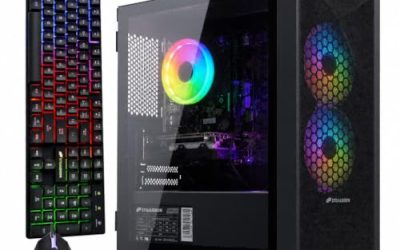
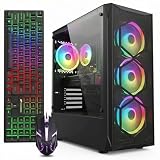
Tempered glass RGB case includes a free gaming keyboard and mouse
Built-in WiFi skips the need for a separate network adapter
At 36 pounds, this tower is heavy to move or relocate
Six USB 3.1 ports are the only external connectivity listed
 YAWYORE Gaming PC Desktop Computer AMD R5
- Powerful Processor: AMD Ryzen 5 5600GT 3.6GHz (4.6GHz…
- Motherboard Specification: MSI A520M-A PRO motherboard provides reliable…
- Integrated Graphics: AMD Radeon Vega Graphics (CPU Integration)…

 KOTIN Prebuilt Gaming PC RTX 5070 12GB
Built-in smart display shows live CPU and GPU temperatures while gaming
850W 80 Plus Gold PSU and 360mm liquid cooling support sustained performance
Arrives fully assembled with Windows 11 pre-installed and ready
Monitor must connect to the graphics card ports, not the motherboard ports
At 30 pounds, the tower is heavy to move once set up

 msi Codex Z2 Gaming Desktop: AMD R7-8700F
8-core, 16-thread Ryzen 7 8700F handles gaming and background tasks together
Four cooling fans with an ARGB air cooler support sustained airflow
2TB SSD offers ample room for a large game library
MSI recommends Windows 11 Pro separately for business use cases
At over 21 pounds, the tower is heavy to relocate often
 STORMCRAFT Falcon Prebuilt RTX 5070 Gaming PC
- Dominate 1440p & Max-Out Competitive Esports: Engineered for…
- Elite B850 Platform with 360mm AIO Cooling: Built…
- Your All-in-One Content & Streaming Command Center: Beyond…
As an Amazon Associate we earn from qualifying purchases at no extra cost to you.
🎮 Get More From Your Setup — Free
Prime Gaming gives you free PC games every month, in-game loot, and a free Twitch channel sub — plus fast free shipping on all the gear above. New members get a 30-day free trial.
Watch: Build Or Buy Gaming Pc: Review & Buyer’s Guide — Video Review
Design & Build
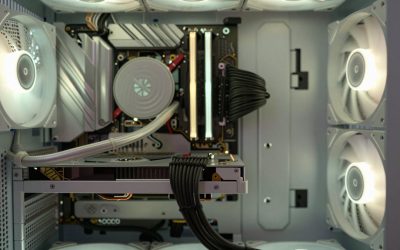
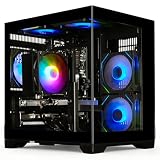
Prebuilt gaming desktops have matured enormously. Systems like the iBUYPOWER Element arrive in tidy, airflow-friendly cases with proper cable management, ARGB accents, and tested components, so there is no risk of bending a pin or mismatching parts. The KOTIN system takes presentation further with an integrated smart display, a 360mm liquid cooler, and a clean tempered-glass build. Even budget YAWYORE towers ship with ARGB fans and solid 80 PLUS power supplies. Compared with a self-build, you trade some part-level control for guaranteed compatibility and a single warranty, which for most buyers is a worthwhile exchange.
Performance
Where these prebuilts shine is delivering high frame rates out of the box. The iBUYPOWER Element pairs a Ryzen 9 7900X with an RTX 5070, 32GB of DDR5, and a fast 1TB NVMe SSD, making it a strong 1440p and entry 4K performer. The KOTIN system matches that GPU with a Ryzen 7 9700X, 850W Gold PSU, and Wi-Fi 7 for smooth high-refresh play. Value seekers still get great results from the YAWYORE Ryzen 7 5700X with an RTX 5060 at 1080p and 1440p. A comparable self-build in the spirit of the Build Redux Ryzen 7 9700X rig can rival these numbers, but only after you source, assemble, and test everything yourself.
Pros & Cons
- Ready to game instantly: Prebuilts arrive tested with Windows installed and a warranty.
- Guaranteed compatibility: No compatibility research or assembly risk.
- Aggressive value: Systems like the KOTIN rig are priced close to parts cost.
- Single support contact: One warranty covers the whole machine.
- Less part control: Case, fans, or PSU may be generic on some models.
- Building can win on high-end value: DIY sometimes saves more on premium rigs.
- Upgrade limits vary: Cheaper prebuilts may use proprietary layouts.
Alternatives to Consider
If you crave full control and enjoy the process, building your own machine to match a Build Redux Ryzen 7 9700X with an RTX 5070 and liquid cooler is deeply rewarding and teaches you skills for future upgrades. Budget-focused gamers can save with the YAWYORE Ryzen 7 5700X and RTX 5060 or the affordable R5 5600GT tower for solid 1080p play. Enthusiasts chasing the best value per frame on high-end configurations will still find self-building worthwhile, provided they have the patience for research and troubleshooting.
Frequently Asked Questions
Is building always cheaper than buying?
Not always. Building can save money on high-end rigs, but prebuilts like the KOTIN system are so aggressively priced that the savings on mid-range builds are often small or nonexistent once you factor in your time.
Is building a PC hard for beginners?
It is more approachable than it looks thanks to countless guides, but it still requires research, care, and troubleshooting. If that sounds stressful, a prebuilt removes the risk entirely.
Do prebuilts use lower-quality parts?
Reputable systems like the iBUYPOWER Element use solid CPUs, GPUs, and coolers. The main compromises tend to be in the case, fans, or PSU, which you can often upgrade later.
Which gives better long-term value?
Both can last years. Building offers more upgrade flexibility, but a prebuilt with a standard ATX case and quality PSU can be upgraded almost as easily down the road.
Verdict
For most players, a quality prebuilt is the smarter, lower-stress path, and systems like the iBUYPOWER Element and the feature-rich KOTIN RTX 5070 rig prove how far value has come, delivering strong 1440p and 4K performance the day they arrive. If you genuinely enjoy tinkering and are targeting the high end, building your own in the mold of the Build Redux configuration remains rewarding. Decide based on how much you value convenience versus control, and either route can deliver a great gaming experience.