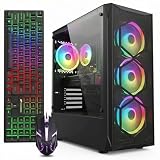
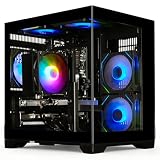
Timing a gaming PC purchase can feel like a guessing game. New GPU launches, seasonal sales events, and shifting component prices all affect what you’ll pay and what you’ll get for your money, and buying at the wrong moment can mean overpaying for hardware that’s about to be replaced or missing a deal that won’t come around again for months.
This guide breaks down when to buy in 2026, what to look for in a prebuilt gaming desktop, and how six current models stack up so you can make a confident, well-timed purchase.
Our top picks
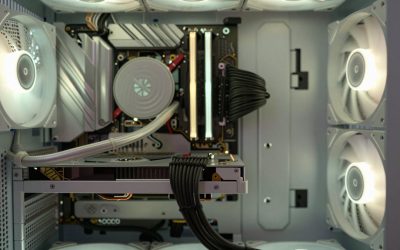
 KOTIN Prebuilt Gaming PC RTX 5070 12GB
Built-in smart display shows live CPU and GPU temperatures while gaming
850W 80 Plus Gold PSU and 360mm liquid cooling support sustained performance
Arrives fully assembled with Windows 11 pre-installed and ready
Monitor must connect to the graphics card ports, not the motherboard ports
At 30 pounds, the tower is heavy to move once set up
 YAWYORE Gaming PC
8-core, 16-thread Ryzen 7 5700X handles multi-threaded tasks easily
650W 80 Plus Bronze PSU is certified for efficient, stable power
Shock-absorbing foam packaging is built in for safer shipping
Foam packaging must be removed before first use, an easy step to miss
GPU brand may vary from unit to unit per the listing
 msi Codex Z2 Gaming Desktop: AMD R7-8700F
8-core, 16-thread Ryzen 7 8700F handles gaming and background tasks together
Four cooling fans with an ARGB air cooler support sustained airflow
2TB SSD offers ample room for a large game library
MSI recommends Windows 11 Pro separately for business use cases
At over 21 pounds, the tower is heavy to relocate often
 iBUYPOWER Element Gaming PC Desktop Computer AMD
32GB DDR5 RGB memory at 4800MHz supports heavy multitasking
Tempered glass RGB case includes a free gaming keyboard and mouse
Built-in WiFi skips the need for a separate network adapter
At 36 pounds, this tower is heavy to move or relocate
Six USB 3.1 ports are the only external connectivity listed
 Alienware Aurora Gaming Desktop
Customizable AlienFX lighting zones add personalized styling options
RTX 5070 with Blackwell architecture supports modern ray tracing workloads
1-Year Onsite Service brings repairs to your location if needed
At nearly 34 pounds, the desktop is heavy to relocate
Matte basalt black finish is the only color option listed
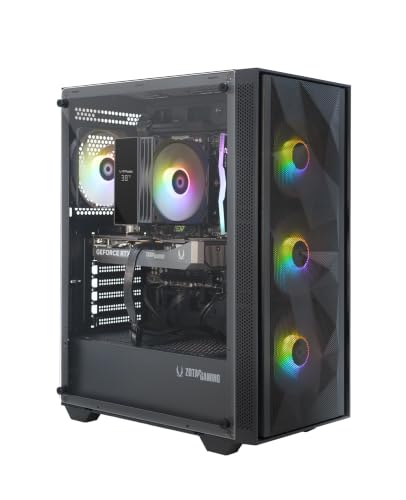 ZOTAC MEK Gaming PC Desktop
- Effortless Gaming: MEK from ZOTAC comes with all…
- Heart of the MEK: the ZOTAC GAMING GeForce…
- Powerful Processor: the AMD Ryzen 5 5500 AM4…
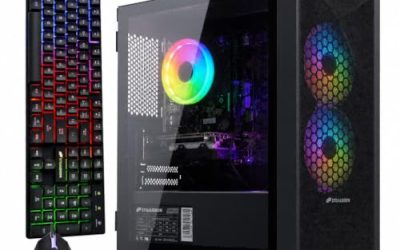
 STGAubron Gaming PC Desktop
- This Gaming PC Desktop is well-suited for a…
- This high-performance Gaming Computer Desktop is capable of…
- PC Gaming System: This gaming computer desktop is…
 ZOTAC MEK Gaming PC Desktop
- Effortless Gaming: MEK from ZOTAC comes with all…
- Heart of the MEK: the ZOTAC GAMING GeForce…
- Powerful Processor: the AMD Ryzen 7 9700X AM5…
As an Amazon Associate we earn from qualifying purchases at no extra cost to you.
🎮 Get More From Your Setup — Free
Prime Gaming gives you free PC games every month, in-game loot, and a free Twitch channel sub — plus fast free shipping on all the gear above. New members get a 30-day free trial.
Watch: Best Time To Buy A Gaming PC — Video Review
How to Choose a Time To Buy A Gaming PC (2026)
- Sales calendar: Major discounts cluster around Black Friday, Cyber Monday, back-to-school (July–August), and post-CES price drops in January/February.
- GPU generation timing: Buying shortly after a new RTX generation launches often means better pricing on the previous tier, while the newest cards command a premium for the first few months.
- CPU and GPU balance: Match the processor to the graphics card so neither bottlenecks the other; a high-end GPU paired with a weak CPU wastes performance.
- Cooling and power headroom: Look for adequate PSU wattage (750W+) and liquid or multi-fan cooling if you plan to overclock or run demanding titles for hours.
- Future upgrade path: Prioritize systems with spare RAM slots, extra drive bays, and a PSU with margin above the current build’s draw so you can upgrade later without a full rebuild.
The Best Time To Buy A Gaming PC (2026)s Reviewed
KOTIN RTX 5070 Ryzen 7 9700X
This build pairs a Ryzen 7 9700X with an RTX 5070 and backs it with a 360mm liquid cooler and 850W 80+ Gold PSU, giving it strong thermal headroom for sustained 1440p and 4K gaming. The included smart display and WiFi 7 support make it one of the more future-forward configurations in this roundup.
YAWYORE Ryzen 7 5700X RTX 5060
A budget-friendly option built around an older but capable Ryzen 7 5700X and RTX 5060, with 32GB of DDR4 RAM and a 1TB NVMe SSD covering the essentials. It’s a solid entry point for 1080p and light 1440p gaming without stretching your budget.
MSI Codex Z2 RTX 5070
MSI’s Codex Z2 combines a Ryzen 7 8700F with an RTX 5070 and a generous 2TB NVMe SSD, giving it more storage headroom than most competitors here. VR-ready certification and USB Type-C connectivity add practical versatility for creators and gamers alike.
iBUYPOWER Element Ryzen 9 7900X RTX 5070
The Element steps up to a Ryzen 9 7900X, giving it a CPU advantage over other RTX 5070 builds in this list for multitasking and streaming-heavy workloads. It also ships with a keyboard and mouse, which trims a bit off your total setup cost.
Alienware Aurora RTX 5070
Alienware’s Aurora pairs an Intel Core Ultra 7 265F with an RTX 5070 and Wi-Fi 7, wrapped in Alienware’s signature compact chassis and backed by Killer 2.5Gb Ethernet for lower-latency online play. It’s a strong pick for buyers who want a recognizable brand and tidy aesthetics alongside solid 1440p performance.
Frequently Asked Questions
Is 2026 a good year to buy a gaming PC?
Yes, particularly around major sales events, since current-generation RTX 50-series cards have matured in pricing and availability compared to their launch windows.
Should I wait for a new GPU generation before buying?
Only if a launch is confirmed within the next month or two; otherwise, waiting indefinitely often costs more in missed use than you’d save, and current RTX 5060/5070-class cards remain strong performers.
What specs matter most for 1440p gaming?
An RTX 5070-class GPU paired with a modern 6-8 core CPU and at least 32GB of RAM will comfortably handle 1440p at high settings in most current titles.
Are prebuilt gaming PCs a good value compared to building your own?
Prebuilts save time, come with warranty support, and often bundle peripherals, though enthusiasts who want to hand-pick every component may still save slightly by building solo.
Final Thoughts
For most buyers, the KOTIN RTX 5070 build offers the best balance of cooling, power, and future-proofing, while the iBUYPOWER Element is the pick for CPU-heavy workloads thanks to its Ryzen 9 chip, and the YAWYORE remains the smartest choice if you’re working with a tighter budget.