Key takeaways
- More vertical space for code, documents, and web content than 16:9.
- Eye-care features like nano-matte coatings reduce fatigue in long sessions.
- USB-C with power delivery and KVM simplifies single-cable laptop setups.
- Purpose-built modes for developers on the BenQ RD280U.
What's inside
The 3:2 aspect ratio is a quiet revelation for anyone who works with text, code, or documents all day. Compared to the ubiquitous 16:9, a 3:2 screen gives you noticeably more vertical space, meaning fewer scrolls through long files and more of your work visible at once. Once you’ve experienced it, standard widescreen panels start to feel cramped for productivity.
I looked at 3:2 monitors alongside their close 16:10 relatives to understand where the taller ratio genuinely helps and where you might be better served by a different panel. Here’s a grounded review of what a 3:2 monitor delivers and how to decide if it’s right for your desk.
As an Amazon Associate we earn from qualifying purchases at no extra cost to you. Product prices and availability are accurate as of the date shown and are subject to change.




🎮 Get More From Your Setup — Free
Prime Gaming gives you free PC games every month, in-game loot, and a free Twitch channel sub — plus fast free shipping on all the gear above. New members get a 30-day free trial.
Watch: 3:2 Monitor: Review & Buyer’s Guide — Video Review
Design & Build
The flagship of this category is the BenQ RD280U, a 28.2-inch 4K programming monitor built specifically for developers. Its 3840×2560 3:2 panel, nano-matte coating, coding-focused color modes, MoonHalo backlight, and 90W USB-C with KVM make it a purpose-built productivity tool rather than a repurposed gaming display. On the portable end, there’s a 10.5-inch 1920×1280 3:2 mini monitor with a bright 500-nit panel for mobile work. Because true 3:2 desktop panels are still niche, the practical comparison set includes excellent 16:10 options like the ASUS ProArt PA248QV, which delivers a similar tall-format benefit with strong color accuracy, plus various KTC monitors that trade the ratio for high refresh rates.
Performance
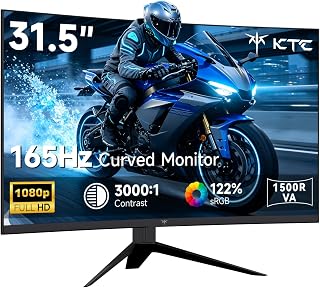
For coding, writing, and document work, the taller 3:2 canvas is the whole point, and the BenQ RD280U nails it. The extra vertical pixels show more lines of code and more of a webpage without scrolling, and the eye-care nano-matte finish reduces glare during long sessions. Its coding color modes and MoonHalo ambient backlight are thoughtful touches that reduce eye strain. The portable 10.5-inch 3:2 monitor is handy as a secondary reference screen on the road. If your work leans toward creative color grading, the 16:10 ASUS ProArt with Calman verification and 100% sRGB is the more accurate pick, while gamers will find the KTC 100Hz QHD, curved 165Hz, or 240Hz IPS panels far better suited to fast motion than any 3:2 display.
Pros & Cons
- More vertical space for code, documents, and web content than 16:9.
- Eye-care features like nano-matte coatings reduce fatigue in long sessions.
- USB-C with power delivery and KVM simplifies single-cable laptop setups.
- Purpose-built modes for developers on the BenQ RD280U.
- Limited selection of true 3:2 desktop panels on the market.
- Not ideal for gaming or video, where 16:9 content leaves letterboxing.
- Premium pricing on the flagship developer-focused options.
Alternatives to Consider
If you can’t justify a specialized 3:2 monitor, the ASUS ProArt PA248QV in 16:10 offers much of the vertical benefit with excellent color accuracy for creative work. Gamers and mixed-use buyers are better off with a KTC panel, whether the 100Hz QHD for a sharp all-rounder, the curved 165Hz for immersion, or the 240Hz IPS for competitive play. For travel, the portable 10.5-inch 3:2 monitor pairs nicely with a laptop as a compact second screen.
Frequently Asked Questions
Why choose 3:2 over 16:9 or 16:10?
3:2 offers the most vertical space of the three, which benefits reading, coding, and document editing. 16:10 is a good middle ground, while 16:9 remains best for video and gaming.
Is the BenQ RD280U only for programmers?
It’s optimized for coding with dedicated modes and a tall panel, but writers, researchers, and anyone who works with long documents will appreciate the extra vertical room and eye-care design.
Can I game on a 3:2 monitor?
You can, but most games target 16:9, so you’ll see black bars or stretched images. For gaming, a high-refresh 16:9 panel like the KTC options is a better fit.
Does 3:2 work well with a laptop?
Very well, especially with USB-C power delivery and KVM like the BenQ offers, letting you drive the monitor and charge your laptop over a single cable.
Verdict
A 3:2 monitor is a specialist tool that pays off handsomely for text-heavy work, and the BenQ RD280U is the standout choice for developers who want maximum vertical space and eye comfort. If you need color accuracy or gaming speed instead, the 16:10 ASUS ProArt or a high-refresh KTC panel will serve you better. Match the aspect ratio to how you actually spend your screen time.