Key takeaways
- Install your OS and current favorite games on the NVMe SSD first, that is where fast storage pays off most.
- Check that your motherboard has a free M.2 slot with the right PCIe generation before buying a Gen 4 or Gen 5 drive.
- Leave roughly 10 to 15 percent of an SSD free to maintain peak performance and longevity.
- Use an HDD only for cold storage and backups in 2026, not for games you actively play.
What's inside
- Watch: SSD vs HDD for Gaming: Which Do You Need? — Video Review
- The Core Difference: Moving Parts vs. Flash
- SATA SSD vs. NVMe: How Fast Do You Need?
- Does Storage Speed Actually Improve Gaming?
- The Smart Hybrid Approach
- Capacity, Endurance, and Longevity
- Tips
- Related Guides
- Frequently Asked Questions
- Conclusion
- Related Articles
Storage is the quiet workhorse of any gaming PC, and the choice between a solid state drive (SSD) and a traditional hard disk drive (HDD) shapes your experience far more than most people expect. It will not raise your frame rate, but it decides how long you stare at loading screens, how quickly your games launch, and how smoothly open-world titles stream in new areas as you move. In 2026, with game installs routinely topping 100GB and engines built to load assets on demand, the gap between fast and slow storage has never mattered more.
- Watch: SSD vs HDD for Gaming: Which Do You Need? — Video Review
- The Core Difference: Moving Parts vs. Flash
- SATA SSD vs. NVMe: How Fast Do You Need?
- Does Storage Speed Actually Improve Gaming?
- The Smart Hybrid Approach
- Capacity, Endurance, and Longevity
- Tips
- Related Guides
- Frequently Asked Questions
- Conclusion
- Related Articles
This guide breaks down exactly how SSDs and HDDs differ for gaming, why NVMe drives have become the default, and how to build a storage setup that is both fast and affordable. You will learn where each drive type still makes sense, what specs actually affect your games, and how to avoid overspending on speed you will never feel.
As an Amazon Associate we earn from qualifying purchases at no extra cost to you.


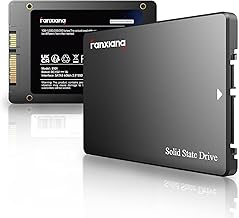
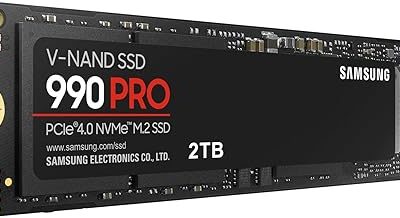
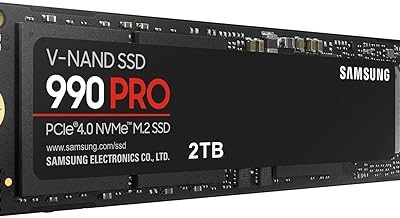
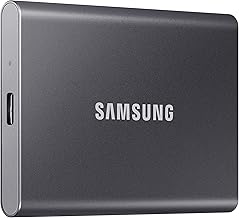
If you are ready to upgrade, the drives above are our recommended picks, spanning fast, value-oriented NVMe SSDs to flagship PCIe 5.0 models for people who want the absolute quickest load times.
⚡ Save on Your Next PC — Amazon Prime
Prime members get fast free shipping on the systems above, plus early access to Prime Day & Black Friday PC deals. New members get a 30-day free trial.
Watch: SSD vs HDD for Gaming: Which Do You Need? — Video Review
The Core Difference: Moving Parts vs. Flash
An HDD stores data on spinning magnetic platters read by a physical arm, which means every access waits for the platter to rotate and the head to move. An SSD has no moving parts, it reads and writes data electronically from flash memory, so it responds almost instantly. That single architectural difference is why an SSD launches games and loads levels many times faster than even the quickest HDD. For the operating system and any game you play regularly, that responsiveness is transformative, boot times shrink and stutter from slow asset streaming largely disappears.
SATA SSD vs. NVMe: How Fast Do You Need?
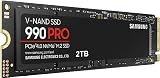
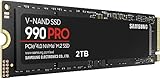
Not all SSDs are equal. Older SATA SSDs top out around 550 MB/s, while modern NVMe drives that plug directly into an M.2 slot reach several thousand MB/s. Value NVMe drives like the Kingston NV3 already deliver massive real-world gains over any HDD, while high-end PCIe 4.0 models such as the Samsung 990 PRO and WD_Black SN7100 push toward 7,000+ MB/s. The newest PCIe 5.0 drives like the Samsung 9100 PRO go even further, past 14,000 MB/s. For most gamers, a good PCIe 4.0 NVMe drive is the sweet spot, faster than you will usually notice, without the premium of cutting-edge Gen 5.
Does Storage Speed Actually Improve Gaming?
Yes, but in specific ways. A fast SSD dramatically cuts load times, gets you into matches sooner, and reduces texture pop-in and hitching in games that stream assets from disk. It does not increase FPS in a scene that is already loaded, that is the GPU and CPU’s job. Newer titles built around fast-storage streaming technologies benefit the most from NVMe speed, while older games see the biggest jump simply moving off an HDD. In short, storage speed improves the feel and flow of gaming even when it leaves your frame counter untouched.
The Smart Hybrid Approach
You do not have to choose only one type. A common, cost-effective strategy is to put your operating system and your most-played games on a fast NVMe SSD, then use a large, cheap HDD as a bulk archive for games you play rarely, media, and backups. This gives you snappy performance where it counts and cheap capacity where it does not. If you prefer a pure-SSD build, a single larger NVMe drive keeps things simple, and prices have fallen enough that 1TB and 2TB NVMe drives are now very reasonable.
Capacity, Endurance, and Longevity
Buy more capacity than you think you need, modern games are huge and a nearly full SSD can slow down. Look at the drive’s endurance rating (TBW, or terabytes written) if you plan heavy use, though for typical gaming even mainstream drives will outlast the rest of your PC. SSDs are also more shock-resistant and silent, since they have no moving parts, which is a bonus for both desktops and any drive you might move around. A quality NVMe drive from a reputable maker will comfortably serve several years of gaming.
Tips
- Install your OS and current favorite games on the NVMe SSD first, that is where fast storage pays off most.
- Check that your motherboard has a free M.2 slot with the right PCIe generation before buying a Gen 4 or Gen 5 drive.
- Leave roughly 10 to 15 percent of an SSD free to maintain peak performance and longevity.
- Use an HDD only for cold storage and backups in 2026, not for games you actively play.
Frequently Asked Questions
Will an SSD give me more FPS than an HDD?
No. Storage does not raise the frame rate of an already-loaded scene. What an SSD does is slash loading times and reduce texture pop-in and streaming stutter, which makes games feel dramatically faster and smoother overall.
Is NVMe worth it over a SATA SSD for gaming?
For a new build, yes, NVMe drives are now similarly priced and much faster, and many boards have dedicated M.2 slots. The leap from HDD to any SSD is the biggest one, but NVMe future-proofs you for games designed around fast storage streaming.
Do I need a PCIe 5.0 SSD like the Samsung 9100 PRO?
Only if you want the fastest possible sequential speeds for large file work or bragging rights. For gaming, a solid PCIe 4.0 drive like the Samsung 990 PRO or WD_Black SN7100 already exceeds what games can meaningfully use.
Can I still use my old HDD alongside a new SSD?
Absolutely. Keeping the HDD as bulk storage for rarely played games, media, and backups is a smart, budget-friendly move, just make sure your active games live on the SSD.
Conclusion
For gaming in 2026, the verdict is clear, an SSD is essential and an HDD is best relegated to cheap bulk storage. A fast NVMe drive eliminates long loading screens, tames asset-streaming stutter, and makes your whole system feel responsive, even though it will not change your frame rate. Aim for a quality PCIe 4.0 NVMe drive with enough capacity for your library, keep an HDD around only for archiving if you want, and you will have a storage setup that keeps up with modern games for years to come.