Key takeaways
- NVMe SSD: the fastest option, plugs directly into an M.2 slot, best for your OS and games.
- SATA SSD: slower than NVMe but still vastly quicker than a hard drive, a good budget bulk option.
- Hard drive (HDD): cheap per terabyte and fine for archives, but too slow for modern game loading.
- Rule of thumb: games and OS on NVMe, cold storage on a cheaper SATA SSD or HDD.
What's inside
Modern games have ballooned in size, with flagship titles now regularly demanding well over 100GB each. Combine a few of those with your operating system, recordings, and creative apps, and a drive that felt huge a couple of years ago fills up fast. Running out of space does not just force you to uninstall games, it can slow your whole system down.
This guide explains how much storage you actually need in 2026, why the type of drive matters as much as the capacity, and how to plan a setup that stays fast and roomy for years. You will learn to read SSD specs, understand the speed tiers, and decide whether one big drive or a tiered setup is right for you.
As an Amazon Associate we earn from qualifying purchases at no extra cost to you.


⚡ Save on Your Next PC — Amazon Prime
Prime members get fast free shipping on the systems above, plus early access to Prime Day & Black Friday PC deals. New members get a 30-day free trial.
Watch: How Much Storage for a Gaming PC in 2026? — Video Review
How Much Capacity You Actually Need
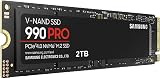
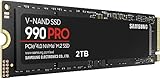
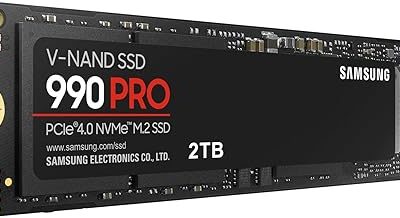
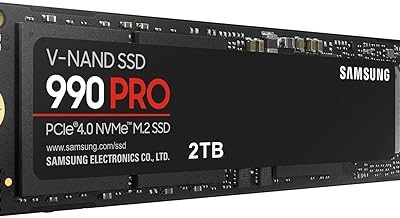
For most gamers, 2TB is the current sweet spot. It holds the operating system, a healthy library of large modern games, and leaves headroom for updates and captures. 1TB works if you play only a few titles at a time and are comfortable uninstalling regularly, while creators, streamers, and collectors should consider 4TB. Drives like the Samsung 990 PRO 2TB and Crucial P310 2TB hit that mainstream 2TB target directly.
SSD Speed Tiers Explained
NVMe SSDs are rated by PCIe generation. Gen3 drives such as the Silicon Power 2TB reach around 3,200 MB/s and are plenty fast for gaming. Gen4 drives like the WD_Black SN7100 and Samsung 990 PRO push past 7,000 MB/s, and Gen5 drives like the Samsung 9100 PRO exceed 14,000 MB/s. For loading games, real-world differences between Gen3 and Gen4 are modest; the leap that matters most is moving off any old hard drive onto an SSD.
NVMe vs SATA vs Hard Drives
- NVMe SSD: the fastest option, plugs directly into an M.2 slot, best for your OS and games.
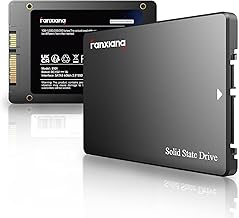
- SATA SSD: slower than NVMe but still vastly quicker than a hard drive, a good budget bulk option.
- Hard drive (HDD): cheap per terabyte and fine for archives, but too slow for modern game loading.
- Rule of thumb: games and OS on NVMe, cold storage on a cheaper SATA SSD or HDD.
Single Drive or a Tiered Setup
A single large NVMe drive is the simplest path, everything lives in one fast place with no management. A tiered setup pairs a fast NVMe drive for your OS and current games with a larger, cheaper drive for the rest of your library. Tiering saves money at high capacities, but most people are happiest with one generous 2TB NVMe drive until they genuinely outgrow it.
Matching Storage to Your Platform
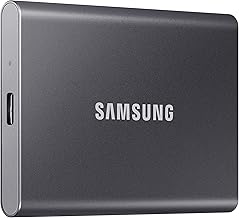
Check what your motherboard and use case support before buying. Newer boards offer Gen5 M.2 slots, but a Gen4 drive like the Crucial P310 or WD_Black SN7100 delivers excellent speed at lower cost and heat. If you also game on a handheld console, look for drives explicitly listed as compatible, several like the KingSpec 2TB advertise support for consoles and PCs alike, so one drive can serve both.
Tips
- Buy a bit more capacity than you think you need, games only get larger over time.
- Install your OS on an NVMe drive, it is the single biggest speed upgrade for everyday use.
- Do not chase Gen5 for gaming alone, Gen4 loads games nearly as fast for less money and heat.
- Keep at least 10 to 15 percent of any SSD free so it maintains peak performance.
Frequently Asked Questions
Is 1TB enough for a gaming PC in 2026?
It can work if you play only a handful of titles and manage your library, but modern games are large enough that 1TB fills quickly. 2TB is the more comfortable choice for most players.
Does SSD speed actually improve game loading?
Moving from a hard drive to any SSD is a dramatic improvement. Between NVMe generations, the gains are smaller, a Gen4 drive loads games only slightly faster than Gen3 in most titles.
Do I need a Gen5 SSD for gaming?
No. Gen5 drives are blisteringly fast but run hotter and cost more, and games rarely take advantage of that speed yet. A quality Gen4 drive is the best balance for gaming today.
Should I use separate drives for games and my OS?
It is optional. A single large NVMe drive keeps things simple. Separating them onto a fast OS drive and a bulk storage drive mainly helps when you need very high total capacity affordably.
Conclusion
For a 2026 gaming PC, aim for a 2TB NVMe SSD as your baseline, it covers the OS, a strong library, and room to grow. Prioritize getting onto an SSD at all over chasing the highest PCIe generation, keep some free space for performance, and consider tiering only when your library truly outgrows a single drive. Plan storage well and you will spend your time playing, not deleting.