Key takeaways
- Memory capacity: The 5060 Ti comes in 8GB and 16GB variants; the 5070 ships with 12GB. The 16GB 5060 Ti has the largest buffer of the three, but the 5070 sits comfortably above the 8GB models.
- Memory bandwidth: This is the real gap. The 5060 Ti uses a 128-bit GDDR7 bus, while the 5070 runs a 192-bit bus — roughly half again more bandwidth, which matters most at 1440p and above.
- Raw performance: Expect the 5070 to land roughly 25–35% ahead at 1440p in raster workloads, with the lead widening in heavy ray-traced scenes and narrowing at 1080p where the CPU starts to intervene.
- Power and cooling: The 5060 Ti draws around 180W and is happy on a modest 550W supply; the 5070 sits near 250W and is better paired with a 650W unit and decent case airflow.
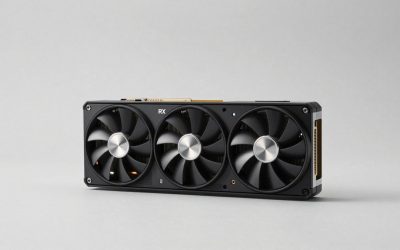
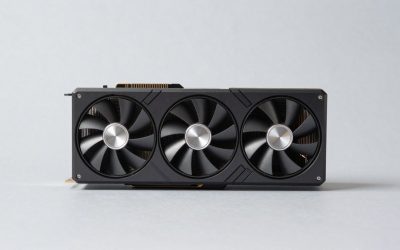
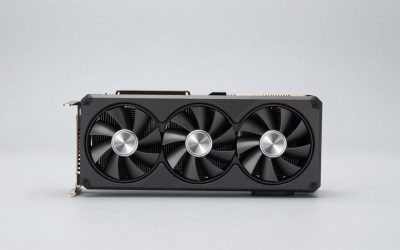
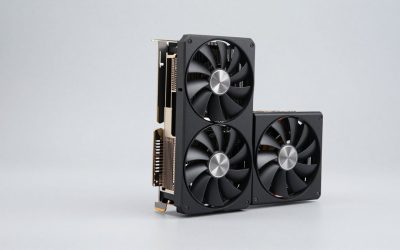
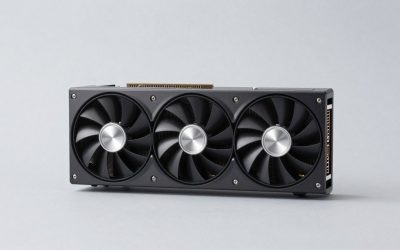
- Form factor: 5060 Ti cards are typically 2 to 2.5 slots and short, and models like the ASUS Prime SFF-Ready 16GB and the PNY Epic-X RGB Triple-Fan are explicitly built for compact builds. 5070 designs are generally longer and thicker.
- Feature parity: Both support DLSS 4 with multi frame generation, HDMI 2.1 and DisplayPort 2.1 outputs, and the same Blackwell encoder — so neither card wins on features alone.
The GeForce RTX 5060 Ti and RTX 5070 sit on either side of the most consequential price step in NVIDIA’s Blackwell lineup. One is the sensible 1080p-to-1440p workhorse that most gamers actually buy; the other is the card you step up to when you want 1440p high-refresh headroom and a realistic shot at 4K with upscaling. On paper the gap looks modest — same architecture, same DLSS 4 feature set, same PCIe 5.0 interface — but the underlying silicon is different enough that the two cards behave very differently once you push resolution and settings.
The decision matters more in 2026 than it did at launch. Texture budgets in new releases have crept upward, ray tracing is increasingly baked in rather than optional, and DLSS 4 multi frame generation has changed what “playable” means at higher settings. That leaves buyers weighing two genuinely different bets: the RTX 5060 Ti’s 16GB memory buffer, or the RTX 5070’s substantially wider memory bus and larger GPU. Below is how they compare, and which one belongs in your build.
Our top picks
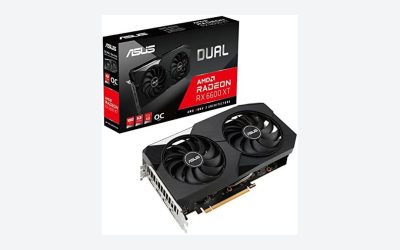
 ASUS Dual NVIDIA GeForce RTX 5060 Ti
2.5-slot design balances cooling with broader case compatibility
0dB technology keeps the card silent during light gaming loads
Axial-tech fan design is built for improved downward air pressure
OC mode clock gains over default mode are relatively modest
2.5-slot sizing still needs adequate case clearance to fit
 ASUS SFF-Ready Prime NVIDIA GeForce RTX 5060
- AI Performance: 772 AI TOPS
- OC Edition: 2647 MHz OC mode, 2617 MHz…
- Powered by the NVIDIA Blackwell architecture and DLSS…
 ASUS Dual NVIDIA GeForce RTX 5060 Ti
- AI Performance: 767 AI TOPS
- OC mode: 2632 MHz (OC mode)/ 2602 MHz…
- Powered by the NVIDIA Blackwell architecture and DLSS…
| Product | Key specs | |
|---|---|---|
| ASUS Dual NVIDIA GeForce RTX 5060 Ti | Check price | |
| ASUS SFF-Ready Prime NVIDIA GeForce RTX 5060 | AI Performance: 772 AI TOPS OC Edition: 2647 MHz OC mode, 2617 MHz… Powered by the NVIDIA Blackwell architecture and DLSS… | Check price |
| ASUS Dual NVIDIA GeForce RTX 5060 Ti | AI Performance: 767 AI TOPS OC mode: 2632 MHz (OC mode)/ 2602 MHz… Powered by the NVIDIA Blackwell architecture and DLSS… | Check price |
 PNY NVIDIA GeForce RTX™ 5060 Ti 8GB PNY NVIDIA GeForce RTX™ 5060 Ti 8GB | Dual-Fan Cooling in a Compact Design - Two… Masterfully Crafted Cooling - A dense heatsink pulls… Overclocked Out of the Box - A factory-tuned… | Check price |
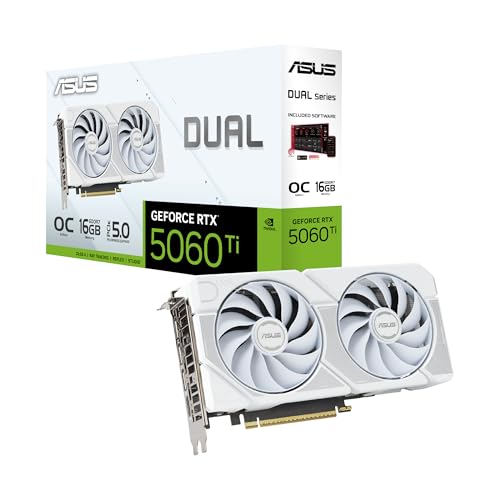 ASUS Dual NVIDIA GeForce RTX™ 5060 Ti ASUS Dual NVIDIA GeForce RTX™ 5060 Ti | OC mode: 2632 MHz (OC mode)/ 2602 MHz… Powered by the NVIDIA Blackwell architecture and DLSS… Axial-tech fan design features a smaller fan hub… | Check price |
 GIGABYTE GeForce RTX 5060 Ti Gaming OC GIGABYTE GeForce RTX 5060 Ti Gaming OC | Powered by the NVIDIA Blackwell architecture and DLSS… Powered by GeForce RTX 5060 Ti Integrated with 8GB GDDR7 128bit memory interface | Check price |
As an Amazon Associate we earn from qualifying purchases at no extra cost to you.
⚡ Save on Your Next PC — Amazon Prime
Prime members get fast free shipping on the systems above, plus early access to Prime Day & Black Friday PC deals. New members get a 30-day free trial.
Watch: RTX 5060 Ti vs 5070: Which Wins in 2026? — Video Review
Quick Verdict
Buy the RTX 5060 Ti 16GB — the ASUS Dual 16GB OC is the safe default, with the Prime SFF-Ready version for small cases — if you game primarily at 1080p or 1440p, want maximum VRAM per dollar, and care about modest power draw and quiet operation. Buy the RTX 5070 if you run a high-refresh 1440p monitor, play a lot of ray-traced titles, or want a card that will still feel comfortable at 4K with DLSS enabled. The 8GB versions, like the ASUS Dual 8GB OC and the PNY 5060 Ti 8GB Dual-Fan, are best treated as budget 1080p cards rather than direct 5070 rivals.
Key Differences
- Memory capacity: The 5060 Ti comes in 8GB and 16GB variants; the 5070 ships with 12GB. The 16GB 5060 Ti has the largest buffer of the three, but the 5070 sits comfortably above the 8GB models.
- Memory bandwidth: This is the real gap. The 5060 Ti uses a 128-bit GDDR7 bus, while the 5070 runs a 192-bit bus — roughly half again more bandwidth, which matters most at 1440p and above.
- Raw performance: Expect the 5070 to land roughly 25–35% ahead at 1440p in raster workloads, with the lead widening in heavy ray-traced scenes and narrowing at 1080p where the CPU starts to intervene.
- Power and cooling: The 5060 Ti draws around 180W and is happy on a modest 550W supply; the 5070 sits near 250W and is better paired with a 650W unit and decent case airflow.
- Form factor: 5060 Ti cards are typically 2 to 2.5 slots and short, and models like the ASUS Prime SFF-Ready 16GB and the PNY Epic-X RGB Triple-Fan are explicitly built for compact builds. 5070 designs are generally longer and thicker.
- Feature parity: Both support DLSS 4 with multi frame generation, HDMI 2.1 and DisplayPort 2.1 outputs, and the same Blackwell encoder — so neither card wins on features alone.
GeForce RTX 5060 Ti: The VRAM-First Value Pick
The 5060 Ti’s appeal rests almost entirely on the 16GB configuration. At 1080p and 1440p with DLSS Quality, that buffer removes the single most common cause of ugly stutter in modern titles: texture streaming that outruns available memory. Cards like the ASUS Dual RTX 5060 Ti 16GB OC and the white edition of the same design run cool and quiet thanks to Axial-tech fans and 0dB idle behaviour, and the 2.5-slot footprint fits almost any mid-tower without drama. The Prime SFF-Ready 16GB model, with its dual BIOS, is the one to pick for ITX cases where clearance is tight.
The trade-off is bandwidth. That 128-bit bus is the card’s limiting factor once you turn on ray tracing at 1440p or attempt native 4K, and no amount of VRAM compensates for it. The 8GB variants — the ASUS Dual 8GB OC, the PNY Dual-Fan, and the PNY Epic-X RGB Triple-Fan — deliver the same core performance at 1080p but hit the memory wall considerably earlier, so treat them as 1080p cards or as budget picks for esports and older libraries rather than long-term 1440p purchases.
GeForce RTX 5070: The 1440p High-Refresh Choice
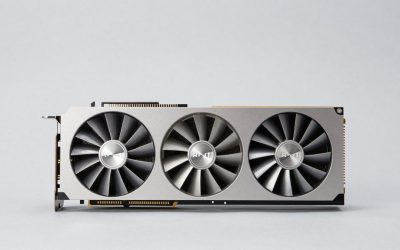
The 5070 is the more complete GPU. A larger die, more cores, and a 192-bit GDDR7 bus give it the throughput to hold high frame rates at 1440p with settings maxed, and it is the cheaper of the two entry points into credible 4K gaming when DLSS Performance and frame generation are in play. In ray-traced titles the margin over the 5060 Ti grows noticeably, because RT workloads lean hard on bandwidth as well as core count.
Its weak point is the 12GB buffer. That is enough today at 1440p and mostly enough at 4K with upscaling, but it offers less long-term slack than the 16GB 5060 Ti, and a handful of heavily modded or texture-dense games will get uncomfortably close to the limit. You will also need to budget for higher power draw and a physically larger card. If your case and PSU are already borderline, that cost is real.
Which Should You Buy?
- For 1080p gaming on a budget: pick an 8GB RTX 5060 Ti such as the PNY Dual-Fan or ASUS Dual 8GB OC.
- For 1440p with maximum longevity: pick the RTX 5060 Ti 16GB — the ASUS Dual 16GB OC is the straightforward choice.
- For 1440p at 144Hz or higher: pick the RTX 5070; the extra bandwidth is what sustains those frame rates.
- For small-form-factor builds: pick the ASUS Prime SFF-Ready RTX 5060 Ti 16GB or the PNY Epic-X RGB Triple-Fan.
- For ray tracing and occasional 4K: pick the RTX 5070 and plan on DLSS 4 being permanently enabled.
Frequently Asked Questions
Is 8GB of VRAM still enough in 2026?
At 1080p with sensible settings, yes. At 1440p with high textures or ray tracing, increasingly not — several 2025 and 2026 releases will force texture quality down or stutter. If you are buying a 5060 Ti, the 16GB version is worth the premium.
Will the RTX 5070’s 12GB become a problem?
Not imminently at 1440p, which is the resolution the card is designed for. It is a fair concern for 4K and for heavily modded games, where the 16GB 5060 Ti occasionally holds up better despite being the slower GPU overall.
Does DLSS 4 change the comparison?
Both cards support DLSS 4 including multi frame generation, so the feature set is identical. What differs is the base frame rate each card feeds into it, and frame generation works best when you are already above roughly 50–60 fps — which favours the 5070 at higher resolutions.
What power supply do I need?
A quality 550W unit is sufficient for the RTX 5060 Ti, while the RTX 5070 is better matched to 650W or more depending on your CPU. Check physical card length against your case before ordering either.
Final Verdict
If your monitor is 1080p or a standard 1440p panel and you want the least stutter for the money, the RTX 5060 Ti 16GB is the smarter buy — the ASUS Dual 16GB OC for most builds, the Prime SFF-Ready variant for compact ones. If you are running high-refresh 1440p, care about ray tracing, or want to keep 4K on the table, the RTX