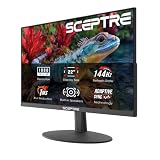
Our Top Picks
The best 1080p gaming TV in 2026 depends on whether you need a cheap second-room screen or real high-refresh gaming. For a budget Full HD TV with Game Mode, the TCL 40-inch S3 (40S350R) is a safe pick. For genuine 120Hz-class gaming at 1080p, the honest answer is a 4K TV with HDMI 2.1, such as the LG OLED42C5, because native 1080p panels in this size range are almost all 60Hz.
The Catch With 1080p Gaming TVs
Native 120Hz Full HD TVs between 32 and 43 inches are essentially nonexistent. Budget 1080p sets are 60Hz panels, and “Motion Rate 120” or similar labels describe motion smoothing, not a true 120Hz input. If you want 1080p at 120Hz, you generally buy a 4K TV with HDMI 2.1 and feed it a 1080p signal. That is why this guide splits into two groups: budget native 1080p sets for casual play, and 4K sets that excel at 1080p high-refresh gaming.

TCL 55 Inch T7 Series 4K 120Hz QLED Smart Google TV, 55T7 (Latest Model) | Dolby Vision HDR and Atmos, HDR10+, Game Accelerator 240 and VRR for Sports and Gaming, Alexa+, Native 120Hz Refresh Rate
Chosen because it specifies 55T7 (Latest Model) and Dolby Vision HDR and Atmos.
View on Amazon
INSIGNIA 50" Class F50 Series LED 4K UHD Smart Fire TV, Voice Remote with Alexa, Stream Live TV Without Cable
Chosen because it specifies Voice Remote with Alexa and Stream Live TV Without Cable.
View on Amazon
TCL 65 Inch T7 Series 4K 144Hz QLED Smart Google TV, 65T7 (Latest Model) | Dolby Vision HDR and Atmos, HDR10+, Game Accelerator 288 and VRR for Sports and Gaming, Alexa+, Native 144Hz Refresh Rate
Chosen because it specifies 65T7 (Latest Model) and Dolby Vision HDR and Atmos.
View on Amazon
Samsung 43-Inch Class M70H Series, Mini LED, 4K, Smart TV, 2026 Model | Samsung Vision AI Companion, Mini LED Processor 4K, Pure Spectrum Color, Endless Free Content, Motion Xcelerator + DLG 120Hz
Chosen because it specifies Mini LED and Smart TV.
View on AmazonQuick Comparison of 1080p Gaming TV Picks
| Pick | Best for | Panel and refresh | Gaming features | HDMI | Price range |
|---|---|---|---|---|---|
| TCL 40S350R (Roku TV) | Best budget 1080p | 40-inch 1080p, 60Hz | Game Mode | 3 inputs, one ARC | Budget |
| Hisense A4 series 40-inch | Best simple 1080p | Full HD 40-inch, 60Hz | Game Mode | Check listing | Budget |
| Samsung N5300 43-inch | Best Samsung budget option | 43-inch 1080p, HDR10 | Game mode | 2 inputs | Budget |
| LG OLED42C5 | Best for 1080p at high refresh | 42-inch 4K OLED, up to 144Hz | VRR, ALLM, low input lag | 4 x HDMI 2.1 | Premium |
Prices change often, so check current listings. Some older models, such as the Samsung N5300, may be sold only through remaining stock.
Best Budget 1080p: TCL 40-Inch S3 (40S350R)
The TCL 40S350R is a 40-inch Full HD LED Roku TV with a 60Hz panel and a direct LED backlight. It has a Game Mode, three HDMI inputs (one with ARC) and HDR10 and HLG support per TCL’s French product page. At 40 inches, a 1080p image has a pixel density of about 55 pixels per inch, which looks fine from a couch. TCL does not publish an input lag figure on its product page, so treat it as a casual-gaming TV. It suits a bedroom or kids’ room for a console.
Best Simple 1080p: Hisense A4 Series (40-Inch)
The Hisense A4 series covers several sizes, and the resolution differs by size. According to Hisense’s Spanish data sheet for the A4N, the 40-inch model is Full HD, while the 32-inch is HD at 1366 x 768. Hisense Canada also lists the 32-inch A4NV as 1366 x 768. The panel is 60Hz and the manufacturer cites input lag of 16 to 20 ms in Game Mode, while other sources list higher figures. Buy the 40-inch for 1080p, and verify the resolution on the listing for any 32-inch version.
Best Samsung Budget Option: Samsung N5300 43-Inch
The Samsung UN43N5300 is a 43-inch Full HD 1920 x 1080 TV with HDR10, Motion Rate 60, a Game mode, two HDMI inputs and a USB port. One retailer lists it as an end-of-life model, so availability varies. It is only worth considering if you find it from a trusted seller. Two HDMI inputs means a console and one extra device.
Best for 1080p at High Refresh: LG OLED42C5
If you want 1080p at 120Hz or more, the LG OLED42C5 is the recommended small TV. RTINGS notes HDMI 2.1 bandwidth on all four ports, 4K at 144Hz and support for all three VRR formats, plus low input lag at 120Hz and 144Hz. Tom’s Guide reported about 9.1 ms at 144Hz with VRR. Trusted Reviews and What Hi-Fi both pick it as the best small gaming TV. LG’s previous generation C3 accepted 1080p at 120Hz, so check the C5 manual to confirm. Trade-off: OLED panels cost far more than budget LED sets, and static HUD elements raise burn-in risk over years.
Other High-Refresh 1080p Options
BGR’s 2026 guide lists the Hisense U8QG as supporting up to 288Hz at 1080p with VRR, but it is a larger 4K model. The same article ranks the TCL S551G among its worst gaming TVs despite 120Hz support at 1080p and 1440p. Use these as examples of how much the specifics matter.
Worked Example: Bandwidth, Frame Time and Pixel Density
1080p at 120Hz with 8-bit color needs 1920 x 1080 x 120 x 24 = 5.97 Gbps of raw pixel data. HDMI 2.0 provides about 14.4 Gbps of usable data, so the signal fits, but the TV must accept 120Hz at 1080p. 4K at 60Hz needs 3840 x 2160 x 60 x 24 = 11.9 Gbps, also within HDMI 2.0.
Frame time: 60Hz is 16.7 ms per frame, 120Hz is 8.3 ms. DisplayNinja’s rule of thumb is input lag under 16 ms for 60Hz TVs and 8 ms or lower for 120Hz TVs. Pixel density for a 1080p screen is the diagonal in pixels (about 2,203) divided by the screen size: 69 ppi at 32 inches, 55 at 40 inches and 51 at 43 inches. A 24-inch 1080p monitor is about 92 ppi, which is why a 43-inch 1080p TV looks softer up close.
Which 1080p TV Type Fits You?
| Your situation | Choose | Reason |
|---|---|---|
| Kids’ room or dorm, Xbox Series S or Switch | 40-inch 1080p set | Low cost, adequate |
| PS5 or Xbox Series X at 120fps | 4K HDMI 2.1 TV | Needs 120Hz input |
| Desk use at under 32 inches | 1080p gaming monitor | Higher ppi, higher refresh |
| Living room above 55 inches | 4K TV | 1080p looks soft |
How to Choose a 1080p Gaming TV
Confirm the real resolution
Some 32-inch models are 1366 x 768 despite being sold as smart TVs. Look for 1920 x 1080 in the specs.
Check refresh and input lag
60Hz is typical. If you want 120Hz, look at 4K sets with HDMI 2.1. Aim for input lag under 16 ms in Game Mode.
Look for ALLM and VRR
Auto Low Latency Mode switches to Game Mode automatically, and VRR smooths frame rate swings. These are common on HDMI 2.1 sets but rare on budget 1080p TVs.
Count HDMI inputs
A console, a soundbar and a streaming device need three. Budget TVs often have two.
Frequently Asked Questions
Is a 1080p TV good for gaming?
Yes, for casual gaming on consoles at 60 frames per second. For 120 fps or HDR gaming, choose a 4K TV with HDMI 2.1.
Can a 1080p TV run at 120Hz?
Almost none do natively at 32 to 43 inches. Most 1080p TVs are 60Hz, and “Motion Rate 120” labels refer to motion processing.
Is 1080p enough for a 40-inch TV?
It is acceptable from several feet away, at about 55 pixels per inch. Up close, text and fine detail look softer than on 4K.
What input lag is good for gaming?
Under 16 ms for 60Hz play is a good target, and under 8 ms for 120Hz, per DisplayNinja’s rule of thumb.
Should I buy a monitor instead?
For a desk, yes. A 1080p gaming monitor offers a higher refresh rate and pixel density than a similarly priced TV.
Bottom Line
Buy the TCL 40S350R or a Full HD Hisense A4 for a cheap 60Hz screen, and step up to the LG OLED42C5 if you want true high-refresh gaming at 1080p or 4K. Check resolution, HDMI count and input lag for the exact model and size.