Key takeaways
- Stunning sharpness: 4K (3840×2160) delivers the crispest image, especially on larger screens where detail really shows.
- Heavy GPU load: It demands a top-tier graphics card to hit high frame rates, and even then upscaling is often needed.
- Best for: Players who prioritize visual fidelity in single-player titles over maximum competitive frame rates.
What's inside
Resolution is the single biggest decision behind how your games look and how hard your hardware has to work, yet 1080p, 1440p, and 4K each involve real trade-offs that marketing rarely spells out. Choose too high and you’ll fight low frame rates; choose too low and you’ll leave a capable GPU and a crisp image on the table.
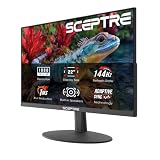
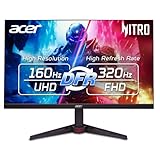
This guide compares the three resolutions across sharpness, performance cost, and the hardware each realistically demands, so you can match your monitor to your GPU instead of guessing. Popular panels like the Samsung Odyssey G5 (1440p) and the ASUS TUF Gaming VG27AQ3A serve as reference points for what a well-balanced 2026 display looks like.
As an Amazon Associate we earn from qualifying purchases at no extra cost to you.






⚡ Save on Your Next PC — Amazon Prime
Prime members get fast free shipping on the systems above, plus early access to Prime Day & Black Friday PC deals. New members get a 30-day free trial.
Watch: 1080p vs 1440p vs 4K for Gaming — Video Review
1080p: The Performance Champion
1080p (1920×1080) remains the easiest resolution to drive, and that’s its strength. It lets even modest GPUs push very high frame rates, which is exactly what competitive players chasing 144Hz-plus want. The image is noticeably softer than higher resolutions on larger screens, but on a 24-inch panel it looks sharp, and the headroom for high refresh rates is unmatched.
1440p: The 2026 Sweet Spot
1440p (2560×1440) has become the recommended target for most gamers because it balances a clear image with attainable performance. On a 27-inch monitor it looks noticeably sharper than 1080p while staying far easier to drive than 4K. Panels like the Samsung Odyssey G5 and ASUS TUF VG27AQ3A pair QHD with high refresh rates, giving you both clarity and smoothness on a mid-range to upper-mid GPU.
4K: Maximum Clarity, Maximum Demand
- Stunning sharpness: 4K (3840×2160) delivers the crispest image, especially on larger screens where detail really shows.
- Heavy GPU load: It demands a top-tier graphics card to hit high frame rates, and even then upscaling is often needed.
- Best for: Players who prioritize visual fidelity in single-player titles over maximum competitive frame rates.
Match Resolution to Your GPU
The golden rule is to buy the resolution your GPU can actually feed. A mid-range card is happiest at 1080p high-refresh or entry 1440p; an upper-mid GPU makes 1440p sing; and only a flagship card sustains high-frame-rate 4K without heavy upscaling. Pairing a demanding resolution with a modest GPU is the fastest way to a disappointing, stuttery experience.
Refresh Rate and Screen Size Factor In
Resolution never stands alone. Screen size determines how sharp a given resolution looks (1080p on 24 inches is fine; on 32 inches it isn’t), and refresh rate shapes how fluid motion feels. For most players a 27-inch 1440p panel at 144Hz-plus is the ideal intersection of clarity, smoothness, and hardware you can realistically afford to drive.
Tips
- Pick your resolution based on the GPU you own, not the monitor you wish you could drive.
- For 24-inch screens, 1080p is perfectly sharp; step up to 1440p at 27 inches and beyond.
- Prioritize a high refresh rate for competitive games; prioritize resolution for single-player visuals.
- If 4K frame rates fall short, quality upscaling closes much of the gap without a big image cost.
Frequently Asked Questions
Is 1440p worth it over 1080p?
For most gamers on a 27-inch screen, yes. 1440p is visibly sharper and still attainable on mid-to-upper GPUs. It’s widely seen as the 2026 sweet spot, giving you clarity without the steep hardware demands of 4K.
What GPU do I need for 4K gaming?
A top-tier, flagship-class graphics card, and even then you’ll often lean on upscaling to hit high frame rates. If you don’t own that class of GPU, 1440p delivers a far smoother experience for the money.
Does resolution or refresh rate matter more?
It depends on how you play. Competitive players benefit more from high refresh rates and smooth motion, while single-player and visual-focused gamers gain more from higher resolution and detail.
Is 1080p still fine for gaming in 2026?
Absolutely, especially on 24-inch screens and for competitive play where high frame rates rule. It’s the easiest resolution to drive, making it the smart pick for modest hardware and esports titles.
Conclusion
There’s no single best resolution, only the best one for your GPU, screen size, and priorities. 1080p rewards high frame rates on modest hardware, 1440p hits the 2026 sweet spot of clarity and performance, and 4K delivers unmatched sharpness for those with the graphics muscle to back it. Match the resolution to your hardware and play style, and panels like the ones above make the choice easy to act on.