Our Top Picks
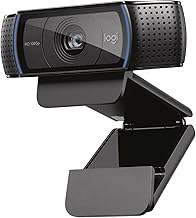
 Best all-around pickLogitech C920x HD Pro PC Webcam with Microphone1 Pack2.8 x 1.7 x 3.7 inches0.4 poundsCheck on Amazon
Pros & cons
- HD lighting adjustment and autofocus support clear low-light video
- Stereo audio with dual mics captures clearer sound during calls
- Includes a 3-month XSplit VCam license for background removal
- Lacks a built-in privacy shutter found on some other Logitech models
- 1080p resolution is standard rather than upgraded
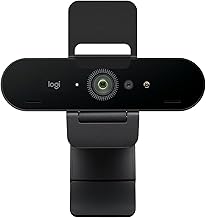
 Best for a built-in privacy cover with software controlLogitech Brio 101 Full HD 1080p Webcam for1 Pack0.31 poundsCheck on Amazon
Pros & cons
- RightLight auto-balance boosts brightness by up to 50% for clearer video
- Integrated slide cover offers quick, reliable privacy control
- Plug-and-play design works across Teams, Zoom, and Google Meet
- 1080p resolution is standard, not upgraded to 4K
- Feature set is more basic than Logitech's higher-end Brio models
 Best lightweight meetings cameraLogitech Brio 100 Full HD 1080p Webcam for1 Pack2.62 x 2.87 x 1.26 inches0.2 poundsCheck on Amazon
A budget webcam under 100 dollars can comfortably handle video calls, livestreams, and casual gaming overlays as long as you match the right model to the right job. Among the options covered in this guide, the Logitech C920x HD Pro stands out as the most well-rounded choice for anyone who wants reliable Full HD video with autofocus and stereo audio, while the Logitech Brio 101 and the rest of the Brio 100 family suit buyers who want a compact camera with a built-in privacy cover. The NexiGo N60 and the saylas webcam widen the field for shoppers who want a physical privacy cover and, in the saylas model’s case, a tripod included in the box. The Logitech C270 remains the simplest option when all you need is a dependable 720p camera for everyday calls, and the Shcngqio webcam offers a wide-angle lens at an accessible price point for buyers willing to confirm a few extra details on the listing itself.
Every webcam in this budget bracket represents a set of trade-offs rather than a single universal answer. Manufacturers build affordable webcams around a handful of shared components: a 1080p or 720p sensor, a fixed or motorized autofocus lens, one or two small microphones, and a plastic mount designed to clip onto a monitor. The differences that matter show up in field of view, how the lens handles uneven lighting, whether the microphone is rated for noise reduction, and whether the camera includes a physical shutter or slide cover for privacy. None of these cameras will match a dedicated mirrorless camera repurposed as a webcam, and none should be expected to shoot broadcast-quality 4K video, since that tier of hardware sits well above this budget bracket. Even within a single brand, such as Logitech’s Brio 100 lineup covered later in this guide, color variants and renewed units can list slightly different confirmed specifications, so it pays to read each listing rather than assume every unit in a product family behaves identically.
This guide walks through what to look for before buying, breaks down each webcam’s listed specifications and features, compares them side by side in a single table, and matches specific models to common use cases such as remote work, game streaming, and multi-person calls. Use the quick-answer list below for a fast recommendation, or jump straight to the detailed breakdowns for a closer look at each camera’s strengths and limitations. A setup and care section near the end also covers how to get the most out of whichever camera you choose, since placement and lighting matter as much as the hardware itself.
Quick answer: top picks
- Best all-around pick: Logitech C920x HD Pro PC Webcam, for Full HD video, autofocus, and stereo dual microphones in one package.
- Best for a built-in privacy cover with software control: Logitech Brio 101 Full HD 1080p Webcam, with a slide-style cover and the Logi Options+ app for framing.
- Best lightweight meetings camera: Logitech Brio 100 Full HD 1080p Webcam in White, for a compact body with auto-light balance.
- Best for tripod flexibility: saylas 1080P Webcam with Microphone, which ships with a tripod and a wide 100-degree field of view.
- Best for cross-platform compatibility: NexiGo N60 1080P Webcam, which lists support for Windows, macOS, Linux, Chrome OS, and Android.
- Best entry-level option: Logitech C270 720p Webcam, a simple plug-and-play camera with a noise-reducing microphone.
- Best wide-angle budget pick: Shcngqio 1080P HD Webcam, built around a wide-angle lens at an accessible price point.
Each pick above addresses a different priority rather than a single ranking, so read the matching detailed breakdown further down this guide before deciding which trade-offs fit your setup.
How we researched this guide
This guide is built from each manufacturer’s published specifications, listed features, and physical dimensions, cross-checked against common patterns in how owners describe using similar budget webcams for calls, streaming, and gaming overlays. Where a brand lists a measurable spec, such as resolution, frame rate, field of view, microphone type, or an included accessory like a tripod or privacy cover, that spec becomes the baseline fact used to build the comparison. Where a listing stays silent on a detail, such as an exact field-of-view figure or whether a model supports a particular platform, this guide says so directly rather than guessing or assuming parity with a similar model.
We also looked at recurring patterns in how buyers of similarly specced webcams talk about day-to-day use: how important a physical privacy shutter becomes once a camera lives permanently on a monitor, how often fixed-focus cameras draw criticism for motion blur during presentations, and how frequently built-in microphones get replaced by a separate headset once serious streaming enters the picture. These patterns inform the buying guide and the best-pick-by-need section below, but every specific claim about an individual camera traces back to what that camera’s own listing states.
This approach means some sections of this guide read more like a careful translation of each listing’s own language than a side-by-side scoring system. That is intentional: a numeric score can hide the fact that two cameras differ mainly in field of view or privacy hardware rather than overall quality, and those differences matter more for picking the right camera than any single composite number would.
Because warranty terms, included accessories, firmware versions, and even color-specific packaging can change between listings and marketplaces, always confirm current specifications on the product’s own listing page before purchasing, especially for renewed or refurbished units. This approach also means a few listings in this guide, most notably the Shcngqio webcam, come with fewer confirmed details than the rest. Rather than fill those gaps with assumptions, this guide names exactly which specifications are confirmed for each camera and flags where a buyer should check the listing directly for anything not stated.
This same approach carries through to brand comparisons. Logitech accounts for six of the nine webcams covered in this guide, spread across the C270, the C920x HD Pro, and several Brio 100 and Brio 101 variants, while NexiGo, saylas, and Shcngqio each contribute one model. That concentration reflects how common Logitech listings are in this price range rather than a preference built into how this guide was assembled, and the three non-Logitech models are evaluated against the same standard: what the listing itself states about resolution, field of view, microphone type, and included accessories.
What to look for in a budget webcam
Resolution and frame rate
Full HD 1080p at 30 frames per second is the realistic ceiling for most webcams in this price range, and it is enough for Zoom, Microsoft Teams, Google Meet, Twitch, and YouTube without excessive bandwidth use. A handful of cameras, like the Logitech C270 covered in this guide, cap out at 720p, which is still usable for basic calls but noticeably softer once the image fills a large monitor. When a listing does not state a specific frame rate at a given resolution, check the listing directly, since some cameras only reach their maximum frame rate at a lower resolution setting. The saylas webcam in this guide is a useful example: its listing states 1080p at 30 frames per second as one mode and 720p at 30 frames per second as a separate mode, rather than a single combined figure, which is common for budget sensors that trade resolution for frame rate depending on lighting conditions.
Sensor quality and low-light performance
The physical sensor behind the lens determines how much usable detail a camera can pull out of a dim room before the image turns grainy. Few budget listings publish an exact sensor size, but features like automatic light correction, auto white balance, or Logitech’s RightLight branding describe software processing that compensates for uneven lighting rather than a physically larger sensor. These features help in ordinary indoor lighting, but none of them replace a lamp or a small light pointed at your face in a genuinely dark room. If a listing does not mention any light-correction feature at all, check the listing for sensor details before assuming performance in dim conditions. The saylas webcam’s listing is one of the few in this guide that states a specific sensor size, a 1/2.8-inch 2-megapixel chip, alongside auto white balance and exposure control, which gives buyers a slightly clearer picture of what is doing the work behind the scenes compared with listings that only name a software feature without a sensor figure.
Field of view
Field of view, usually listed as a diagonal angle in degrees, decides how much of the room the camera captures. A narrower view, such as the roughly 58-degree angle on one Brio 100 listing in this guide, keeps the frame tight around one person and hides a cluttered background. A wider angle, like the saylas webcam’s 100-degree field of view, fits two people into frame or shows more of a desk setup, but it can also pull in more of a messy room or distort objects placed close to the lens. Several listings in this price range do not state an exact field-of-view figure, so check the listing if that number matters for your setup. When a listing is silent on field of view, that absence is itself useful information: it usually means the manufacturer has not positioned the angle of view as a selling point, so it is worth comparing the camera’s stated use cases, such as one-person calls versus group recording, against models in this guide that do publish a specific figure.
Autofocus versus fixed focus
Autofocus keeps the image sharp as you move closer to or farther from the camera, which matters for presenters, product demonstrations, or anyone who leans in during a call. The Logitech C920x HD Pro in this guide lists autofocus as a feature. Other models in this guide do not explicitly state whether they use autofocus or fixed focus, and fixed-focus cameras are tuned for a specific working distance, which some streamers prefer because the image stays visually stable without the lens hunting for focus. If a listing does not specify which type of focus a camera uses, check the listing before assuming autofocus is included, since this guide treats unstated focus type as fixed rather than guessing in a camera’s favor. A camera’s optimized working distance, when a listing provides one, is a useful substitute clue: the NexiGo N60’s listing states a sharp range of roughly 19.6 inches to 13 feet, which tells you how much you can move before a fixed-focus design starts to soften.
Built-in microphones
Nearly every budget webcam includes at least one small microphone, and several listings specifically describe noise reduction or noise cancellation, including the Logitech C270, the NexiGo N60, and the saylas webcam. These microphones are adequate for one-on-one calls at close range, especially in a quiet room. They are not a substitute for a dedicated USB microphone or a headset once background noise from a keyboard, a fan, or other speakers enters the picture, which matters most for anyone planning to stream on a regular basis. Dual-microphone designs, like the stereo pair on the Logitech C920x HD Pro, can also pick up more of the room than a single mono microphone, which helps when two people share a desk but can also pull in more ambient noise than a single, closer microphone would.
Mounting and placement
Most budget webcams rely on a universal clip that grips the top of a laptop or monitor, which is the mount described in the Logitech C270’s listing. A camera that instead ships with a tripod, like the saylas webcam, gives you more flexibility to position the camera away from a screen, which helps when recording from an angle or building a dedicated streaming corner. Check the listing for exact clip dimensions if you plan to mount a camera on an unusually thick monitor or a multi-monitor arm. Overall physical size and weight, both of which most listings in this guide state, also give a rough sense of how secure a clip mount will feel: the Logitech Brio 101, at about 0.31 pounds, and the Logitech C920x HD Pro, at roughly 0.36 pounds, are both light enough for a standard spring clip, while heavier accessories like a tripod head may need a sturdier connection.
Privacy shutter or cover
A physical privacy shutter or slide cover blocks the lens without unplugging the camera, which matters for anyone who leaves a webcam connected to a monitor full time. The Brio 100 and Brio 101 listings in this guide describe an integrated slide cover, and the NexiGo N60 and saylas webcam both include a separate privacy cover accessory. Notably, the Logitech C920x HD Pro’s listing states that model does not include a privacy shutter, which is worth factoring in if that feature matters to you. A privacy cover is also a simple way to signal to roommates, coworkers, or family members that a camera is not in use, which matters in a shared living space just as much as it matters for data security.
Software and platform compatibility
Plug-and-play support across Windows and macOS is standard at this price point, and most listings confirm compatibility with Zoom, Microsoft Teams, and Google Meet without extra drivers. Some cameras add their own software: Logitech’s Logi Options+ app, mentioned in the Brio 101 listing, allows adjustments to zoom and framing, while the Logitech C920x HD Pro ships with a limited-time XSplit VCam license for background removal. Several listings also mention compatibility with Nintendo Switch 2’s GameChat mode, which is worth checking if you plan to use the camera with a console rather than a computer, though the NexiGo N60 listing explicitly states it is not compatible with Xbox, PS4, or PS5. When comparing software extras, remember that a bundled license, like the three-month XSplit VCam offer on the C920x HD Pro, is a temporary perk rather than a permanent part of the camera, so do not treat it as equivalent to a feature that is built into the hardware itself.
Detailed product breakdowns
Logitech C920x HD Pro PC Webcam
Overview: The Logitech C920x HD Pro is a Full HD webcam built around 1080p video at 30 frames per second, paired with autofocus and dual stereo microphones. Its listing describes HD lighting adjustment, advanced capture software, and full compatibility with Windows 11, plus support for Nintendo Switch 2’s GameChat mode.
Key specs: Full HD 1080p/30fps video, autofocus, stereo dual microphones, a Black finish, dimensions of 2.8 x 1.7 x 3.7 inches, and a weight of roughly 0.36 pounds. It ships with a three-month XSplit VCam license for background removal, and the listing explicitly notes it does not include a privacy shutter.
Strengths: Autofocus and stereo audio make this one of the more capable all-purpose options in this guide, and the included background-removal software is a useful extra for anyone without a clean backdrop behind their desk.
Trade-offs: No physical privacy shutter means you will need to physically unplug the camera or cover it manually when it is not in use, and the XSplit VCam license is time-limited rather than permanent.
Who it suits: Buyers who want autofocus, stereo microphones, and background-removal software in one package for meetings, streaming, or general video calls.
Who should skip it: Anyone who specifically wants an integrated privacy cover built into the camera body should look at the Brio 100 or Brio 101 instead.
Overall, this listing reads as the most balanced spec sheet in the guide: resolution, focus type, and microphone configuration are all stated clearly, leaving the missing privacy shutter as the one factor buyers need to plan around separately.
Logitech C920x HD Pro PC Webcam with Microphone, Full HD 1080p/30fps Video | Stereo Audio, HD Light Correction, Works with Microsoft Teams, Google Meet, Zoom, Nintendo Switch, Mac/Tablet- Black
The C920x HD Pro combines 1080p/30fps video, autofocus, and stereo dual microphones, plus a bundled XSplit VCam license for background removal, making it the most feature-complete all-purpose pick in this guide.
Consider: The listing explicitly states this model has no privacy shutter, and the included XSplit VCam license is time-limited rather than permanent.
View on AmazonLogitech Brio 101 Full HD 1080p Webcam
Overview: The Logitech Brio 101 is a compact Full HD 1080p webcam with an integrated slide-style privacy cover, a built-in microphone, and Logitech’s RightLight auto-light balance processing. Its listing states compatibility with Nintendo Switch 2’s GameChat mode and most major video calling platforms, including Microsoft Teams, Zoom, and Google Meet.
Key specs: Full HD 1080p resolution, auto-light balance said to boost brightness by up to 50 percent compared with previous-generation Logitech webcams, a built-in microphone, and a body made with a minimum of 77 percent post-consumer recycled plastic. It measures roughly 1.26 x 2.87 x 2.62 inches, weighs about 0.31 pounds, and is available in Black.
Strengths: The built-in slide cover gives instant physical privacy without extra accessories, and the listing highlights the Logi Options+ app for adjusting zoom and framing after setup. The recycled-plastic construction is also a distinguishing detail compared with most webcams in this range.
Trade-offs: The listing does not specify a field-of-view angle or confirm autofocus, so check the listing if either detail is important to your setup. The single built-in microphone is not described as noise-cancelling.
Who it suits: Remote workers and casual streamers who want a privacy cover built into the camera and prefer adjusting framing through companion software.
Who should skip it: Anyone who wants a stated field-of-view figure or confirmed autofocus up front should compare against the Logitech C920x HD Pro.
The combination of a privacy cover, recycled-plastic construction, and companion software makes this one of the more modern-feeling entries in the Brio lineup, even without a stated optical spec sheet to match the C920x HD Pro.
Logitech Brio 101 Full HD 1080p Webcam for PC, Built-in Mic, Black | Full HD 1080p resolution, auto-light balance, privacy shutter, USB plug-and-play setup for Zoom, Teams, Google Meet
The Brio 101 adds Logi Options+ software for adjusting zoom and framing on top of RightLight auto-light balance, an integrated privacy cover, and a body made with a minimum of 77 percent recycled plastic.
Consider: Field of view and autofocus are not stated in the listing, and the built-in microphone is not described as noise-cancelling.
View on AmazonLogitech Brio 100 Full HD 1080p Webcam (White)
Overview: The white Logitech Brio 100 is a Full HD 1080p webcam aimed at everyday meetings. Its listing describes RightLight auto-light balance, an integrated webcam cover for privacy, a built-in microphone, and plug-and-play support for Microsoft Teams, Zoom, and Google Meet, along with compatibility with Nintendo Switch 2’s GameChat mode.
Key specs: Full HD 1080p video, an Off White finish, dimensions of 2.62 x 2.87 x 1.26 inches, a weight of about 0.166 pounds, and a body built with a minimum of 34 percent post-consumer recycled plastic. RightLight is described as boosting brightness by up to 50 percent compared with earlier Logitech webcams.
Strengths: The slide-style privacy cover and lighter finish make this a tidy option for a visible desk setup, and the plug-and-play design means no extra software is required to get started.
Trade-offs: As with the other Brio 100 variants in this guide, the listing does not state an exact field-of-view angle or confirm autofocus, so check the listing before assuming either spec.
Who it suits: Buyers who want a lighter-colored, privacy-shuttered webcam for everyday video calls without additional software.
Who should skip it: Anyone prioritizing stated optical specs like field of view or autofocus over color and finish should compare against the C920x HD Pro or NexiGo N60.
This listing functions as the standard entry point into the Brio 100 family, and it is worth comparing directly against the Graphite and Off White renewed variants covered later in this guide if price is the deciding factor.
Logitech Brio 100 Full HD 1080p Webcam for PC for Meetings, Streaming | PC camera with auto-light balance, built-in mic, shutter, works with Zoom, Microsoft Teams, Nintendo Switch 2's GameChat Mode
This Brio 100 variant pairs RightLight auto-light balance with an integrated privacy cover and a lighter Off White finish, built with a minimum of 34 percent recycled plastic, for buyers who want a tidy everyday meetings camera.
Consider: The listing does not state an exact field-of-view angle or confirm autofocus, so those specifics remain unconfirmed.
View on AmazonLogitech Brio 100 1080p Full HD Webcam, Graphite (Renewed)
Overview: This renewed Logitech Brio 100 is finished in Graphite and lists a more complete optical specification than the standard retail Brio 100 entries in this guide, including a stated field of view and frame rate.
Key specs: Up to Full HD 1080p resolution at 30 frames per second, a 58-degree diagonal field of view, plug-and-play USB connection, and a built-in microphone. As a renewed unit, it is a manufacturer-refurbished or reseller-refurbished camera rather than new-in-box stock.
Strengths: The listing provides a specific field-of-view figure, 58 degrees, which is more optical detail than several other Brio 100 listings in this guide offer. A narrower field of view keeps the frame focused on one person and can hide background clutter.
Trade-offs: This is a renewed unit, so check the listing for its specific warranty terms and condition grading before buying. The listing does not mention a privacy shutter, auto-light balance branding, or autofocus, so treat those as unconfirmed.
Who it suits: Budget-focused buyers comfortable with a renewed camera who want a narrower field of view for one-person framing.
Who should skip it: Anyone who wants guaranteed new condition or a confirmed privacy shutter should choose a standard retail Brio listing instead.
Because this listing states a field-of-view figure that the standard retail Brio 100 entries in this guide omit, it is a useful reference point even for buyers who ultimately choose a different Brio 100 variant.

Logitech 960001580 Brio 100 1080p Full HD Webcam (Graphite) (Renewed) | Full HD
This renewed Brio 100 lists a specific 58-degree field of view and 1080p/30fps video, giving buyers a clearer optical spec than several standard retail Brio 100 listings in this guide, at a renewed-unit price point.
Consider: As a renewed unit, condition and warranty terms vary by seller, and the listing does not mention a privacy shutter or autofocus.
View on AmazonLogitech Brio 100 Full HD 1080p Webcam, Off White (Renewed)
Overview: This renewed Brio 100 variant is finished in Off White and explicitly lists a privacy shutter in its title and feature set, in addition to RightLight auto-light balance and a built-in microphone, with USB-A connectivity for Microsoft Teams, Google Meet, and Zoom.
Key specs: Full HD 1080p resolution, auto-light balance described as boosting brightness by up to 50 percent versus earlier Logitech webcams, an integrated privacy shutter, a built-in microphone, dimensions of 2.62 x 2.87 x 1.26 inches, and a weight of about 0.166 pounds.
Strengths: This listing is one of the clearer confirmations in the Brio 100 lineup that a privacy shutter is included, paired with the lighter Off White finish and USB-A connectivity spelled out directly in the feature list.
Trade-offs: As a renewed unit, condition and included accessories can vary by seller, so check the listing for the specific renewal grading and return policy. Field of view and autofocus are not stated.
Who it suits: Buyers who specifically want a confirmed privacy shutter on a renewed Brio 100 at a lower price point than new retail stock.
Who should skip it: Shoppers who want new-condition hardware or a stated field-of-view figure should look at the Graphite renewed model or a standard retail Brio listing.
Between the two renewed Brio 100 listings in this guide, this Off White model is the one to choose when a confirmed privacy shutter matters more than a stated field-of-view figure.
Logitech Brio 100 Full HD 1080p Webcam for Meetings and Streaming, Auto-Light Balance, Built-in Mic, Privacy Shutter, USB-A, for Microsoft Teams, Google Meet, Zoom and More - Off White (Renewed)
This renewed Brio 100 explicitly lists an integrated privacy shutter alongside RightLight auto-light balance and USB-A connectivity, making it a clear option for buyers who specifically want a confirmed privacy cover on a renewed unit.
Consider: Field of view and autofocus are not stated, and as a renewed unit, included accessories and grading can vary by seller.
View on AmazonNexiGo N60 1080P Webcam with Microphone
Overview: The NexiGo N60 pairs a 1080p sensor with a 3.6mm glass lens, a built-in noise-cancelling microphone, and a slide-style privacy cover. Its listing states an optimized working distance of roughly 19.6 inches to 13 feet and broad operating-system support.
Key specs: 1080p resolution at up to 1920 x 1080 and 30 frames per second from a two-megapixel CMOS sensor, USB 2.0/3.0 connectivity with no additional drivers required, and compatibility with Mac OS X 10.7 and higher, Windows 7 through 11, Android 4.0 and higher, Linux 2.6.24, Chrome OS 29.0.1547, and Ubuntu 10.04 or above. The listing explicitly states it is not compatible with Xbox, PS4, or PS5.
Strengths: Few webcams in this range list as many supported operating systems explicitly, which is useful for anyone outside a standard Windows or macOS setup. The noise-cancelling microphone and slide privacy cover are both called out directly in the listing.
Trade-offs: The optimized focus range starts at about 19.6 inches, so very close-up use may fall outside the camera’s sharpest zone. The listing notes contacting support for a firmware update if audio delay is noticed.
Who it suits: Buyers on Linux, Chrome OS, or older macOS versions who need confirmed compatibility, plus anyone who wants a noise-cancelling mic and privacy cover together.
Who should skip it: Console streamers hoping to use this with Xbox or PlayStation should choose a different camera, since the listing rules out that use case directly.
The explicit operating-system list also makes this a safer pick for shared households or offices running a mix of devices, since compatibility does not need to be guessed at the way it does with several other listings in this guide.

NexiGo N60 1080P Webcam with Microphone, Software Control & Privacy Cover, USB HD Computer Web Camera, Plug and Play, for Zoom/Skype/Teams, Conferencing and Video Calling
The N60 stands out for explicit cross-platform support across Windows, macOS, Linux, Chrome OS, and Android, plus a noise-cancelling microphone and a slide-style privacy cover, useful for buyers outside a standard Windows setup.
Consider: Its optimized focus range starts around 19.6 inches, and the listing explicitly states it is not compatible with Xbox, PS4, or PS5.
View on Amazonsaylas 1080P Webcam with Microphone and Tripod
Overview: The saylas N21A webcam lists a 100-degree field of view, a 1/2.8-inch 2-megapixel sensor, a noise-reducing built-in microphone, automatic light correction, a slide-style privacy cover, and an included tripod stand.
Key specs: Up to 1080p at 30 frames per second or 720p at 30 frames per second, a 1/2.8-inch 2MP sensor, auto white balance and exposure control, compatibility with Mac and Windows XP through 11, and support for Zoom, Teams, Facetime, Google Meet, and YouTube. A privacy shield and tripod are both included in the box.
Strengths: The 100-degree field of view is the widest explicitly stated angle in this guide, and the included tripod adds mounting flexibility beyond a simple monitor clip. Automatic exposure and white-balance control are both named directly in the listing.
Trade-offs: A field of view this wide can show more of the surrounding room and may introduce some distortion for objects held close to the lens. The listing does not mention autofocus, so treat focus behavior as fixed unless stated otherwise on the listing.
Who it suits: Buyers who want a wide-angle shot for two-person calls or desk setups and appreciate having a tripod included rather than buying one separately.
Who should skip it: Anyone who wants a tight, one-person frame or confirmed autofocus should choose the Logitech C920x HD Pro instead.
The included tripod is worth calling out on its own: most webcams in this guide rely solely on a monitor clip, so a bundled tripod saves a separate purchase for anyone setting up a recording angle away from a screen.

saylas 1080P Webcam for PC with Microphone, 100° FOV, USB Webcam with Privacy Cover and Tripod, Plug&Play Computer Camera for Online Calling, Zoom/Teams/Facetime
The saylas webcam lists the widest stated field of view in this guide at 100 degrees, plus a noise-reducing microphone, automatic light correction, a privacy cover, and an included tripod, giving buyers more mounting flexibility than a monitor clip alone.
Consider: A field of view this wide can include more of the surrounding room, and the listing does not mention autofocus.
View on AmazonLogitech C270 720p Webcam
Overview: The Logitech C270 is the most basic camera in this guide, built around 720p video at 30 frames per second with a 55-degree diagonal field of view, auto light correction, and a built-in noise-reducing microphone rated for clear pickup up to 1.5 meters away.
Key specs: 720p/30fps video, a 55-degree diagonal field of view, RightLight 2 automatic light adjustment, an adjustable universal clip mount, a Black finish, dimensions of 6 x 4 x 8 inches, and a weight of 0.16 pounds. The listing also states compatibility with Nintendo Switch 2’s GameChat mode and platforms like Skype and Zoom.
Strengths: This is the simplest and most affordable camera covered here, and the universal clip is described as working on a screen or laptop, or folding flat to sit on a shelf.
Trade-offs: 720p resolution is noticeably softer than the 1080p cameras elsewhere in this guide, especially on a large monitor, and the listing does not mention autofocus or a privacy shutter.
Who it suits: Buyers who want the simplest possible plug-and-play camera for basic calls and are not concerned with 1080p sharpness.
Who should skip it: Anyone who wants 1080p video or a built-in privacy cover should choose one of the Brio models or the NexiGo N60 instead.
For a laptop that already travels between locations, the C270’s fold-flat clip and light weight of 0.16 pounds make it one of the easiest cameras in this guide to toss in a bag without worrying about a fragile mount.
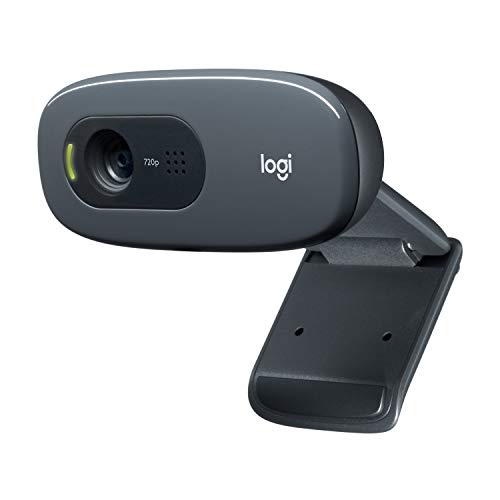
Logitech C270 720p Webcam Plug-and-Play Wide Screen Video Calling - Black | Auto-Light Correct, Noise-Reducing Mic, Zoom, Microsoft, Teams, Skype, Nintendo Switch 2 New GameChat Mode, PC Mac compatible
The C270 is included as the simplest, most affordable option in this guide: a 720p/30fps camera with auto light correction, a noise-reducing microphone, and a universal clip mount, making it a realistic entry point for buyers who do not need 1080p sharpness.
Consider: Its 720p resolution is visibly softer than the 1080p models in this guide, and the listing does not mention autofocus or a privacy shutter.
View on AmazonShcngqio 1080P HD Webcam, Wide-Angle Lens
Overview: The Shcngqio webcam is listed as a 1080p HD camera with a wide-angle lens, finished in a Light Black-Gray color described in the listing’s specifications as Light Jet Black.
Key specs: 1080p HD resolution and a wide-angle lens are the two specifications stated clearly in the title and color field. The listing’s detailed feature bullets do not translate into readable specification text, so check the listing directly for frame rate, exact field-of-view angle, microphone details, and mounting hardware before buying.
Strengths: A wide-angle lens at this price point is useful for anyone who wants to fit more of a room or a second person into frame without paying for a higher-tier camera.
Trade-offs: Because several feature details are not clearly presented in the listing, this is the camera in this guide with the fewest confirmed specifications. Buyers should check the listing for microphone type, frame rate, and mount style before purchasing.
Who it suits: Buyers primarily looking for a wide-angle 1080p camera at an accessible price who are comfortable confirming remaining details directly on the listing.
Who should skip it: Buyers who want fully documented specifications up front, including confirmed frame rate and microphone type, should choose a Logitech or NexiGo model from this guide instead.
If you do consider this camera, treat the listing page itself as the primary source for anything beyond resolution, lens type, and color, and compare its remaining specifications against a Logitech or NexiGo model before deciding.
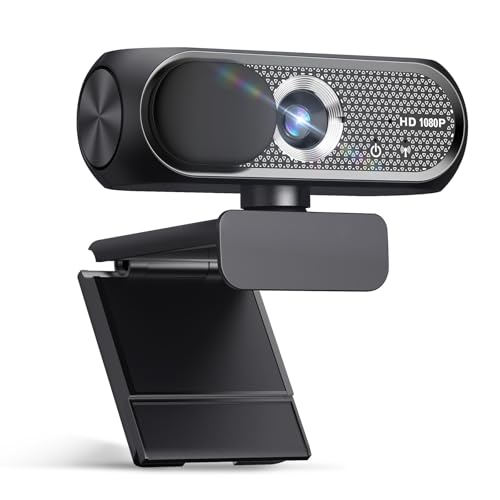
Shcngqio 1080P HD Webcam,Wide-Angle Lens (Light Black-Gray)
The Shcngqio webcam offers a 1080p wide-angle lens at an accessible price point, giving budget buyers a wider framing option than the narrower Brio 100 family.
Consider: Most feature details beyond 1080p resolution and the wide-angle lens are not clearly presented in the listing, so buyers should check the listing for microphone, frame rate, and mount specifics.
View on AmazonSide-by-side comparison
| Webcam | Resolution / frame rate | Field of view | Microphone | Privacy cover | Mount / extras |
|---|---|---|---|---|---|
| Logitech C920x HD Pro | 1080p/30fps | Check listing | Stereo dual mics | None (stated) | Standard clip; XSplit VCam license |
| Logitech Brio 101 | 1080p | Check listing | Built-in mic | Integrated slide cover | Clip; Logi Options+ app |
| Logitech Brio 100 (White) | 1080p | Check listing | Built-in mic | Integrated cover | Clip |
| Logitech Brio 100 (Graphite, Renewed) | Up to 1080p/30fps | 58 degrees | Built-in mic | Check listing | Clip; renewed unit |
| Logitech Brio 100 (Off White, Renewed) | 1080p | Check listing | Built-in mic | Integrated shutter | USB-A; clip; renewed unit |
| NexiGo N60 | 1080p/30fps | Check listing | Noise-cancelling mic | Slide privacy cover | Clip; broad OS support |
| saylas 1080P Webcam | 1080p/30fps or 720p/30fps | 100 degrees | Noise-reducing mic | Slide privacy cover | Tripod included |
| Logitech C270 | 720p/30fps | 55 degrees | Noise-reducing mic | Not stated | Universal clip |
| Shcngqio 1080P HD Webcam | 1080p (frame rate: check listing) | Check listing | Check listing | Check listing | Check listing |
Specifications in this table come directly from each manufacturer’s listing. Where a listing does not state a figure, the table says “check listing” rather than guessing, since field of view, exact frame rate at full resolution, and mounting hardware can vary between color variants and renewed units. Use this table as a quick filter to narrow down two or three candidates, then read the matching detailed breakdown above for the full picture before deciding.
Best pick by need
Remote work and daily video meetings
For a camera that lives on your monitor through back-to-back meetings, the Logitech C920x HD Pro’s autofocus and stereo microphones make it easy to look and sound consistent without adjusting anything between calls. If a built-in privacy cover matters more than autofocus, either Brio 100 variant or the Brio 101 covers that need instead, and any of the three will plug in without extra driver installation on a typical work laptop.
Live streaming and content creation
Streamers who want software control over their camera benefit from the Logitech C920x HD Pro’s autofocus and bundled XSplit VCam background removal, or the Brio 101’s Logi Options+ app for adjusting framing. Either option gives more control than a basic plug-and-play camera, and pairing either one with a separate microphone and a lamp will matter more to stream quality than any remaining spec difference between the two.
Multi-person or wide-desk calls
The saylas webcam’s 100-degree field of view is the widest stated angle in this guide, making it a practical pick for fitting two people into frame or showing more of a desk setup during a call or recording. Its included tripod also makes it easier to angle the camera to capture a wider seating arrangement than a simple monitor clip would allow.
Privacy-conscious or shared workspaces
The Brio 101, the Off White Brio 100 (Renewed), the NexiGo N60, and the saylas webcam all list an integrated or included privacy cover, which is useful in a shared office, a co-working space, or any room where the camera stays connected full time. Get in the habit of closing the cover between calls rather than only when you remember, since the benefit only applies while it is actually closed.
Cross-platform or non-Windows setups
The NexiGo N60 lists explicit support for macOS, Linux, Chrome OS, and Android in addition to Windows, which makes it the clearest choice in this guide for anyone not running a standard Windows PC. Its listing also confirms it needs no additional drivers across that range of operating systems, which reduces setup friction on an unfamiliar system.
Budget-first buyers
The Logitech C270 is the simplest, most affordable camera in this guide, and the renewed Brio 100 listings offer 1080p video and, in the Graphite model’s case, a stated field of view at a lower price point than new retail stock. Comparing a renewed listing’s warranty terms against a new unit’s price difference is worth doing before deciding which route saves more in practice.
Gaming overlays and console chat
Several listings in this guide, including both Brio 100 variants, the Brio 101, and the C270 and C920x HD Pro, state compatibility with Nintendo Switch 2’s GameChat mode. The NexiGo N60 explicitly rules out Xbox, PS4, and PS5 compatibility, so check the listing for any camera you plan to use with a console, since console support is not something you can assume just because a camera works well on a computer.
Setup and care tips
Position any webcam at eye level and put your main light source in front of you rather than behind you. A window or lamp behind your head will push the camera’s automatic exposure to compensate for the bright background, turning your face into a silhouette regardless of how good the sensor is. A small desk lamp or a window you are facing will do more for image quality than switching between similarly specced cameras.
Check the clip or mount before placing a camera on an unusual monitor shape. A universal clip, like the one described in the Logitech C270 listing, is designed for a typical monitor edge; thicker ultrawide monitors or monitor arms may need a separate tripod mount, such as the one included with the saylas webcam.
Use a direct USB port on your computer rather than an unpowered hub when possible, especially for cameras recording at 1080p, to avoid intermittent dropouts during calls or recordings. If you use a hub, confirm it supports USB 2.0 or 3.0 speeds consistent with the camera’s listed connection type.
Keep the lens clean with a dry microfiber cloth. A webcam lens sits close to a desk or shelf and collects dust quickly, and a smudged lens will soften detail no matter how high the stated resolution is.
If your camera includes a privacy cover or shutter, like the Brio 100 family, the Brio 101, the NexiGo N60, or the saylas webcam, get in the habit of closing it whenever the camera is not actively in a call. This is the simplest way to get the privacy benefit the feature is designed to provide.
For any camera whose listing mentions companion software, such as the Brio 101’s Logi Options+ app or the C920x HD Pro’s XSplit VCam license, install the software before your first call so you can adjust framing, exposure, or background settings ahead of time rather than during a live meeting.
Finally, route your webcam’s USB cable away from speakers, power bricks, and other cables that can introduce electrical interference into the microphone. A short, direct run from the camera to your computer’s USB port is usually enough to avoid the faint hum or crackle that a longer, bundled cable run can sometimes introduce into a built-in microphone.
If you switch between a laptop and a desktop, or move a camera between rooms, label the cable or keep a short note of which USB port and software profile worked best. Cameras with companion software, such as the Brio 101’s Logi Options+ app, can save per-device settings, but a plain plug-and-play camera like the Logitech C270 will rely on whatever default exposure and framing it falls back to on a new machine, so a quick recheck after moving it is worth the extra minute.
FAQ
Is 1080p enough for streaming and video calls?
Yes. Full HD 1080p at 30 frames per second, which most of the webcams in this guide list as their maximum resolution, is the standard most meeting platforms and streaming services expect. Going beyond 1080p at this price point is uncommon, and the practical difference in everyday use is usually small compared with lighting and microphone quality. Viewers on the other end of a call or stream will generally notice a dim room or a muffled microphone well before they notice the difference between 1080p and a higher resolution.
What’s the difference between autofocus and fixed-focus webcams?
Autofocus cameras, like the Logitech C920x HD Pro in this guide, continuously adjust focus as you move toward or away from the lens, which helps presenters and anyone who shifts position during a call. Fixed-focus cameras are tuned for a specific working distance and stay visually stable at that distance without the lens hunting for focus, which some streamers who sit still prefer. If a listing does not state which type a camera uses, position yourself at a consistent distance until you can confirm behavior from the listing or packaging.
Do I need a separate microphone if my webcam has one built in?
Built-in microphones, including the noise-reducing or noise-cancelling mics listed on the Logitech C270, the NexiGo N60, and the saylas webcam, are adequate for calls in a quiet room at close range. For regular streaming or a noisy environment, a dedicated USB microphone or headset will generally sound clearer and reject more background noise. A built-in microphone also picks up more of a room’s natural echo than a close-positioned external mic, which matters in a hard-floored or sparsely furnished room.
Why does field of view matter for a webcam?
Field of view determines how much of the room appears in frame. A narrower angle, such as the 58 degrees listed for the Graphite Brio 100 (Renewed), keeps the shot focused on one person and hides background clutter. A wider angle, such as the saylas webcam’s 100 degrees, fits more into frame but can also show more of a messy room or introduce distortion near the edges. If your webcam sits close to your face, a narrower angle usually looks more natural, while a wider angle suits a camera mounted farther away.
Are renewed or refurbished webcams a good option?
Renewed listings, like the two Brio 100 (Renewed) models in this guide, typically cost less than new retail stock and can include the same core specifications. Condition, warranty length, and included accessories vary by seller, so check the listing for the specific renewal grading and return policy before buying. A renewed unit that clearly states its functional condition grade and return window carries less risk than one with vague renewal language.
Will a budget webcam work with gaming consoles?
It depends on the model. Several listings in this guide, including both Brio 100 variants, the Brio 101, the C270, and the C920x HD Pro, state compatibility with Nintendo Switch 2’s GameChat mode, which lets the camera handle video chat alongside certain games without a computer involved. The NexiGo N60 listing explicitly states it is not compatible with Xbox, PS4, or PS5, so check the listing before assuming console support, since console compatibility is not universal across this category even when a camera otherwise looks similar on paper.
How important is a privacy shutter?
A physical privacy shutter or slide cover is a convenience and security feature for anyone who leaves a webcam connected to a monitor full time. The Brio 100 family, the Brio 101, the NexiGo N60, and the saylas webcam all list an integrated or included cover. The Logitech C920x HD Pro’s listing states it does not include one, so factor that in if the feature matters to you.
Can a budget webcam replace a dedicated streaming camera?
For most face-cam streaming and video calls, a well-specced budget webcam like the Logitech C920x HD Pro or the Brio 101 covers the basics: 1080p video, a usable microphone, and in some cases autofocus or a privacy cover. Dedicated streaming cameras typically add features like 4K capture or interchangeable lenses that fall outside what any webcam in this guide lists, and they usually cost considerably more. For most remote work and casual streaming setups, a camera from this guide paired with a lamp and, if you stream often, a separate microphone will cover the vast majority of practical needs.
Final verdict
If you want one webcam that covers the most ground, the Logitech C920x HD Pro’s combination of Full HD video, autofocus, and stereo microphones makes it the easiest all-around recommendation in this guide, with the caveat that it does not include a privacy shutter. If a built-in privacy cover is a requirement, the Logitech Brio 101 adds that along with Logi Options+ software for framing adjustments, while the two standard retail Brio 100 listings offer the same cover in different finishes for buyers who do not need the extra software.
Buyers who want a wider shot or more mounting flexibility should look at the saylas webcam, which lists the widest stated field of view here along with an included tripod. The NexiGo N60 is the strongest option for anyone outside a standard Windows setup, given its explicit support for macOS, Linux, Chrome OS, and Android. The renewed Brio 100 listings in Graphite and Off White give budget-focused buyers a lower price point, with the Graphite model standing out for its stated 58-degree field of view and the Off White model standing out for its confirmed privacy shutter.
For the simplest possible setup, the Logitech C270 remains a dependable 720p option, and the Shcngqio webcam’s wide-angle 1080p lens is worth a look for buyers willing to check the listing for the handful of details its page does not spell out clearly. Across every model in this guide, good lighting placed in front of you and, for serious streaming, a separate microphone will make a bigger practical difference than any single specification on this list.
Whichever camera you choose, treat the comparison table and detailed breakdowns above as a starting point rather than a final word: confirm current pricing, included accessories, and any firmware notes directly on the listing before you buy, since sellers occasionally update these details after a listing first goes live.
FAQ
Is 1080p enough for streaming and video calls?
What’s the difference between autofocus and fixed-focus webcams?
Do I need a separate microphone if my webcam has one built in?
Why does field of view matter for a webcam?
Are renewed or refurbished webcams a good option?
Will a budget webcam work with gaming consoles?
How important is a privacy shutter?
Can a budget webcam replace a dedicated streaming camera?
More from Amazon
Programs that pair well with the guide above. Offers and eligibility are set by Amazon and may change.
Free shipping on eligible items, Prime Video and more. Eligible new members can start with a free trial.
Start a Prime free trialAd-free music streaming. Eligible new subscribers can start with a free trial.
Try Music Unlimited freeA Prime membership for ages 18-24 with a trial period. Eligibility is set by Amazon.
See Prime for Young AdultsAudiobooks and podcasts to listen to on the go. Eligible new members can start with a free trial.
Try Audible freeAs an Amazon Associate we earn from qualifying purchases.