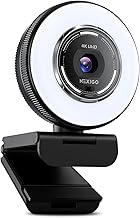
Our Top Picks
Pros & cons
- RightLight auto-balance boosts brightness by up to 50% for clearer video
- Integrated slide cover offers quick, reliable privacy control
- Plug-and-play design works across Teams, Zoom, and Google Meet
- 1080p resolution is standard, not upgraded to 4K
- Feature set is more basic than Logitech's higher-end Brio models
 Logitech C270 720p Webcam Plug-and-Play Wide Screen Video1 Pack6 x 4 x 8 inches0.16 poundsCheck on Amazon
Pros & cons
- Built-in noise-reducing mic picks up voice from up to 1.5 meters
- RightLight 2 adjusts automatically to varying lighting conditions
- Compatible with Nintendo Switch 2's GameChat mode
- 720p resolution is lower than most current webcams
- 55-degree field of view is narrower than wide-angle alternatives
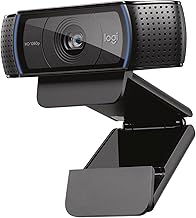
 Logitech C920x HD Pro PC Webcam Full 1080p/30fps1 Pack2.8 x 1.7 x 3.7 Inches0.4 poundsCheck on Amazon
Pros & cons
- HD lighting adjustment and autofocus support clear low-light video
- Stereo audio with dual mics captures clearer sound during calls
- Includes a 3-month XSplit VCam license for background removal
- Lacks a built-in privacy shutter found on some other Logitech models
- 1080p resolution is standard rather than upgraded
There is a genuinely good argument for using your phone as a webcam, and it starts with hardware you have already paid for. The main camera in a mid-range smartphone has a physically larger sensor, a faster lens and vastly more sophisticated image processing than any USB webcam under $100. Apple, Google and third-party apps have all made the connection easy. On paper, the phone should win outright.
In practice the picture is more complicated, and the complications are not about image quality at all. They are about heat, battery, mounting, reliability and the small daily friction of a device that is also your phone. This comparison looks at where each option genuinely wins, what the phone-as-webcam approach actually costs once you buy the accessories to make it work, and who should choose which.
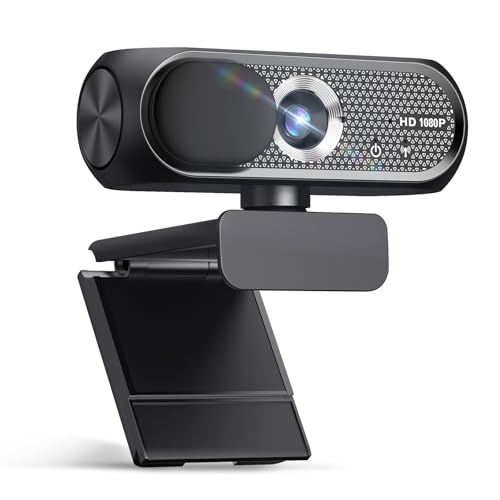
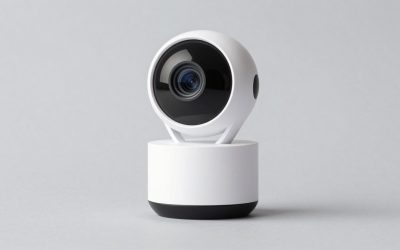
Shcngqio 1080P HD Webcam,Wide-Angle Lens (Light Black-Gray)
Chosen because it specifies Noise Cancellation and Privacy Cover.
View on Amazon
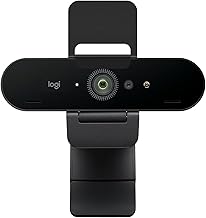
Logitech Brio 101 Full HD 1080p Webcam for Streaming and Meetings - Black | 1080p with auto-light correction, built-in mic, privacy shutter, USB-A, compatible with Teams, Google Meet, Zoom and more
Chosen because it specifies Black.
View on AmazonLogitech C270 720p Webcam Plug-and-Play Wide Screen Video Calling - Black | Auto-Light Correct, Noise-Reducing Mic, Zoom, Microsoft, Teams, Skype, Nintendo Switch 2 New GameChat Mode, PC Mac compatible
Chosen because it specifies Black.
View on AmazonLogitech C920x HD Pro PC Webcam Full 1080p/30fps Video - Black | 30fps Video, Clear Audio, Light Correction, Works with Teams, Meet, Zoom, Nintendo Switch 2, Mac, Tablet
Chosen because it specifies Black.
View on Amazon
NexiGo N60 1080P Webcam with Microphone, Software Control & Privacy Cover, USB HD Computer Web Camera, Plug and Play, for Zoom/Skype/Teams, Conferencing and Video Calling
Chosen because it specifies Software Control & Privacy Cover and USB HD Computer Web Camera.
View on Amazon
Stouchi Mag-Safe Continuity Camera Mount for Desktop Monitor
Picked as a relevant option in this category.
View on Amazon
Evershop Ring Light for Laptop Desk Clip On,Small Computer Video Conference Lighting with Stand for Phone/Webcam/Monitor,5" Portable Mini LED Selfie Light Desktop for Zoom Meeting/Video Call/Recording
Picked as a relevant option in this category.
View on Amazon
KDD Webcam Stand Camera Desk Mount with Phone Holder & 5/8" Screw - 22" Flexible Projector Stand Gooseneck Desk Mic Stand for Logitech C922 C930e C920 C615 C960 Brio 4K, GoPro, Blue Yeti Snowball Ice
Chosen because it specifies GoPro and Blue Yeti Snowball Ice.
View on Amazon
NEEWER 22" Magic Arm with Desk C Clamp, Overhead Camera Mount, UA057 | Articulating Mic Boom Arm 1/4" 3/8" Threads for ARRI, Desktop Stand Holder for Phone Microphone Webcam Action Cam Video Light
Chosen because it specifies Overhead Camera Mount and UA057.
View on AmazonQuick Verdict
The phone produces a better image. The webcam produces a more reliable workflow. If your video is occasional and image quality matters — a recorded video, an important client pitch, a one-off stream — use the phone. If you are on calls daily, buy a dedicated webcam and leave your phone on the desk where it belongs. The table below compares the real trade-offs, with current US prices for the hardware each route requires.
| Factor | Phone as webcam | Dedicated webcam | Winner |
|---|---|---|---|
| Sensor size | Large, often 1/1.7″ or bigger | 1/2″ to 1/2.55″ at best under $60 | Phone |
| Low light | Strong, with computational processing | Weak below $80 | Phone |
| Sustained recording | Heats up, may throttle | Runs indefinitely | Webcam |
| Battery | Drains, needs charging while used | USB powered, no battery | Webcam |
| Mounting | Needs a tripod, $7 to $27 | Clips to monitor out of the box | Webcam |
| Interruptions | Calls and notifications interfere | None | Webcam |
| Setup time per call | 30 to 60 seconds | Zero | Webcam |
| Extra cost | $7–$28 for a mount | $25–$80 for the camera | Phone |
| Audio | Good, but phone is far from you | Comparable, same distance problem | Draw |
How to Choose
Why the phone image is genuinely better
Two reasons, and both are hardware. The first is sensor area. A modern phone’s main camera sensor is considerably larger than what fits inside a webcam body, and larger sensors collect more light per pixel, which means less noise, better colour and a more usable image in a dim room. Among webcams, publishing a sensor size at all is a mark of a premium product — a Sony 1/2″ on a $56.37 Acer model, a Sony 1/2.55″ on the $59.49 EMEET S600. Only the $249.99 Insta360 Link 2 Pro, with its 1/1.3″ sensor, competes with phone-class hardware, and it costs as much as a phone.
The second reason is processing. Phones apply computational photography to video: multi-frame noise reduction, tone mapping, face-aware exposure, and colour science refined over many generations. Webcam processing is comparatively crude. The gap is widest exactly where webcams are weakest, which is in poor light.
Heat is the constraint nobody mentions
This is the practical failure mode of phone-as-webcam and it catches people out. Running the camera continuously, encoding video, and transmitting it over USB or Wi-Fi is a sustained heavy load on a device built in a thin sealed body with no active cooling. If the phone is also charging — which it must be, for any call over an hour — it heats from two sources at once.
Phones respond by throttling. The symptoms are frame rate drops, image quality degradation, and eventually a thermal warning that shuts the camera down. A forty-minute call in a cool room is usually fine. A three-hour stream on a warm afternoon frequently is not. A USB webcam has no battery, generates little heat and will run for days.
Mounting is the hidden cost
A webcam clips to your monitor out of the box. A phone does not, and propping it against a stack of books produces exactly the awkward angle you were trying to escape. You need a proper mount, and that is a real purchase: a NEEWER TP34 flexible phone tripod at $17.99, a UURIG TP05 extendable mini tripod at $6.98, a UBeesize overhead phone mount at $26.39, or a flexible gooseneck with a clamp at $15.99 that handles both phones and webcams.
There is also the charging cable to route, since the mount has to hold the phone in a position where a cable can reach it without pulling it out of alignment. None of this is difficult. It is just friction that recurs every single time you set up.
Your phone has a second job
The phone is a communication device, and using it as a camera means it is not available for its primary purpose. An incoming call can interrupt the video feed. Notifications can appear on screen or cause vibration that shakes the mount. If you need to look something up mid-meeting, your phone is thirty inches away pointing at your face.
For some people this is trivial. For anyone whose work involves being reachable, it is a genuine daily annoyance, and it is the reason most people who try phone-as-webcam eventually buy a webcam.
The resolution question cuts both ways
A phone can capture 4K easily. So can a $31.99 Philips webcam. But conferencing platforms downscale aggressively regardless of what you send them — group calls in particular are capped well below what the source can deliver. If your video only ever appears in a Zoom or Teams tile, the phone’s resolution advantage is discarded before anyone sees it, and only the sensor and processing advantages survive. Those survive because they improve the image before downscaling, which is exactly when quality matters.
If you are recording locally, the phone’s advantage is fully realised. That is the case where the phone clearly wins.
Connection method changes the reliability calculation
Wired connections between a phone and a computer are more stable and lower latency than wireless ones, and they charge the phone at the same time, which addresses the battery problem while worsening the heat one. Wireless setups avoid cable clutter but introduce latency, occasional dropouts, and audio-video sync drift on congested networks. If you intend to use a phone regularly, use a cable. A dedicated webcam has none of these considerations because it is a USB device with a single fixed behaviour.
The Picks in Detail
If you go the phone route: mount it properly
The single biggest determinant of whether phone-as-webcam works for you is the mount. The NEEWER TP34 flexible phone tripod at $17.99 is purpose-built for this, with flexible legs that grip a monitor edge or a shelf. The UURIG TP05 at $6.98 is the minimum viable option, extendable and pocketable, though it needs a raised surface to reach eye level. The UBeesize overhead phone mount at $26.39 uses an articulated arm with a ball head, which is the right answer if you want repeatable positioning and the ability to swing the phone away when you need it.
The flexible gooseneck with clamp at $15.99 and the 22-inch desk mount with phone holder at $26.95 both accept phones and webcams, which is the sensible hedge if you are undecided.
If you want a webcam that closes the image-quality gap: Insta360 Link 2 Pro, $249.99
The 1/1.3″ sensor is the only webcam sensor on the market that plays in the same league as a phone camera, and it is paired with HDR and a motorised pan-tilt-zoom head with AI subject tracking. This is the camera to buy if you specifically want phone-grade image quality with webcam-grade reliability, and you are prepared to pay phone-adjacent money for it.
The sensible middle: Acer 4K all-metal unibody, $56.37
A Sony 1/2″ sensor with phase-detect autofocus in a metal body at $56.37. It will not match a flagship phone’s low-light performance, but it publishes a real sensor spec, it focuses quickly, and it runs cool and continuously with zero setup. For most people who were considering the phone route primarily because their webcam looked bad, this is the cheaper and less annoying solution.
The reliable default: Logitech C920x HD Pro, $59.99
1080p at 30fps with autofocus. Nobody buys this for image quality; people buy it because it works every morning without attention, its drivers survive operating system updates, and every mount ever made fits it. That reliability is precisely the thing the phone route gives up.
The budget answer: EMEET NOVA 4K, $44.99
4K capture with phase-detect autofocus and dual omnidirectional microphones at $44.99. If your motivation for using a phone was avoiding another purchase, this is the number that makes a webcam worth buying anyway — especially once you account for the $18–$27 you would have spent on a phone mount.
The combined approach
Plenty of people end up doing both: a webcam permanently mounted for daily meetings, and the phone brought out on a tripod for recorded video where quality matters and a forty-minute thermal limit is irrelevant. Given that a decent webcam costs $45 and a phone tripod costs $18, having both is a reasonable $63 total and removes the need to compromise.
Related guides: 1080p vs 4k webcam which is worth it, best webcam for low light rooms, best webcam microphone quality compared, best webcam mount and tripod options, best webcam under 50 on a budget
FAQ
Does my phone really have a better camera than a webcam?
Almost certainly, yes, in terms of sensor size and image processing. A phone’s main sensor is physically larger than what fits in a webcam body, and phone video benefits from years of computational processing development. The gap is most obvious in dim rooms. It is smallest in bright, evenly lit conditions where even a cheap webcam has enough light to work with.
Will my phone overheat if I use it as a webcam?
It can, particularly on long calls, while charging, or in a warm room. Sustained video capture and encoding is a heavy load on a passively cooled sealed device. Expect short calls to be fine and multi-hour sessions to risk throttling or a thermal shutdown. This is the main reason phone-as-webcam suits occasional use better than daily use.
Is a wired or wireless phone connection better?
Wired, for anything that matters. It is lower latency, more stable, less prone to dropouts and audio-video sync drift, and it charges the phone while you use it. Wireless is convenient for a quick setup but adds failure modes you do not want mid-meeting. It also heats the phone more, since the radio is working continuously.
Does the phone’s better camera survive Zoom’s compression?
Partly. Resolution advantages are largely discarded, since platforms downscale aggressively and group calls are capped tighter than one-to-one calls. But sensor and processing advantages apply before the downscale, so a cleaner, better-exposed source still produces a better-looking tile. You lose the 4K but you keep the low-light and colour benefits.
What is the total real cost of the phone route?
Between $7 and $27 for a mount, plus a charging cable long enough to reach the mounted position, plus the recurring cost of thirty to sixty seconds of setup per call and the loss of your phone for the duration. Against a $44.99 webcam that requires none of that, the savings are smaller than they first appear.
Prices reflect US retail at the time of writing and change frequently; check the current listing before purchase.