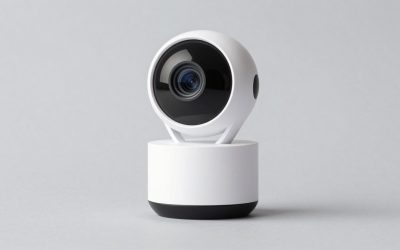
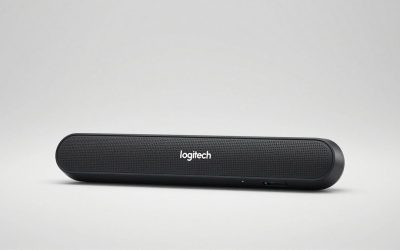
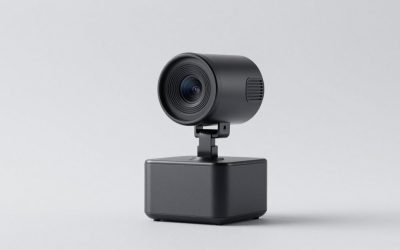
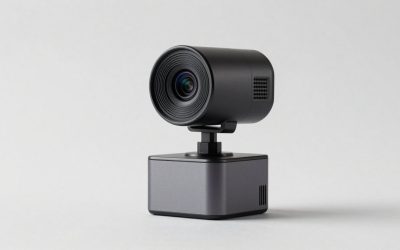
Our Top Picks
Pros & cons
- RightLight auto-balance boosts brightness by up to 50% for clearer video
- Integrated slide cover offers quick, reliable privacy control
- Plug-and-play design works across Teams, Zoom, and Google Meet
- 1080p resolution is standard, not upgraded to 4K
- Feature set is more basic than Logitech's higher-end Brio models
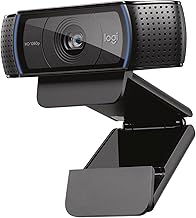
 Logitech C270 720p Webcam Plug-and-Play Wide Screen Video1 Pack6 x 4 x 8 inches0.16 poundsCheck on Amazon
Pros & cons
- Built-in noise-reducing mic picks up voice from up to 1.5 meters
- RightLight 2 adjusts automatically to varying lighting conditions
- Compatible with Nintendo Switch 2's GameChat mode
- 720p resolution is lower than most current webcams
- 55-degree field of view is narrower than wide-angle alternatives
 Logitech C920x HD Pro PC Webcam Full 1080p/30fps1 Pack2.8 x 1.7 x 3.7 Inches0.4 poundsCheck on Amazon
Pros & cons
- HD lighting adjustment and autofocus support clear low-light video
- Stereo audio with dual mics captures clearer sound during calls
- Includes a 3-month XSplit VCam license for background removal
- Lacks a built-in privacy shutter found on some other Logitech models
- 1080p resolution is standard rather than upgraded
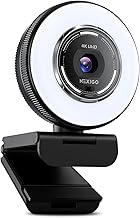
 Galyimage 4K Webcam with Ring Light & Built-in3.40 inch3 x 2.71 x 3.4 inches0.36 poundsCheck on Amazon
Low light is where webcams go to die. A camera that looks perfectly acceptable next to a bright window turns into a grainy, smeared, colour-shifted mess the moment the sun goes down and you are lit by one overhead bulb. The frustrating part is that buying a more expensive camera often does not fix it, because most of the money in a webcam upgrade goes into resolution and software features rather than into the two things that actually determine low-light performance.
Those two things are sensor size and lens aperture. Everything else — megapixels, “auto light correction,” AI enhancement, HDR — is either a downstream process working with whatever light already made it to the sensor, or a marketing phrase. This guide is about buying on the specs that matter, understanding what “low light correction” is really doing to your image, and knowing when a $20 lamp beats a $200 camera.
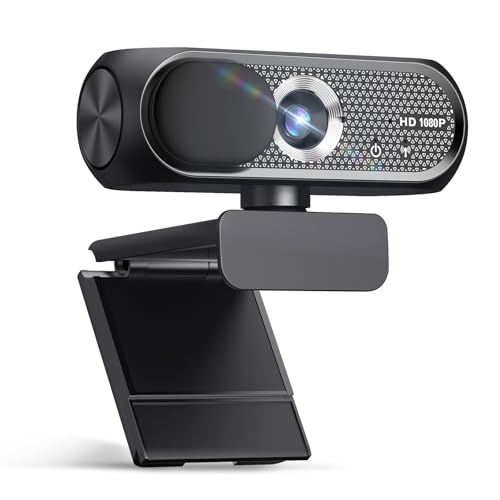
Shcngqio 1080P HD Webcam,Wide-Angle Lens (Light Black-Gray)
Chosen because it specifies Noise Cancellation and Privacy Cover.
View on Amazon
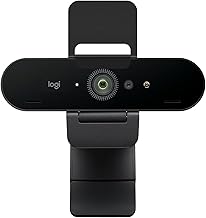
Logitech Brio 101 Full HD 1080p Webcam for Streaming and Meetings - Black | 1080p with auto-light correction, built-in mic, privacy shutter, USB-A, compatible with Teams, Google Meet, Zoom and more
Chosen because it specifies Black.
View on AmazonLogitech C270 720p Webcam Plug-and-Play Wide Screen Video Calling - Black | Auto-Light Correct, Noise-Reducing Mic, Zoom, Microsoft, Teams, Skype, Nintendo Switch 2 New GameChat Mode, PC Mac compatible
Chosen because it specifies Black.
View on AmazonLogitech C920x HD Pro PC Webcam Full 1080p/30fps Video - Black | 30fps Video, Clear Audio, Light Correction, Works with Teams, Meet, Zoom, Nintendo Switch 2, Mac, Tablet
Chosen because it specifies Black.
View on Amazon
NexiGo N60 1080P Webcam with Microphone, Software Control & Privacy Cover, USB HD Computer Web Camera, Plug and Play, for Zoom/Skype/Teams, Conferencing and Video Calling
Chosen because it specifies Software Control & Privacy Cover and USB HD Computer Web Camera.
View on AmazonGalyimage 4K Webcam with Ring Light & Built-in Microphone for PC Streaming | PDAF Autofocus,Supports 1080P 60FPS, Comes with Privacy Cover, Compatible with Zoom, Skype, Google Meet, Laptop Desktop Mac
Picked as a relevant option in this category.
View on Amazon
Shcngqio 1080P HD Webcam with Microphone
Chosen because it specifies Noise Cancellation and Auto Light Correction.
View on Amazon
Angetube 4K Webcam with Ring Light, Computer Web Camera for Desktop, Laptop
Chosen because it specifies Computer Web Camera for Desktop and Laptop.
View on Amazon
NIVEOLI Webcam 1080P with Microphone & Privacy Cover for PC/Laptop, USB Computer Camera Plug & Play with Auto Light Correction for Video Calls, Live Streaming Gaming & Online Meetings
Chosen because it specifies Live Streaming Gaming & Online Meetings.
View on AmazonQuick Verdict
For a genuinely dim room, prioritise sensor size above all else, then a fast aperture, then frame-rate behaviour. Larger sensors gather more light per pixel, which is the only real solution to noise. The table below ranks current options by how much hardware they actually bring to the problem, not by resolution.
| Model | Price | Sensor / low-light spec | Capture | Verdict for dim rooms |
|---|---|---|---|---|
| Insta360 Link 2 Pro | $249.99 | 1/1.3″ sensor, HDR | 4K PTZ | Best hardware answer by a wide margin |
| Acer 4K all-metal unibody | $56.37 | Sony 1/2″ sensor, PDAF | 4K | Best sensor-per-dollar under $60 |
| EMEET S600 4K | $59.49 | Sony 1/2.55″ sensor, PDAF | 4K | Strong streaming pick, smaller sensor |
| Anker PowerConf C200 | $69.99 | Low-light correction | 2K | Good processing, moderate hardware |
| Dell WB3023 | $53.00 | Sony sensor, noise reduction mic | 2K QHD | Solid meeting camera, sober tuning |
| NexiGo N680E Pro | $79.99 | Built-in ring light, PDAF | 4K / 1080p60 | Adds light rather than chasing it |
| Logitech C920x HD Pro | $59.99 | HD light correction | 1080p/30fps | Dependable but shows its age in the dark |
| Galyimage 4K with ring light | $39.99 | Integrated ring light | 4K | Cheapest light-plus-camera combo |
How to Choose
Sensor size is the spec that decides this, and most brands hide it
A camera sensor is measured as a fraction of an inch, and the maths is counter-intuitive: 1/1.3″ is larger than 1/2″, which is larger than 1/2.55″. A larger sensor has more physical area to catch photons. More photons means a stronger signal relative to the sensor’s own electronic noise, which means a cleaner picture when there is not much light around. This is basic physics and no amount of software undoes it.
The important consequence is that when a manufacturer publishes a sensor size, they are usually proud of it. The Insta360 Link 2 Pro leads with 1/1.3″. The Acer metal-body model leads with a Sony 1/2″ sensor. The EMEET S600 leads with Sony 1/2.55″. When a $20 webcam listing does not mention the sensor at all, it is safe to assume it is very small. That silence is information.
Megapixels do not help and can actively hurt
Here is the part that trips up most buyers. Packing more pixels onto the same physical sensor makes each individual pixel smaller, and smaller pixels collect less light each. A 4K sensor at 1/2.9″ has smaller photosites than a 1080p sensor of the same physical size. In bright light, more resolution wins. In dim light, it can be a net loss before processing.
This is why a cheap 4K webcam frequently looks worse at night than a decent 1080p one, despite having four times the pixels. It is also why 4K cameras that downsample to 1080p for your call can look good: averaging four noisy pixels into one reduces noise. But the downsample only rescues you if the sensor was decent to begin with.
What “auto light correction” is actually doing
Almost every budget webcam listing advertises auto light correction, HD light correction, or AI enhancement. In practice this is a combination of three things: raising exposure time, raising sensor gain, and applying noise reduction and sharpening to the result. Each has a cost.
Raising gain amplifies the signal and the noise together. Noise reduction then smooths that noise away, which is why heavily corrected webcam footage looks waxy — skin texture and hair detail get erased along with the grain. Raising exposure time is the sneakiest one, because it silently drops your frame rate. A camera advertising 30fps will happily deliver 15fps or less in a dark room to keep the shutter open longer, and your motion will look stuttery and smeared. If your video goes choppy at night, this is almost always why.
Adding light is cheaper and more effective than any camera upgrade
This is the honest advice that no camera listing will give you. Going from a very dim room to a moderately lit one delivers a bigger improvement than going from a $30 webcam to a $250 one. A key light positioned slightly off-axis from your face, at roughly eye height, does more for how you look on camera than any sensor.
Cameras with integrated ring lights — the NexiGo N680E Pro at $79.99 and the Galyimage 4K at $39.99 — are a reasonable shortcut because the light is exactly on-axis and always aimed at your face. The trade is that on-axis ring light is flat and can be harsh in the eyes. A separate lamp bounced off a wall looks more natural, but it is another thing on your desk.
Watch for backlight, not just darkness
Plenty of “low light” complaints are actually backlight problems. If there is a window or a bright monitor behind you, the camera’s automatic exposure meters the bright background and underexposes your face to compensate, leaving you as a silhouette in an otherwise normal-looking room. Turning on more lights behind you makes it worse. The fix is to put light in front of you or move the bright source out of frame — not to buy a camera with a bigger sensor.
Manual exposure control is worth more than an extra $50 of sensor
Some webcams ship with software that lets you lock exposure, gain and white balance. This matters in dim rooms because automatic systems constantly hunt: you lean forward, the exposure jumps, the colour shifts, and the image pumps in and out of brightness for the whole call. Locking the values gives you a consistent, if imperfect, image, which usually reads as more professional than a technically brighter one that keeps changing.
The Picks in Detail
Insta360 Link 2 Pro — $249.99
The 1/1.3″ sensor is the reason this sits at the top. It is substantially larger than anything else in the consumer webcam category, and sensor area is the one variable that cannot be faked in software. It pairs that with HDR, which helps specifically with the backlight problem described above by capturing and blending different exposure levels. It also has a motorised pan-tilt-zoom head with AI subject tracking, which is a separate feature entirely but explains part of the price. If your room genuinely cannot be lit and video quality matters professionally, this is the hardware answer.
Acer 4K all-metal unibody — $56.37
This is the value pick. A Sony 1/2″ sensor at $56.37 is more sensor than anything else near this price advertises, and it comes with phase-detect autofocus, which hunts less in dim conditions than the contrast-detection systems most budget cameras use — contrast detection needs visible contrast to work, and dim rooms have less of it. Running it at 4K and letting your calling app downsample to 1080p is the best-looking configuration for most people.
EMEET S600 4K — $59.49
A Sony 1/2.55″ sensor with PDAF, pitched at streamers. The sensor is smaller than the Acer’s 1/2″, which on paper means slightly less light-gathering, but it is still well above the unstated tiny sensors in the sub-$30 tier. If you are recording locally and will grade the footage afterwards, the 4K capture gives you room to lift shadows without falling apart.
Anker PowerConf C200 — $69.99
Anker explicitly markets low-light correction on this 2K model. The sensor is not published as prominently, so treat this as a processing-led rather than hardware-led solution: expect a brighter image with the usual noise-reduction softness rather than a fundamentally cleaner one. For meetings where you simply need to be visible and natural-looking, that is often enough.
NexiGo N680E Pro — $79.99
Rather than trying to see in the dark, this adds a ring light. It also lists PDAF autofocus, 4K capture and a 1080p 60fps mode, plus dual noise-cancelling mics. The integrated light means you are no longer fighting physics; you are just illuminating the subject. If your desk has no room for a separate lamp, this is a pragmatic solution.
Galyimage 4K with ring light — $39.99
The budget version of the same idea. At $39.99 you get a 4K camera with a built-in ring light and a microphone. The sensor is not specified, so assume it is small and expect the light to be doing most of the heavy lifting. That is fine — the light genuinely is the more important half of the equation.
Logitech C920x HD Pro — $59.99
Listed at 1080p/30fps with HD light correction. It is included here for completeness because it remains the default recommendation for everything else, but low light is specifically where its age shows. In a well-lit room it competes with anything under $100. In a dark one, the newer large-sensor 4K models pull ahead.
Related guides: 1080p vs 4k webcam which is worth it, best webcam microphone quality compared, best webcam mount and tripod options, best webcam under 50 on a budget, best webcam with autofocus under 100
FAQ
Will a 4K webcam look better than 1080p in a dark room?
Not automatically, and sometimes the opposite. If the 4K sensor is physically small, each pixel collects less light and the raw image is noisier. The 4K camera wins only if it has a decent sensor and the output is downsampled to 1080p, which averages noise away. Judge the sensor spec, not the resolution.
Why does my video get choppy when the lights are low?
Your camera is lengthening its exposure time to gather more light, and longer exposures mean fewer frames per second. A camera rated for 30fps can silently drop to 15fps or lower in a dim room. It will also cause motion blur when you move. Adding light restores the frame rate; no software setting can.
Does a ring light replace a better camera?
For most people in most rooms, yes. Light reaching the sensor is the constraint, and adding light is dramatically cheaper than buying sensor area. A $40 camera with good lighting will beat a $250 camera in the dark almost every time. Buy the expensive camera when you have already fixed the lighting and still want more.
Is HDR worth looking for in a webcam?
It helps in one specific situation: a bright background with a darker subject, such as a window behind you. HDR captures multiple exposure levels and blends them so your face and the window can both be correctly exposed. It does less for a uniformly dim room, where there is simply not enough light to work with in any exposure.
Should I turn off auto light correction?
Try both. Auto correction brightens the image at the cost of texture and sometimes frame rate. If your camera’s software lets you lock exposure and gain manually, a locked slightly-darker image usually looks more professional than an auto image that pumps in brightness every time you move. Consistency reads better than brightness.
Prices listed reflect US retail at the time of writing and change frequently; confirm on the current listing before purchasing.