Our Top Picks
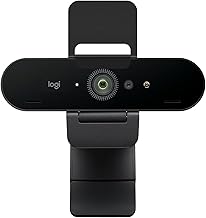
 Logitech C920x HD Pro PC Webcam Full 1080p/30fps1 Pack2.8 x 1.7 x 3.7 Inches0.4 poundsCheck on Amazon
Pros & cons
- HD lighting adjustment and autofocus support clear low-light video
- Stereo audio with dual mics captures clearer sound during calls
- Includes a 3-month XSplit VCam license for background removal
- Lacks a built-in privacy shutter found on some other Logitech models
- 1080p resolution is standard rather than upgraded
Pros & cons
- 1080p resolution supports sharper video calls and recordings
- Compact size suits either desktop or laptop placement
- Established Logitech webcam line with broad software compatibility
- Feature list in this listing is limited to resolution alone
- No stated autofocus or low-light correction feature in this data
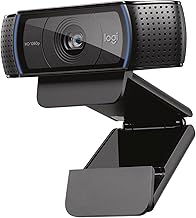
 Logitech C920S HD Pro Webcam Full 1080p/30fps Video1.1" x 3.7" x 0.9"1 x 3.7 x 1.2 inches0.36 poundsCheck on Amazon
Pros & cons
- Built-in privacy shutter covers the lens when not in use
- Stereo audio with dual mics captures more natural sound on calls
- HD autofocus and light correction support sharp video in varied settings
- Does not include the 3-month XSplit VCam license some models offer
- 1080p video is standard, not upgraded to higher resolutions
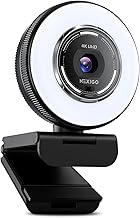
 Logitech C920e HD 1080p Mic Enabled Webcam Certified1.7"x3.7"x2.8"2.8 x 3.7 x 1.7 inches0.4 PoundsCheck on Amazon
Pros & cons
- Certified for Zoom and compatible with Microsoft Teams out of the box
- Dual omnidirectional mics capture audio clearly from up to one meter
- Flip privacy screen lets you confirm the lens is covered at a glance
- 78-degree fixed field of view cannot be adjusted like some competitors
- 1080p resolution is standard rather than 4K
The Logitech C920 and C922 have been the default answer to “which webcam should I buy” for so long that the question has calcified into folklore. The C920 is the one everybody owns; the C922 is the one marketed at streamers. Both have spawned confusing variant families — C920, C920S, C920x, C920e, C922, C922x — that are sold simultaneously at prices ranging from $56 to nearly $120, often with no clear explanation of what separates them.
Cutting through that is the point of this comparison. The genuinely checkable difference between these two cameras is narrower than the marketing suggests, and in 2026 the price spread between them frequently matters more than the specification gap. Here is what the listings actually say, what that means in practice, and which variant is worth your money right now.
Logitech C920x HD Pro PC Webcam Full 1080p/30fps Video - Black | 30fps Video, Clear Audio, Light Correction, Works with Teams, Meet, Zoom, Nintendo Switch 2, Mac, Tablet
A cameras pick that fits what this guide compares.
View on Amazon
Logitech HD Pro Webcam C920, Widescreen Video Calling and Recording, 1080p Camera, Desktop or Laptop Webcam
A cameras pick that fits what this guide compares.
View on AmazonLogitech C920S HD Pro Webcam Full 1080p/30fps Video Calling Clear Stereo | 30fps video calling, clear stereo audio, light correction, works with Skype, Zoom, FaceTime, Hangouts, PC, Mac, laptop
A cameras pick that fits what this guide compares.
View on AmazonLogitech C920e HD 1080p Mic Enabled Webcam Certified Zoom Microsoft Teams | Certified for Zoom, Microsoft Teams compatible, TAA compliant
A cameras pick that fits what this guide compares.
View on AmazonQuick Verdict
Both cameras capture 1080p at 30fps. The C922 family adds a 720p at 60fps mode that the C920 family does not offer, plus light correction that Logitech markets explicitly. If you want smoother motion for gaming or demonstrations and you are willing to drop to 720p to get it, the C922 has something the C920 does not. If you want 1080p, the two are equivalent and you should buy on price. Current US pricing:
| Variant | Price | Capture modes | Notable | Verdict |
|---|---|---|---|---|
| Logitech C920x HD Pro | $59.99 | 1080p/30fps | Standard retail variant | Best all-round value |
| Logitech C920S HD Pro | $59.99 | 1080p/30fps | Stereo audio, privacy shutter | Same price, adds shutter |
| Logitech C920 HD Pro | $66.00–$67.39 | 1080p | Original variant | Overpriced vs C920x |
| Logitech C920e | $69.99 | 1080p | Zoom and Teams certified | For corporate IT deployments |
| Logitech Pro Stream (C922 family) | $56.00 | 1080p/30fps | Cheapest C922-family listing | Best price in the comparison |
| Logitech C922 Pro Stream (Renewed) | $69.50 | 1080p | Refurbished | Skip — new costs less |
| Logitech C922 Pro Stream | $89.99 | 1080p | Standard retail | Hard to justify over C920x |
| Logitech C922x HD Pro | $118.77 | 1080p/30fps or 720p/60fps | HD light correction | Poor value at this price |
How to Choose
The one real specification difference: 720p at 60fps
Logitech’s own listing for the C922x states Full HD 1080p/30fps or 720p/60fps. The word “or” is doing a lot of work: these are alternative modes, not a combined capability. You pick resolution or you pick smoothness. The C920x listing, by contrast, states 1080p/30fps with no 60fps option.
That is the checkable difference, and it is worth understanding what it buys you. Sixty frames per second looks visibly smoother than thirty for anything with motion — hand gestures, reaction cams, physical demonstrations, anything where you are not simply sitting still and talking. But 720p is a quarter of the pixels of 1080p, and on a large facecam overlay the softness is noticeable. For a small corner facecam on a stream, 720p60 is often the better trade. For a full-screen talking-head video, 1080p30 wins.
Neither camera does 1080p at 60fps. If that is what you want, you need to look outside both families — the NexiGo N680E Pro at $79.99 and the NBPOWER model at $29.99 both list explicit 1080p 60fps modes.
Light correction is marketed on the C922x and it is a processing feature
Logitech’s C922x listing calls out HD light correction. This is automatic exposure and gain adjustment with noise reduction applied to the result — the camera brightens a dim image by amplifying the signal, then smooths away the noise that amplification creates. It works, and it produces a more usable image in a poorly lit room, but the cost is texture: heavily corrected footage looks softer and waxier, and longer exposure times can quietly reduce your effective frame rate.
Neither of these cameras is a low-light performer in any absolute sense. Both are designs built around small sensors, and light correction is compensation, not capability. If your room is genuinely dark, adding a lamp will do more for you than choosing between these two models.
The variant letters explained
This is where most of the confusion lives. The suffix generally indicates the sales channel and packaging rather than a different camera. The C920x and C920S both sell at $59.99 and both list 1080p/30fps; the C920S listing highlights stereo audio and a privacy shutter. The C920e at $69.99 is the business channel version, listed as certified for Zoom and Microsoft Teams — that certification is a procurement checkbox that matters to IT departments and almost nobody else. The plain C920 listing at $66–$67.39 is the oldest packaging and is currently the worst value of the group.
The same pattern applies on the C922 side, where a Pro Stream listing sits at $56, the standard C922 Pro Stream at $89.99, and the C922x at $118.77. That is a $62 spread across what is fundamentally the same camera family.
Price is the deciding factor, and it moves constantly
Here is the practical conclusion. At the prices above, the cheapest C922-family listing ($56) undercuts the cheapest C920-family listing ($59.99), while the C922x at $118.77 costs nearly twice as much as a C920x for a capability difference of one alternative capture mode. There is no consistent ranking by model number; there is only the price on the day.
Decide which you want first — do you need 720p60 or not — then buy the cheapest legitimate listing within that family. Paying a $59 premium for the C922x over the C920x is not defensible on specifications.
Both are autofocus, and that is a mixed blessing
The C920x is listed with autofocus, and the C922 family uses the same approach. On a desk setup where you sit at a constant distance, autofocus occasionally hunts — the image softens, searches and re-sharpens — particularly when a hand crosses the frame or the light drops. This is not a defect; it is how contrast-based autofocus works. Logitech’s desktop software allows manual focus adjustment on these models, and locking focus on your face is worth doing if you never change your seating distance.
The ecosystem advantage is the real reason to buy either
Neither camera leads on specifications in 2026. A $44.99 EMEET NOVA 4K offers phase-detect autofocus and 4K capture; a $56.37 Acer model advertises a Sony 1/2″ sensor. What Logitech offers instead is a decade of accumulated support: drivers that survive operating system updates, universal mount compatibility, a configuration utility that is actually maintained, and enough installed base that any problem you have has already been solved publicly by someone else. For a work machine that must simply function, that is worth paying for.
The Picks in Detail
Logitech C920x HD Pro — $59.99, the default recommendation
1080p at 30fps with autofocus, at the lowest price among the current C920 variants. For meetings, remote work, casual streaming and general use, this is the camera to buy out of this comparison. It captures a clean 1080p image in decent light, it works everywhere, and there is nothing about it that will need troubleshooting. It will not impress anyone with its specifications and it does not need to.
Logitech C920S HD Pro — $59.99, if you want the shutter
Same price, same 1080p/30fps capture, with the listing highlighting clear stereo audio and a physical privacy shutter. A hardware shutter is the only camera privacy measure that cannot be defeated in software, and at identical pricing it is a reasonable tiebreaker. Buy whichever of the two is in stock and cheaper on the day.
Logitech Pro Stream at $56.00 — the price pick
Listed as a 1080p Pro Stream webcam capturing at 1080p 30FPS, this is the cheapest way into the C922 family at $56. If you are buying for 1080p use, it is also simply the cheapest Logitech in this comparison. Verify the exact model and capture modes on the listing before ordering, since the Pro Stream name spans several configurations.
Logitech C922 Pro Stream — $89.99, a hard sell
Thirty dollars more than a C920x for the option of 720p60. If 60fps is specifically what you are buying and you want Logitech’s support behind it, that is a defensible reason. If you were going to shoot 1080p anyway, the money is better spent on a light or a mount.
Logitech C922x HD Pro — $118.77, skip it
The clearest specification listing of the group — 1080p/30fps or 720p/60fps with HD light correction — at nearly double the price of a C920x. At $118.77 you are in range of cameras with fundamentally better hardware, including 4K models with published Sony sensors and phase-detect autofocus. Unless it drops substantially, this is the one to avoid.
Logitech C920e — $69.99, for IT departments
1080p with mic, listed as certified for Zoom and Microsoft Teams. Certification means the vendor has validated the device against those platforms, which matters when you are buying two hundred of them for an organisation and need a supported configuration. For an individual buyer it is a $10 premium over a C920x for a label.
C922 Pro Stream Renewed — $69.50, no
A refurbished C922 at $69.50 when a new C920x costs $59.99 and a new Pro Stream listing sits at $56. Renewed pricing only makes sense when it undercuts new stock meaningfully, and here it does not.
Related guides: 1080p vs 4k webcam which is worth it, best webcam for low light rooms, best webcam microphone quality compared, best webcam mount and tripod options, best webcam under 50 on a budget
FAQ
Is the C922 actually better than the C920?
Only in one measurable way: the C922x listing offers a 720p/60fps mode alongside 1080p/30fps, while the C920x offers 1080p/30fps only. Both cap at 1080p and both cap at 30fps when running 1080p. If you do not want 720p60, there is no specification reason to pay more for the C922.
Does either camera do 1080p at 60fps?
No. The C922x listing is explicit that 60fps is available at 720p, as an alternative to 1080p/30fps rather than in addition to it. For 1080p60 you need a different camera entirely; several models now list that mode explicitly, including the NexiGo N680E Pro at $79.99.
What is the difference between C920, C920S, C920x and C920e?
They are packaging and channel variants of the same 1080p/30fps camera rather than different products. The C920S listing emphasises a privacy shutter and stereo audio, the C920e is the business variant certified for Zoom and Teams, and the C920x is the standard retail version. Prices differ more than capabilities do, so buy on price.
Are these cameras still worth buying in 2026?
For reliability, yes; for specifications, no. Cameras at half the price now offer 4K capture and phase-detect autofocus, and cameras at similar prices publish sensor sizes that Logitech does not. What you get for the money is the deepest driver and mount support in the category and a camera that does not surprise you. Whether that is worth the premium depends on how much you value not troubleshooting.
Which one is better for streaming specifically?
If your facecam is a small corner overlay and you want smooth motion, the C922 family’s 720p60 mode is the better fit, since the softness of 720p is hidden at small overlay sizes. If your facecam is large or you do full-screen segments, take 1080p30 from a C920x and buy a light with the savings. Lighting affects how a stream looks more than the difference between these two cameras does.
Prices reflect US retail at the time of writing and move frequently; confirm the current listing and exact variant before ordering.