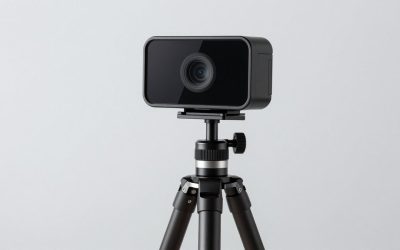
Our Top Picks
The webcam aisle has quietly split into two camps. On one side sit the 1080p workhorses that have defined video calling for a decade, most of them now selling between $20 and $70. On the other sit a wave of 4K models that have collapsed in price so fast that you can buy one for $31.99 — less than a decade-old Logitech C920x costs today at $59.99. On paper that looks like an easy call. Four times the pixels for less money is not a difficult pitch.
The problem is that the number on the box describes what the sensor captures, not what your audience receives. Video calling is a pipeline with several narrow points in it, and resolution is the first thing that gets thrown overboard when bandwidth, CPU headroom or platform policy gets tight. This guide explains exactly where a 4K webcam earns its money, where it makes no measurable difference at all, and what to look at instead of the megapixel count if you want your video to actually look better.

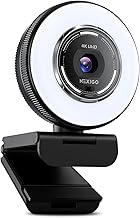
NexiGo N680E Pro 4K Webcam with Ring Light, PDAF Autofocus, 1080p 60FPS, Dual Noise-Canceling Mics, Privacy Shutter, USB Plug-and-Play for Zoom, Teams, Twitch, Google Meet
Chosen because it specifies PDAF Autofocus and 1080p 60FPS.
View on Amazon
N newline 4K Webcam for PC with PDAF Autofocus, Privacy Cover, Dual Microphones, 4K@30FPS & 1080P@60FPS, Auto Light Correction, Plug & Play USB Camera for Laptop, Mac & Desktop, Streaming
Chosen because it specifies Privacy Cover and Dual Microphones.
View on Amazon
OIEXEN 4K Ultra HD Webcam with Sony1/2.8" Sensor,PDAF Autofocus,1080P@60FPS | Dual Noise-Canceling Mics,Privacy Cover,USB Streaming Webcam for PC/Mac,Gaming,Video Calling,Live Streaming&Meetings
Chosen because it specifies PDAF Autofocus and 1080P@60FPS.
View on Amazon
AOC 4K Webcam for PC with PDAF, Sony Sensor, 1080P 60FPS Streaming Camera | PDAF autofocus computer camera with 75° FOV & privacy cover. Includes tripod & USB A-C adapter. For Zoom, Mac & Switch 2
Chosen because it specifies Sony Sensor and 1080P 60FPS Streaming Camera.
View on Amazon
NexiGo N660P Pro 4K Webcam with Distortion-Free Lens, 1080p 60 fps Autofocus USB Streaming Camera, 3DNR, Noise-Canceling Mics & Privacy Cover, Web Cam for Gaming/Live Streaming/PC/Mac/Switch 2, White
Chosen because it specifies 1080p 60 fps Autofocus USB Streaming Camera and 3DNR.
View on Amazon
Sceptre New 22-Inch Gaming Monitor, FHD 1080p, Up to 144Hz, HDMI, DisplayPort, Built-in Speakers, Machine Black (E225W-FW144 Series, 2026)
Chosen because it specifies FHD 1080p and Up to 144Hz.
View on Amazon
Acer 27in FHD 1920x1080 IPS 120Hz Gaming Monitor | Office KB272 G0bi | 1ms, AdaptiveSync, sRGB 99%, HDMI, VGA, VESA Mountable, Bluelight Filter
Chosen because it specifies Office KB272 G0bi.
View on Amazon
Philips 22 Inch Computer Monitor FHD 100Hz VA VESA Flicker-Free, 221V8LB | 1920×1080 LED Monitor, 4ms GtG, Adaptive Sync, HDMI 1.4, Tilt Adjust, Low Blue Light, 4yr Advance Replacement Warranty
Chosen because it specifies 221V8LB.
View on Amazon
ArcticPro 22 Inch Gaming Monitor 144Hz, FHD Computer Monitor, 105% sRGB | 1080p, 4000:1 Contrast, 3-Sided Frameless, Ultra Slim, VESA Mount, Eye Care, HDMI 1.4, VGA
Chosen because it specifies FHD Computer Monitor and 105% sRGB.
View on AmazonQuick Verdict
If your video ends its life inside Zoom, Teams, Google Meet or Discord, buy a good 1080p camera and spend the difference on lighting. If your video gets recorded locally, cropped, reframed in OBS, or uploaded to YouTube, 4K capture gives you real, visible headroom. Here is how the current shelf breaks down.
| Model | Max capture | Price | Focus | Best for |
|---|---|---|---|---|
| Logitech C920x HD Pro | 1080p/30fps | $59.99 | Autofocus | Reliable meeting camera, known quantity |
| Logitech Brio 101 | Full HD 1080p | $24.99 | Fixed | Cheapest name-brand 1080p |
| PHILIPS 4K Webcam for PC | 4K | $31.99 | Autofocus | Lowest-cost entry into 4K capture |
| EMEET NOVA 4K | 4K | $44.99 | PDAF autofocus | Budget 4K with faster phase-detect focus |
| Acer 4K (all-metal, Sony 1/2″ sensor) | 4K | $56.37 | PDAF autofocus | Larger sensor, dimmer rooms |
| EMEET S600 4K | 4K | $59.49 | PDAF autofocus | Streaming, Sony 1/2.55″ sensor |
| Logitech Brio Ultra 4K | 4K | $169.99 | Autofocus | Corporate deployments, software support |
| Insta360 Link 2 Pro | 4K, 1/1.3″ sensor | $249.99 | AI tracking PTZ | Low light and motorised framing |
How to Choose
Where your video actually ends up decides everything
This is the single most useful thing to understand before you spend money. Mainstream video conferencing platforms do not transmit your raw sensor output. They negotiate a resolution and bitrate against your upload speed, the other participants’ connections, the number of people in the call and the size of the tile your face appears in. In a gallery-view meeting with eight people, your face may be delivered in a box a few hundred pixels wide. Feeding that box a 4K source instead of a 1080p source changes nothing the other participants can see.
Several platforms also gate higher resolutions behind paid tiers or specific settings that are off by default, and group calls are routinely capped well below what one-to-one calls allow. The practical consequence: a 4K webcam used exclusively for meetings is usually a 4K sensor being downsampled to 1080p or lower before the stream ever leaves your machine. That downsampling is not worthless — more on that below — but it is not the four-times-sharper picture the box implies.
Downsampling is the real 4K benefit, not sharpness
When a camera captures at 4K and the output is scaled to 1080p, several source pixels get averaged into each output pixel. That averaging suppresses sensor noise and can produce a cleaner, more stable 1080p image than a native 1080p camera of similar sensor quality. It is a genuine advantage, and it is why a well-made 4K camera can look better in a 1080p Zoom window than a cheap 1080p one.
But the benefit comes from the quality of the sensor and processing, not from the resolution label. A $32 4K webcam with a tiny sensor and aggressive noise reduction downsampled to 1080p does not automatically beat a $60 1080p camera with a better lens. Treat 4K as a hint that the manufacturer spent money, not as proof.
Frame rate is a separate spec and it matters more than you think
Resolution and frame rate are traded against each other, and marketing copy loves to blur the two. The Logitech C920x is listed as 1080p/30fps — 1080p, thirty frames per second, full stop. The C922x is listed as 1080p/30fps or 720p/60fps: you choose one or the other. Most budget 4K webcams capture 4K at 30fps and drop to 1080p for 60fps, if they offer 60fps at all. Almost nothing in the consumer USB webcam category does 4K at 60fps, and you should treat any listing claiming it with suspicion unless the spec sheet is explicit.
For talking-head video, 30fps is fine. For gaming reaction cams, hand demonstrations or anything with fast motion, 60fps at 1080p looks noticeably smoother than 30fps at 4K. The NexiGo N680E Pro at $79.99 explicitly lists 1080p 60FPS alongside 4K capture, which is the combination most streamers actually want.
USB bandwidth and CPU load are real constraints
A 4K stream is a lot of data. Webcams handle this by compressing on-camera, usually to MJPEG or H.264, and your computer has to decode it. On an older laptop, running a 4K webcam alongside a game and a streaming encoder can cost you frames in the game. Many people buy a 4K camera, discover their machine stutters, set it to 1080p, and never change it back. If your PC is more than a few years old, budget for the possibility that you will run the camera below its maximum anyway.
Sensor size and aperture beat pixel count in any real room
Image quality in a normally lit room is dominated by how much light reaches the sensor and how large that sensor is. A larger sensor collects more photons per pixel, which means less noise and better colour. This is why the Insta360 Link 2 Pro advertises a 1/1.3″ sensor and the Acer metal-body model advertises a Sony 1/2″ sensor: those numbers tell you more about how the camera will behave in your actual office than the word “4K” does. Megapixels do not gather light. Glass and silicon do.
Field of view changes the shot more than resolution does
A 90° lens puts your whole messy room in frame. A 73° lens, like the one on the EMEET C960 4K, crops tighter to your head and shoulders. Framing affects how professional you look far more than sharpness does, and no amount of resolution fixes a bad angle. Check the FOV number before you check the resolution number.
The Picks in Detail
Buy 1080p if: Logitech C920x HD Pro, $59.99
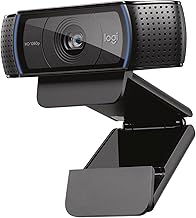
The C920x captures 1080p at 30fps with autofocus, and its value is not in its specs but in its predictability. It is one of the most widely deployed webcams in existence, which means driver support, mount compatibility and troubleshooting advice are everywhere. If the camera is for meetings and you want it to simply work every morning for the next five years, this is the safe answer. It will not look dramatically better than a good $40 camera in good light, but it will not surprise you either.
Buy 1080p on a tight budget: Logitech Brio 101, $24.99
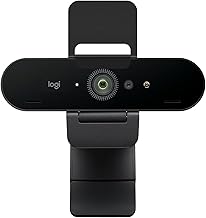
At $24.99 this is the cheapest way to get a name-brand full HD camera with the support infrastructure that comes with it. It is a fixed-focus design, which for a desk setup is arguably a feature: it never hunts, never softens mid-sentence, and it stays locked on you because you sit at roughly the same distance every day. It will struggle in dim rooms — every camera at this price does — but for a lit home office it is sufficient.
Buy 4K cheaply: PHILIPS 4K Webcam, $31.99 or EMEET NOVA 4K, $44.99
These two are the answer to “what if I just want the headroom.” The Philips at $31.99 is remarkable purely on price. The EMEET NOVA at $44.99 adds PDAF — phase-detect autofocus — which locks focus faster and hunts less than the contrast-detection systems typical at this price. Both give you a 4K file when you record locally and a downsampled, generally cleaner 1080p stream when you are on a call. Neither will match a $170 camera in a dark room.
Buy 4K properly: Acer 4K metal-body, $56.37 or EMEET S600 4K, $59.49
Both of these lead with sensor specs rather than resolution alone — a Sony 1/2″ sensor on the Acer, a Sony 1/2.55″ on the EMEET S600, each with PDAF. That is the right thing for a manufacturer to advertise, and it is the tier where 4K starts delivering a visibly better 1080p downsample rather than just a bigger file. For a streamer who records locally and crops in post, this is the sensible spend.
Buy 4K for hard conditions: Insta360 Link 2 Pro, $249.99
At $249.99 this is a different category of purchase. The 1/1.3″ sensor is far larger than anything else here, and it is paired with HDR and a motorised pan-tilt-zoom head with AI subject tracking. If you present standing up, move around, or shoot in a room you cannot light properly, the sensor and the gimbal are both doing work that no fixed $50 camera can replicate. If you sit still in a lit room, it is overkill.
Related guides: best webcam for low light rooms, best webcam microphone quality compared, best webcam mount and tripod options, best webcam under 50 on a budget, best webcam with autofocus under 100
FAQ
Will Zoom actually show my 4K webcam in 4K?
Almost certainly not. Mainstream conferencing platforms cap the resolution they transmit, and those caps are driven by your upload bandwidth, the meeting size and your account tier. Group calls are capped more aggressively than one-to-one calls. Assume your 4K camera is being delivered as 1080p or lower in meetings, and buy it for the downsampling quality and the local recording headroom instead.
Is a 4K webcam at $32 better than a 1080p webcam at $60?
Not reliably. Resolution is cheap to add; sensor area, lens quality and image processing are not. A budget 4K camera is often a small sensor being read out at high resolution, which can mean more visible noise per pixel, not less. Compare sensor size, aperture and field of view where they are published, and treat resolution as a tiebreaker rather than the headline.
What about 2K as a middle ground?
2K — typically 1440p — is a sensible compromise and it is well populated right now, from the UGREEN 2K at $21.84 up to the Anker PowerConf C200 at $69.99 and the Dell WB3023 at $53 with a Sony sensor. You get more capture headroom than 1080p without the USB bandwidth and CPU cost of 4K. For most people whose video ends up on a call, 2K is the point of diminishing returns.
Does 4K help if I crop into the image?
Yes, and this is the strongest technical argument for buying it. Cropping to a tighter head-and-shoulders frame from a 4K source still leaves you well above 1080p of real detail. Cropping the same amount from a 1080p source means upscaling, which is visibly soft. If you plan to reframe in OBS or in an editor, capture at 4K.
Should I worry about 4K at 60fps?
You should mostly ignore it. Consumer USB webcams in this price range overwhelmingly cap 4K at 30fps and reserve 60fps for 1080p or 720p modes. If smooth motion matters more to you than pixel count — gaming reactions, demonstrations, anything with movement — look for an explicit 1080p 60fps mode, like the one the NexiGo N680E Pro at $79.99 lists, rather than chasing a 4K60 spec that is rare and often misstated.
Prices listed reflect US retail at the time of writing and move frequently; check the current listing before buying.