Our Top Picks
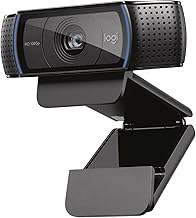
 Logitech C920x HD Pro PC Webcam Full 1080p/30fps1 Pack2.8 x 1.7 x 3.7 inches0.4 poundsCheck on Amazon
Pros & cons
- HD lighting adjustment and autofocus support clear low-light video
- Stereo audio with dual mics captures clearer sound during calls
- Includes a 3-month XSplit VCam license for background removal
- Lacks a built-in privacy shutter found on some other Logitech models
- 1080p resolution is standard rather than upgraded
Pros & cons
- RightLight auto-balance boosts brightness by up to 50% for clearer video
- Integrated slide cover offers quick, reliable privacy control
- Plug-and-play design works across Teams, Zoom, and Google Meet
- 1080p resolution is standard, not upgraded to 4K
- Feature set is more basic than Logitech's higher-end Brio models
 Logitech C920e HD 1080p Mic Enabled Webcam Certified1.7"x3.7"x2.8"2.8 x 3.7 x 1.7 Inches0.4 PoundsCheck on Amazon
Pros & cons
- Certified for Zoom and compatible with Microsoft Teams out of the box
- Dual omnidirectional mics capture audio clearly from up to one meter
- Flip privacy screen lets you confirm the lens is covered at a glance
- 78-degree fixed field of view cannot be adjusted like some competitors
- 1080p resolution is standard rather than 4K
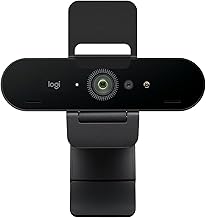
 Logitech Brio Ultra 4K HD Webcam for Streaming(Pack of 1)1.02 x 4.02 x 1.02 inches0.1 PoundsCheck on Amazon
Pros & cons
- Supports up to 4K at 30fps with autofocus and 5x digital zoom
- RightLight 3 automatically adjusts exposure in varied lighting
- Windows Hello support enables secure facial recognition login
- Three field-of-view presets require manual selection to find the right frame
- 4K streaming may need stronger CPU or USB bandwidth to run smoothly
Pros & cons
- 4K at 30fps or 1080p at 60fps covers both quality and smoothness needs
- Dual beamforming mics with AI noise reduction keep voice clear
- Show Mode tilts the camera down to share desk notes on calls
- Fine manual controls add complexity versus simple plug-and-play webcams
- Premium feature set costs more than basic webcams
 Logitech C920S HD Pro Webcam Full 1080p/30fps Video1.1" x 3.7" x 0.9"1 x 3.7 x 1.2 inches0.36 poundsCheck on Amazon
Pros & cons
- Built-in privacy shutter covers the lens when not in use
- Stereo audio with dual mics captures more natural sound on calls
- HD autofocus and light correction support sharp video in varied settings
- Does not include the 3-month XSplit VCam license some models offer
- 1080p video is standard, not upgraded to higher resolutions
The best Logitech webcams run from the 720p C270 up through 1080p C920 and Brio 100-series models to 4K Brio and MX Brio. This guide lays out twelve listings as a ladder, flags where several are near-twins, and shows what each rung adds: a shutter, USB-C, auto framing or Windows Hello. If you are unsure where to start, the three questions in the buying section take about a minute to answer. The StreamCam is not among these listings. Details come from titles, so check each listing before buying, and treat any two listings with near-identical titles as one product until the listing proves otherwise.
The Logitech webcam ladder at a glance
Logitech C920x HD Pro PC Webcam Full 1080p/30fps Video - Black | 30fps Video, Clear Audio, Light Correction, Works with Teams, Meet, Zoom, Nintendo Switch 2, Mac, Tablet
One of the money options compared in this guide.
View on Amazon
Logitech Brio 101 Full HD 1080p Webcam for Streaming and Meetings - Black | 1080p with auto-light correction, built-in mic, privacy shutter, USB-A, compatible with Teams, Google Meet, Zoom and more
One of the money options compared in this guide.
View on AmazonLogitech C920e HD 1080p Mic Enabled Webcam Certified Zoom Microsoft Teams | Certified for Zoom, Microsoft Teams compatible, TAA compliant
One of the money options compared in this guide.
View on AmazonLogitech Brio Ultra 4K HD Webcam for Streaming and Meetings - Black | Ultra HD with glass lens, auto light correction, wide view, works with Windows Hello, certified for Teams, Zoom, Google Meet
One of the money options compared in this guide.
View on Amazon
Logitech MX Brio Ultra HD 4K Webcam Collaboration and Streaming - Graphite | Ideal for collaboration and streaming, Show Mode, works with Microsoft Teams, Zoom, Google Meet, Nintendo Switch 2
One of the money options compared in this guide.
View on AmazonLogitech C920S HD Pro Webcam Full 1080p/30fps Video Calling Clear Stereo | 30fps video calling, clear stereo audio, light correction, works with Skype, Zoom, FaceTime, Hangouts, PC, Mac, laptop
One of the money options compared in this guide.
View on Amazon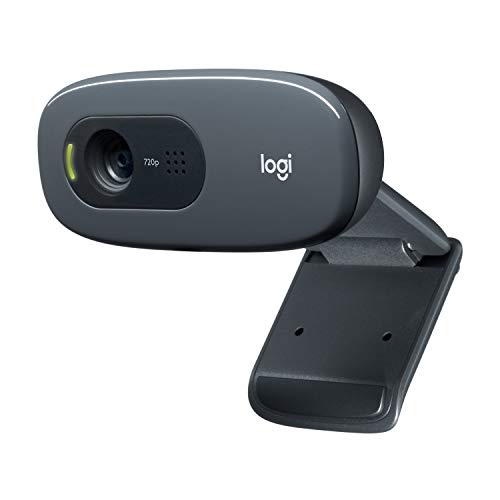
Logitech C270 720p Webcam Plug-and-Play Wide Screen Video Calling - Black | Auto-Light Correct, Noise-Reducing Mic, Zoom, Microsoft, Teams, Skype, Nintendo Switch 2 New GameChat Mode, PC Mac compatible
One of the money options compared in this guide.
View on Amazon
Logitech Brio 100 Full HD 1080p Webcam for Streaming and Meetings - White | 1080p with auto-light correction, built-in mic, privacy shutter, USB-A, compatible with Teams, Google Meet, Zoom and more
One of the money options compared in this guide.
View on Amazon
Logitech Brio 105 Full HD 1080p Business Webcam with Auto-Light Balance | 1080p with auto-light correction, built-in mic, privacy shutter, USB-C, compatible with Teams, Google Meet, Zoom and more
One of the money options compared in this guide.
View on Amazon
Logitech Brio 505 Full HD 1080p Business Webcam with Auto Light Correction | Auto framing, dual noise reduction mics, integrated privacy shutter, compatible with Teams, Meet, and Zoom, TAA compliant
One of the money options compared in this guide.
View on Amazon| Model | Key point from title | Price tier | Best for |
|---|---|---|---|
| Logitech C270 | 720p, plug-and-play, noise-reducing mic, auto-light correct | Budget | Entry-level calls |
| Logitech Brio 101 | 1080p, auto-light correction, mic, privacy shutter, USB-A | Budget | Simple 1080p with shutter |
| Logitech Brio 100 (White) | 1080p, auto-light correction, mic, privacy shutter, USB-A, white | Budget | Colour-matched twin of the Brio 101 |
| Logitech Brio 105 Business | 1080p, auto-light balance, mic, privacy shutter, USB-C | Budget | USB-C laptops and offices |
| Logitech Brio 100 (Renewed) | 1080p, full HD, Graphite, labelled Renewed | Budget | Lowest-cost Brio, accepting renewed |
| Logitech C920x HD Pro | Full 1080p at 30fps, clear audio, light correction | Mid-range | Classic all-rounder |
| Logitech C920S HD Pro | Full 1080p at 30fps, stereo audio, light correction | Mid-range | C920 variant with stereo audio |
| Logitech C920e | 1080p, mic-enabled, certified for Zoom and Microsoft Teams, TAA compliant | Mid-range | Managed offices |
| Logitech C925-E Business | 1080p/30fps, light correction, autofocus, privacy shutter, Teams, Meet, Skype, Zoom | Mid-range (listing price blank) | Business use with shutter and autofocus |
| Logitech Brio 505 | 1080p, auto light correction, auto framing, dual noise-reduction mics, shutter, TAA compliant | Mid-range | Auto framing for business calls |
| Logitech Brio Ultra 4K HD | 4K, glass lens, auto light correction, wide view, Windows Hello | Premium | Sharp image and face sign-in |
| Logitech MX Brio Ultra HD 4K | 4K, collaboration and streaming, Show Mode | Premium | Desk demos and streaming |
Each rung in turn
Logitech C270
The ladder starts here: 720p, plug-and-play, a noise-reducing mic and automatic light correction, with Zoom, Teams and Skype named. The picture is softer than the 1080p models, but for small call windows that is often acceptable. The title mentions Nintendo Switch 2 GameChat mode, a sign that it works with consoles as a basic camera. No privacy shutter is listed, so plan on a cover.
Pros
- Lowest price tier in the set
- True plug-and-play
Cons
- 720p only
- No shutter in the title
Who it’s for: People who want a cheap, simple camera for occasional calls.
Logitech Brio 101
A 1080p webcam with auto-light correction, a built-in mic, a privacy shutter and a USB-A plug. It is the first rung with a shutter in this set. The title shows no frame rate or field of view. It sits in a Brio 100 series with its neighbours, so the sensible way to choose is by connector and colour rather than expecting a different picture.
Pros
- Privacy shutter
- Clean, modern 1080p listing
Cons
- Frame rate not stated
- Near-twin of the Brio 100 listings
Who it’s for: Home and office users who want a no-fuss 1080p camera.
Logitech Brio 100 (White)
The title is almost word for word the same as the Brio 101 entry, with the colour white and the model name Brio 100. Unless the listing shows a difference beyond colour, treat it as the same class of camera. If you have a white desk setup, it is a cosmetic choice. Compare the two listings side by side and pick the cheaper or better-matched one. Do not pay extra for the finish alone.
Pros
- Shutter and mic listed
- White finish
Cons
- Near-duplicate of the Brio 101
- No extra features beyond colour
Who it’s for: Buyers who want the same camera in a lighter finish.
Logitech Brio 105 Business
The Brio 105 title swaps the USB-A plug for USB-C and calls itself a business webcam with auto-light balance, a mic and a privacy shutter. That connector change is the main reason to choose it: modern laptops often lack USB-A, so you avoid an adapter. Otherwise it appears to match the Brio 100 series, and the title offers no other upgrade. For an office buying many units, a single connector standard also simplifies spares.
Pros
- USB-C connector
- Shutter and mic listed
Cons
- No frame rate in the title
- Few differences from the Brio 101
Who it’s for: Laptop users with USB-C-only ports who want a small 1080p camera.
Logitech Brio 100 (Renewed)
The listing is for a Renewed Brio 100 in Graphite, with a part number in the name and very little else. Renewed means refurbished, so condition, warranty and return terms depend on the seller. The title lacks the feature list of the new listings, so check the listing to confirm the mic, shutter and connector. Compare the saving with the new Brio 101 before buying. If the gap is small, new is the lower-risk choice.
Pros
- Lowest tier for a Brio
- Graphite finish
Cons
- Renewed condition varies
- Sparse title details
Who it’s for: Bargain hunters comfortable with refurbished gear.
Logitech C920x HD Pro
A 1080p/30fps camera with clear audio and light correction, listed for Teams, Meet, Zoom, Mac and tablets. It represents the traditional middle of the line: sharper than the C270, without 4K or tracking. The title does not mention a shutter. The C920S and C920e below read very similarly, so decide by the details those titles add. None of the three claims a frame rate other than 30fps, so image style should look similar.
Pros
- Straightforward 1080p/30
- Broad app support
Cons
- No shutter in the title
- Overlaps with C920S and C920e
Who it’s for: Buyers wanting the conventional 1080p webcam without extras.
Logitech C920S HD Pro
The title adds clear stereo audio and lists Skype, Zoom, FaceTime, Hangouts, PC, Mac and laptops. It is otherwise a near-duplicate of the C920x listing, so the choice is which one is cheaper or in stock. The title does not say whether a privacy cover is included, so check the listing before assuming it is. Stereo audio is a mention of the mic arrangement, not a replacement for a headset.
Pros
- Stereo audio listed
- Wide platform list
Cons
- Near-duplicate of the C920x
- Shutter not confirmed in the title
Who it’s for: Buyers who see this listing priced like the C920x and want the audio mention.
Logitech C920e
The title leads with certification for Zoom and Microsoft Teams and a TAA-compliant label, which suits organisations with procurement rules. It is a 1080p webcam with a mic. As with the other C920 listings, no shutter is mentioned. Individual buyers usually need only compare it with the C920x on price, since the compliance wording is the main difference. Skip it if you are not bound by procurement rules.
Pros
- Certified for Zoom and Teams per the title
- TAA-compliant label
Cons
- Compliance may not matter to you
- Overlaps with other C920 entries
Who it’s for: IT buyers purchasing for an organisation.
Logitech C925-E Business
A business-branded 1080p/30fps camera with light correction, autofocus, clear audio and a privacy shutter, listed for Teams, Meet, Skype and Zoom. It stands out for mentioning both autofocus and a shutter in the title. The listing’s price was blank when we assembled this set, so the tier is a placeholder: check the listing before comparing it with the other C920 models. If it costs about the same as a C920x, the shutter and autofocus wording makes it the more complete listing.
Pros
- Autofocus and shutter listed
- Business positioning
Cons
- Price unclear at selection time
- Another C920-family overlap
Who it’s for: Professionals who want a shutter and a conventional 1080p camera.
Logitech Brio 505
The Brio 505 title lists a 1080p business webcam with auto light correction, auto framing, dual noise-reduction mics, an integrated privacy shutter and TAA compliance, for Teams, Meet and Zoom. Auto framing is the standout: it crops digitally to keep you centred. Dual mics help in a shared space. The title does not state a frame rate or field of view. Auto framing is a software feature, so check whether it runs in the camera or needs the vendor app, and whether you can switch it off.
Pros
- Auto framing and dual mics
- Shutter and TAA label
Cons
- No frame rate in the title
- Mid tier for a 1080p camera
Who it’s for: Office users who move around and want help with framing.
Logitech Brio Ultra 4K HD
At the top of the ladder, this listing names a 4K sensor, a glass lens, auto light correction, a wide view and Windows Hello, with Teams, Zoom and Google Meet certification. Face sign-in is the practical bonus. Most calls downscale video, so the extra pixels are a reserve rather than a visible upgrade. It overlaps in role with the MX Brio entry. Check the listing for sensor and frame rate details that the title omits.
Pros
- Windows Hello support
- Wide view
Cons
- 4K rarely used in calls
- Overlaps with the MX Brio
Who it’s for: Windows users who want face login and a premium image.
Logitech MX Brio Ultra HD 4K
The MX Brio listing names 4K, collaboration and streaming, and Show Mode for presenting items on your desk, with Teams, Zoom, Google Meet and Nintendo Switch 2 mentioned. No frame rate or sensor size appears in the title. It is the only entry in this set aimed so directly at presenters. Choose it over the Brio Ultra for Show Mode. Without that need, a cheaper 1080p model covers daily calls, so this is a features purchase rather than a quality necessity.
Pros
- Show Mode
- Streaming and collaboration focus
Cons
- Frame rate and sensor not stated
- Premium price tier
Who it’s for: Presenters who demonstrate objects or documents on camera.
How we picked these
We relied on published specifications, manufacturer documentation and buyer reviews, and kept only what each title states. We grouped listings by what they add over the previous rung. Nobody on the team used or measured these units. Compliance and certification wording is the seller’s claim, price tiers are relative within the set of twelve, and the Renewed listing is flagged because condition varies.
How to choose between Logitech tiers
Question one: what resolution do you need?
720p (C270) is fine for small call windows. 1080p covers nearly all meetings and streams. 4K (Brio Ultra, MX Brio) pays off mainly for recording and cropping, because meeting apps downscale. If you sit close to the camera in decent light, the jump from 720p to 1080p is the most visible one on this ladder.
Question two: which connector fits?
USB-A models (Brio 101, Brio 100) need an adapter on USB-C-only laptops. The Brio 105 title lists USB-C. For other models, check the listing for cable and plug details, and note that a USB-C camera still needs a free port on your machine.
Question three: do you need a shutter or compliance wording?
The Brio 100 series and Brio 505 titles name a privacy shutter, as does the C925-E. The C920e and Brio 505 mention TAA compliance, relevant to some procurement rules.
What the extras add
Auto framing (Brio 505) crops digitally to keep you centred. Show Mode (MX Brio) points the view at your desk. Windows Hello (Brio Ultra) offers face sign-in on supported Windows PCs. Software features may need Logitech’s app, so check your operating system. Settings such as zoom, field of view and exposure usually live in that app, and some are remembered by the camera while others reset after a restart.
Ownership checklist
- Connector type on your computer
- Shutter, if the camera stays plugged in
- Mount: monitor clip or tripod thread
- New versus Renewed listing
- Whether two near-identical listings differ only in colour or price
- A lamp or window light in front of you, since light changes the picture more than a tier jump
Mistakes buyers make
Paying more for a near-duplicate is common: the C920x and C920S, or the Brio 101 and Brio 100, may differ mainly in colour or price. Another mistake is buying 4K for calls that downscale to 1080p. Buyers on USB-C-only laptops sometimes forget the connector, and others skip the condition grade on Renewed listings. Finally, lighting beats upgrades: a lamp helps more than climbing a tier. People also assume a business label means better image quality, when it often points to compliance or management features. Last, buyers forget that several similar titles can sit side by side on one page, so read the model name twice before ordering.
Verdict
For most people the Brio 101 or Brio 105 (if you need USB-C) covers daily use. Pick the C920e for compliance needs, the Brio 505 for auto framing, the Brio Ultra for Windows Hello and the MX Brio for desk demos. Skip near-duplicates and read the listing first. If your budget is tight, the C270 is acceptable for casual use, and the Renewed Brio 100 only makes sense when the discount is clear and the return terms are generous.
Related guides
- Business Laptops With Quad Core Processors
- Travel Backpack With Laptop Compartment
- Cheap Gaming Laptops Under 600 Dollars
Frequently asked questions
What is the difference between the Brio 100, 101 and 105?
The titles describe the same 1080p class with auto-light correction, a mic and a privacy shutter. The Brio 105 lists USB-C and a business focus, while the 101 lists USB-A. The Brio 100 listing here is the white version. Check the listing for details before assuming other differences, and compare price, colour and connector rather than expecting a visible change in the picture.
Which Logitech webcam is best for streaming?
None of these titles is aimed solely at streaming, but several list 1080p with light correction, and the MX Brio mentions streaming. The StreamCam is not in this set. For streaming, look for a stated frame rate and mic, and consider a separate microphone. A lamp in front of you helps a streaming picture more than a higher tier does.
Is the C920e different from the C920x?
The C920e title adds Zoom and Teams certification and a TAA-compliant label, which matter mainly to organisations. Both are 1080p webcams with a mic. For personal use, compare price and availability rather than expecting a different picture. Both sit in the same 1080p class, so the label rarely changes the image you see.
Is a renewed Logitech webcam worth buying?
It can be if the discount is clear and the seller offers returns and a warranty. Condition varies, and the Renewed Brio 100 title gives few details. Compare it with the new Brio 101 and check the listing before buying, including the seller’s return window and the stated condition.
Do Logitech webcams need software?
Basic video usually works as a standard USB camera. Extras such as auto framing, Show Mode or tuning may need Logitech software. Check the manufacturer page for your operating system before relying on those features. If you plan to use only the basic video feed, no software is usually needed.