Navigating the world of webcams can be a daunting task, especially when you’re looking for a reliable and high-quality solution for streaming, video conferencing, or even just connecting with friends and family. Logitech has long been a dominant force in the webcam market, offering a wide range of options to suit various needs and budgets. But with so many models available, how do you pinpoint the perfect one for your setup?
This guide cuts through the noise, providing a clear and concise comparison of the best Logitech webcams. We’ll break down their key features, performance, and ideal use cases to help you make an informed decision that aligns with your specific requirements. Whether you’re a seasoned streamer or a remote work professional, you’ll find the right Logitech webcam here.
Our top picks
 Logitech C920x HD Pro PC Webcam Full
HD lighting adjustment and autofocus support clear low-light video
Stereo audio with dual mics captures clearer sound during calls
Includes a 3-month XSplit VCam license for background removal
Lacks a built-in privacy shutter found on some other Logitech models
1080p resolution is standard rather than upgraded
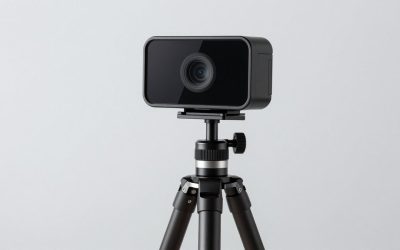
 Logitech MX Brio Ultra HD 4K Webcam
4K at 30fps or 1080p at 60fps covers both quality and smoothness needs
Dual beamforming mics with AI noise reduction keep voice clear
Show Mode tilts the camera down to share desk notes on calls
Fine manual controls add complexity versus simple plug-and-play webcams
Premium feature set costs more than basic webcams
 Logitech C920S HD Pro Webcam Full 1080p/30fps
Built-in privacy shutter covers the lens when not in use
Stereo audio with dual mics captures more natural sound on calls
HD autofocus and light correction support sharp video in varied settings
Does not include the 3-month XSplit VCam license some models offer
1080p video is standard, not upgraded to higher resolutions
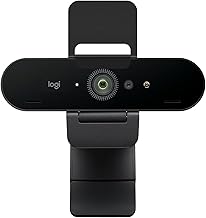
 Logitech Brio Ultra 4K HD Webcam for
Supports up to 4K at 30fps with autofocus and 5x digital zoom
RightLight 3 automatically adjusts exposure in varied lighting
Windows Hello support enables secure facial recognition login
Three field-of-view presets require manual selection to find the right frame
4K streaming may need stronger CPU or USB bandwidth to run smoothly
 Logitech C270 720p Webcam Plug-and-Play Wide Screen
Built-in noise-reducing mic picks up voice from up to 1.5 meters
RightLight 2 adjusts automatically to varying lighting conditions
Compatible with Nintendo Switch 2's GameChat mode
720p resolution is lower than most current webcams
55-degree field of view is narrower than wide-angle alternatives
 Logitech C920e HD 1080p Mic Enabled Webcam
Certified for Zoom and compatible with Microsoft Teams out of the box
Dual omnidirectional mics capture audio clearly from up to one meter
Flip privacy screen lets you confirm the lens is covered at a glance
78-degree fixed field of view cannot be adjusted like some competitors
1080p resolution is standard rather than 4K
 Logitech HD Pro Webcam C920
1080p resolution supports sharper video calls and recordings
Compact size suits either desktop or laptop placement
Established Logitech webcam line with broad software compatibility
Feature list in this listing is limited to resolution alone
No stated autofocus or low-light correction feature in this data
Logitech 4k Webcam- Whether employees are in the office, at home,…
- Ultra 4K HD resolution: 4 times the resolution…
- Noise-canceling technology: Dual omni-directional mics suppress background sound…
As an Amazon Associate we earn from qualifying purchases at no extra cost to you.
🎮 Get More From Your Setup — Free
Prime Gaming gives you free PC games every month, in-game loot, and a free Twitch channel sub — plus fast free shipping on all the gear above. New members get a 30-day free trial.
Watch: Logitech Webcam Comparison: Review & Buyer’s Guide — Video Review
How to Choose a/an Logitech Webcam Comparison
- Resolution: For crisp, clear visuals, aim for 1080p (Full HD) or higher. 4K offers exceptional detail, ideal for professional streaming or content creation.
- Frame Rate (fps): 30fps is standard for most applications. For smoother motion, especially in fast-paced gaming streams, 60fps can be beneficial.
- Field of View (FoV): A wider FoV is great for capturing more of your surroundings or including multiple people in the frame. A narrower FoV focuses on your face.
- Microphone Quality: Many Logitech webcams feature built-in microphones. Look for noise-reducing technology for clearer audio without external mics.
- Software & Features: Consider features like auto light correction, autofocus, and compatibility with popular conferencing and streaming software (Teams, Zoom, OBS).
The Best Logitech Webcam Comparisons Reviewed
Logitech MX Brio Ultra HD 4K Webcam
The MX Brio is Logitech’s premium offering, delivering stunning 4K resolution and advanced features like Show Mode for dynamic presentations. It’s the ultimate choice for professionals and streamers who demand the absolute best in image quality and versatility.
Logitech Brio Ultra 4K HD Webcam
Another excellent 4K option, the Brio boasts a glass lens, auto light correction, and a wide field of view. It’s certified for major platforms like Teams and Zoom, making it a powerhouse for both streaming and critical business meetings.
Logitech C920x HD Pro Webcam
A long-standing favorite, the C920x offers reliable 1080p video at 30fps with good light correction and clear stereo audio. It’s a fantastic all-rounder that balances performance and affordability for everyday use and casual streaming.
Logitech C920S HD Pro Webcam
Very similar to the C920x, the C920S also provides excellent 1080p video and clear stereo sound. Its strength lies in its broad compatibility with popular video calling applications, making it a solid choice for general communication.
Logitech C270 720p Webcam
For budget-conscious users, the C270 is a compelling option. It delivers decent 720p video with auto-light correction and a noise-reducing microphone. It’s a plug-and-play solution perfect for basic video calls and everyday connectivity.
Frequently Asked Questions
What is the difference between the C920x and C920S?
The C920x and C920S are very similar, both offering 1080p video and clear audio. The primary difference often lies in bundled software or specific certifications for certain platforms, though their core functionality remains largely the same.
Is 4K resolution necessary for streaming?
While 4K offers superior detail, it’s not strictly necessary for all streamers. 1080p is widely accepted and provides excellent quality for most platforms and audiences. 4K is ideal for those aiming for the highest visual fidelity or who want the flexibility to crop their footage.
Can I use a Logitech webcam with a Nintendo Switch?
Yes, several Logitech webcams, including the C920x, C270, and MX Brio, are compatible with the Nintendo Switch for specific features like GameChat mode, allowing for enhanced communication during gameplay.
Which Logitech webcam is best for gaming streams?
For gaming streams, a webcam with good low-light performance, clear audio, and a decent field of view is crucial. The Logitech Brio or MX Brio would be excellent choices for their 4K capabilities and advanced features. The C920x is also a strong contender for its reliable 1080p performance at a more accessible price point.
Final Thoughts
For an exceptional all-around experience with top-tier visuals, the Logitech MX Brio and Logitech Brio Ultra 4K are the ultimate choices. If you’re seeking a reliable and high-performing 1080p option without breaking the bank, the Logitech C920x remains a benchmark in its class.